



Can I customize Alerts in Figma?
Yes. The EmviUI file is editable: adapt colors, typography, spacing, and variants to your product’s visual system.
Components
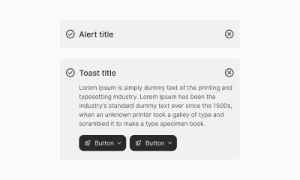
Explore editable alert patterns for important feedback, warnings and confirmations. Use the Figma preview to compare layouts for toast UI component and review the available states before adapting the design.
 Not included in free version
 Free
Free
8 Variants
 Free
Free
16 Variants
 Free
Free
96 Variants
 Free
Free
1128 Variants
 Free
Free
36 Variants
 Free
Free
340 Variants
 Premium
336 Variants
 Free
Free
960 Variants
 Premium
86 Variants
 Premium
70 Variants
 Free
Free
128 Variants
 Free
Free
100 Variants
 Free
Free
2404 Variants
 Free
Free
16 Variants
 Free
Free
256 Variants
 Free
Free
12 Variants
 Free
Free
20 Variants
 Free
Free
50 Variants
 Free
Free
896 Variants
 Premium
196 Variants
 Free
Free
784 Variants
 Free
Free
840 Variants
 Premium
149 Variants
 Premium
22 Variants
 Free
Free
50 Variants
 Free
Free
1792 Variants
 Free
Free
64 Variants
 Premium
6 Variants
 Premium
256 Variants
 Free
Free
64 Variants
 Premium
580 Variants
 Free
Free
144 Variants
 Premium
36 Variants
 Premium
7 Variants
 Premium
441 Variants
 Premium
8 Variants
 Free
Free
14 Variants
 Free
Free
12 Variants
 Premium
16 Variants
 Premium
32 Variants
Alerts and toasts in Emvi UI are components designed to deliver key user messages with clarity and
efficiency. Alerts provide persistent, visible messages within the interface, while toasts act as temporary
notifications that auto-dismiss.
Both components support multiple levels of severity: success, error, warning, info, and neutral. Each state
uses consistent color tokens, iconography, and typography to ensure clear hierarchy and accessibility.
Alerts are inline message blocks meant for contextual, important communication. Common use cases
include:
- Action confirmations
- Critical warnings (e.g., potential data loss)
- Form validation errors
Variants support icons, secondary action buttons, and dismissible options for user control.
Toasts provide quick, lightweight notifications that appear in fixed screen positions (top/bottom corners)
and disappear automatically after a set delay. Ideal for:
- Quick confirmations ("File uploaded successfully")
- Temporary errors ("Connection lost, retrying...")
- Status updates
They support icons, undo actions, and stacked notifications for multiple simultaneous events.
Alerts are designed to grab users' attention immediately. Whether it’s a critical warning, an important update, or a simple notification, alerts ensure that vital information doesn’t go unnoticed. By using distinct colors and prominent positioning, alerts stand out on the page, making sure users see them right away.
Alerts provide essential feedback to users regarding their actions on the site. Whether it's confirming a successful action, pointing out an error, or offering additional instructions, alerts keep users informed about what’s happening. This real-time feedback helps improve user experience by making interactions transparent and reassuring users that their actions are being processed.
Alerts are effective in prompting users to take specific actions or make informed decisions. They can include buttons or links that guide users to the next steps, such as resolving an issue, confirming a choice, or exploring further information. This functionality makes alerts not just informative but also actionable, driving user engagement and ensuring smooth navigation through the site.
These Figma patterns show how alerts and toasts can be presented. In the implemented interface, check
contrast and add the appropriate live region or semantic role for each message.
Test readability, screen reader announcements, focus behavior and dismissal on desktop and mobile.
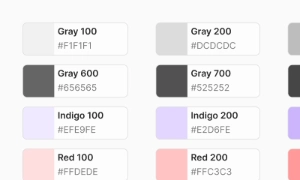
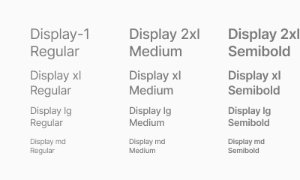
In Figma, alerts and toasts exist as structured variants tied to global text and color styles.
In Tailwind CSS, they are implemented using utilities such as bg-success-100, text-error-700, rounded-md,
shadow-lg, with support for custom entry/exit animations.
- Use alerts for persistent messages that require user attention
- Use toasts for transient notifications that don't require action
- Maintain consistent styling across all severity levels
- Ensure proper contrast ratios for accessibility
- Limit toast duration to 4-6 seconds for optimal user experience
- Provide clear dismiss options for alerts
Alerts remain visible within the interface until dismissed by the user or replaced by navigation.
Toasts, on the other hand, appear briefly and auto-dismiss after a few seconds, making them ideal
for quick, transient updates.
Example: Use alerts for form errors that need correction, use toasts for success confirmations.
Yes. The EmviUI file is editable: adapt colors, typography, spacing, and variants to your product’s visual system.
The EmviUI collection includes 70 Alerts variants. Open the Figma preview to explore the included designs.