




Can I customize Breadcrumbs in Figma?
Yes. The EmviUI file is editable: adapt colors, typography, spacing, and variants to your product’s visual system.
Components
Explore editable breadcrumbs patterns for hierarchical navigation across pages and categories. Use the Figma preview to compare layouts for breadcrumbs UI and review the available states before adapting the design.
 Not included in free version
 Free
Free
8 Variants
 Free
Free
16 Variants
 Free
Free
96 Variants
 Free
Free
1128 Variants
 Free
Free
36 Variants
 Free
Free
340 Variants
 Premium
336 Variants
 Free
Free
960 Variants
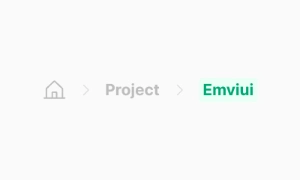 Premium
86 Variants
 Premium
70 Variants
 Free
Free
128 Variants
 Free
Free
100 Variants
 Free
Free
2404 Variants
 Free
Free
16 Variants
 Free
Free
256 Variants
 Free
Free
12 Variants
 Free
Free
20 Variants
 Free
Free
50 Variants
 Free
Free
896 Variants
 Premium
196 Variants
 Free
Free
784 Variants
 Free
Free
840 Variants
 Premium
149 Variants
 Premium
22 Variants
 Free
Free
50 Variants
 Free
Free
1792 Variants
 Free
Free
64 Variants
 Premium
6 Variants
 Premium
256 Variants
 Free
Free
64 Variants
 Premium
580 Variants
 Free
Free
144 Variants
 Premium
36 Variants
 Premium
7 Variants
 Premium
441 Variants
 Premium
8 Variants
 Free
Free
14 Variants
 Free
Free
12 Variants
 Premium
16 Variants
 Premium
32 Variants
Use breadcrumbs patterns to organize hierarchical navigation across pages and categories. Keep the relevant state and next action clear so the component is easy to scan. Align labels and visual priority with the screen around it.
Show only parent steps that help users understand their location, and make earlier destinations actionable. Keep labels concise and use spacing or icon cues to reinforce the message without relying on color alone.
In Figma, compare the component variants in a real product screen. Check spacing, contrast and labels across relevant states, then adapt the pattern to the team's design system. Document the selected variant and relevant states so the pattern stays consistent across screens.
The Breadcrumbs UI component in Emvi UI provides hierarchical navigation cues that help users understand
where they are and how to go back within the information architecture. It is optimized for products with
deep content trees (e.g., admin panels, catalogs, documentation sites, and B2B apps) and prioritizes
clarity, semantic consistency, and accessibility.
The implementation supports variable path lengths, smart truncation, responsive collapsing, and slots for
icons or status elements. Visual separation uses characters like /, > or SVG icons, and clearly
differentiates navigable links from the current page item (non-clickable by default). The system includes
light/dark theme styles and adheres to typography, color, and spacing tokens to ensure consistency across
the Design System.
A typical breadcrumb includes:
- Container (wrapping nav) with aria-label="Breadcrumb" and an ordered/unordered list
(<ol>/<ul>).
- Items (<li>) representing hierarchical levels (Home → Section → Subsection → Page).
- Separators (characters or icons) between items.
- Current item, marked with aria-current="page" and non-clickable by default.
Supported patterns:
- Home icon with optional label.
- Stateful items (e.g., disabled when permissions are missing).
- Microcopy additions (short subtitles or status badges).
- Horizontal scroll for very narrow viewports.
Emvi UI ships several production-ready variations:
- Classic: text + separators.
- Icon-enhanced: icons per level (folder, product, document).
- Compact: collapses early levels into a "..." trigger with a popover menu.
- Truncated: shortens long labels depending on available width (with title/tooltip for full label).
- Responsive: switches from full to compact mode at defined breakpoints (e.g., md, sm).
All variations inherit typography, color, and spacing tokens. The current item uses a distinctive
non-interactive style to avoid misleading click targets.
The component defines size tiers SM, MD, and LG. Each size includes:
- Internal spacing to prevent overlaps with icons or badges.
- Separators scaled to the typographic baseline.
- Consistent horizontal gaps between items and separators.
Separator variants (/, >, • or SVG) use a muted text color to reduce noise and keep focus on labels.
For deep paths, Emvi UI provides:
- Multi-stage truncation: shortens middle levels first, preserving the beginning and end.
- Collapsing: turns middle levels into a "..." trigger with a full-path popover.
- X-scroll: enables horizontal scrolling in narrow containers.
Truncation rules avoid stripping critical tokens (IDs, key slugs) and maintain accessibility with tooltips
and descriptive aria-labels.
- nav container with aria-label="Breadcrumb"
- Semantic list <ol> or <ul>; each level as <li>
- Current item marked with aria-current="page"
- Links have visible focus states and adequate touch targets
- Keyboard support: sequential tabbing, Enter/Space activation, and Esc to close popovers in compact
mode
- Contrast validated for text and separators in light/dark modes
In Figma, the component ships as a nested structure with variants: size (SM/MD/LG), separator (text/SVG),
collapsed (on/off), iconized (on/off). It uses Auto Layout and global token styles.
In Tailwind, the base relies on utilities such as flex, items-center, gap-x-*, text-sm|md|lg,
text-muted-foreground, and inline-flex slots for separators. Compact mode adds hidden md:flex logic and a
popover with vertical menu (flex-col, divide-y). The system is theme-aware and integrates data-state
attributes for active states.
- Keep essential levels visible (Home and current page); collapse middle levels for deep paths.
- Avoid ambiguous labels; prefer short, meaningful names.
- Disable current-item navigation to prevent confusion.
- Provide tooltips or title for truncated labels and descriptive aria-labels.
- Match separator styling to interface density (lighter in dense UIs).
- Test keyboard flows and screen readers; validate contrast in both themes.
Use it for hierarchical structures where users need context and return paths. Avoid it in linear
flows or flat navigation where breadcrumbs add little value.
Examples: catalog → category → product (good use case) vs single-page application with tabbed
navigation (unnecessary).
Yes. The EmviUI file is editable: adapt colors, typography, spacing, and variants to your product’s visual system.
The EmviUI collection includes 86 Breadcrumbs variants. Open the Figma preview to explore the included designs.