Difference Between Figma and Wireframe: UX Guide
Figma is a collaborative design workspace. A wireframe is an interface artifact you can create in Figma, on paper, or with another tool.
Figma is a collaborative design tool; a wireframe is a simplified representation of an interface screen. Use Figma to create, share, and revise wireframes, but do not confuse the workspace with the artifact. Start with low fidelity when structure is uncertain, add detail when content or interactions need review, and create a prototype when people need to experience connected screens.
Short answer: The difference between Figma and wireframe work is that Figma is a collaborative workspace, while a wireframe is an interface artifact. You can create one in Figma, on paper, or elsewhere. Start with the simplest representation that answers your design question.
Figma is the workspace; a wireframe is an artifact
Figma is an online workspace for laying out ideas and refining interfaces. A wireframe is a screen-level blueprint showing regions, content order, navigation, controls, and key actions without final styling. The Figma wireframing guide describes it as a basic blueprint that helps teams align on requirements.
This distinction changes the question a team should ask. Do not ask whether to choose Figma or a wireframe. Ask whether you need a wireframe, what it should communicate, and which medium will make it easiest to review. A notebook sketch may be enough to compare page ideas. A shared Figma file may be better when several people need to comment, reuse components, compare mobile and desktop layouts, or carry work into more detailed screens.
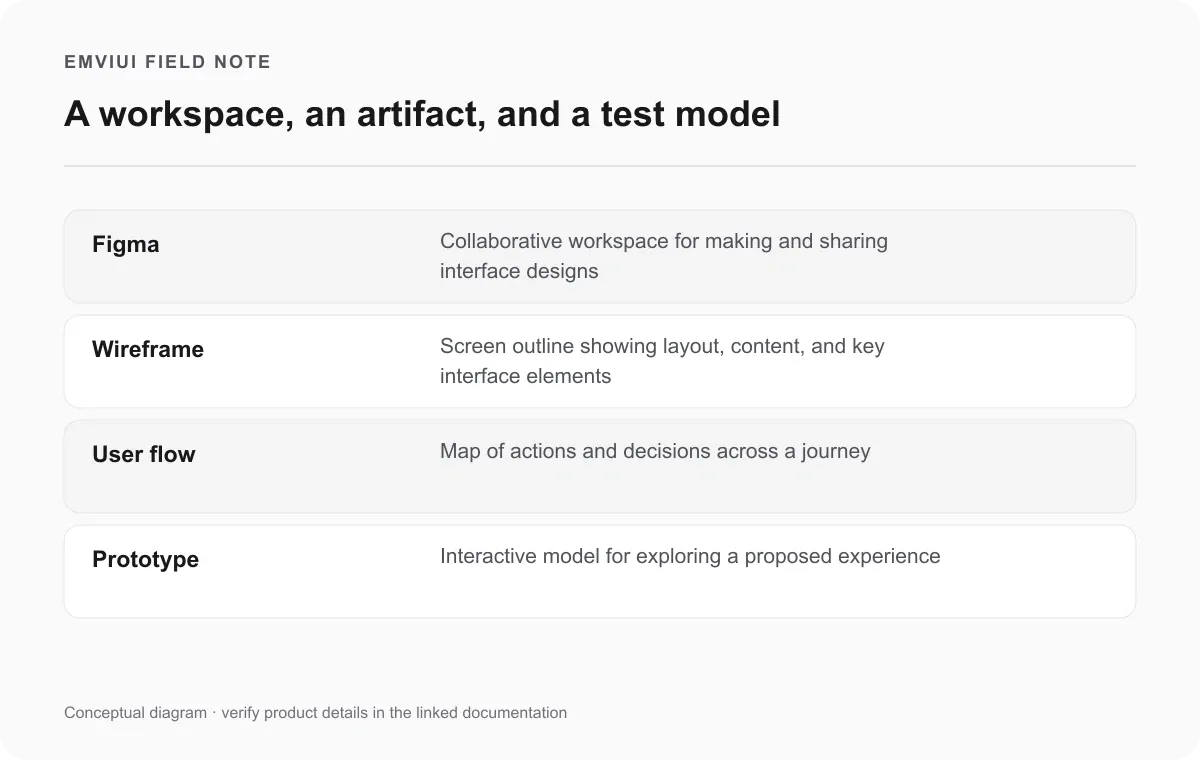
The diagram separates four terms that are often used as if they meant the same thing:
| Term | What it describes | Best question to ask |
|---|---|---|
| Figma | A collaborative workspace for design work | Where should the team create and review this? |
| Wireframe | A simplified screen layout and content structure | What belongs on this screen, and in what order? |
| User flow | Actions and decisions across a journey | What steps does the user take to reach a goal? |
| Prototype | A model connecting selected screens or interactions | Can someone understand or test this experience? |
A user flow tells you what happens; a wireframe shows the interface
A user flow maps a person’s actions and decisions as they move toward a goal. A wireframe shows the interface at a particular point in that journey. Figma’s user-flow guide draws this distinction directly: flows focus on actions and decisions, while wireframes represent interface elements on screens. The two artifacts work together, but one does not replace the other.
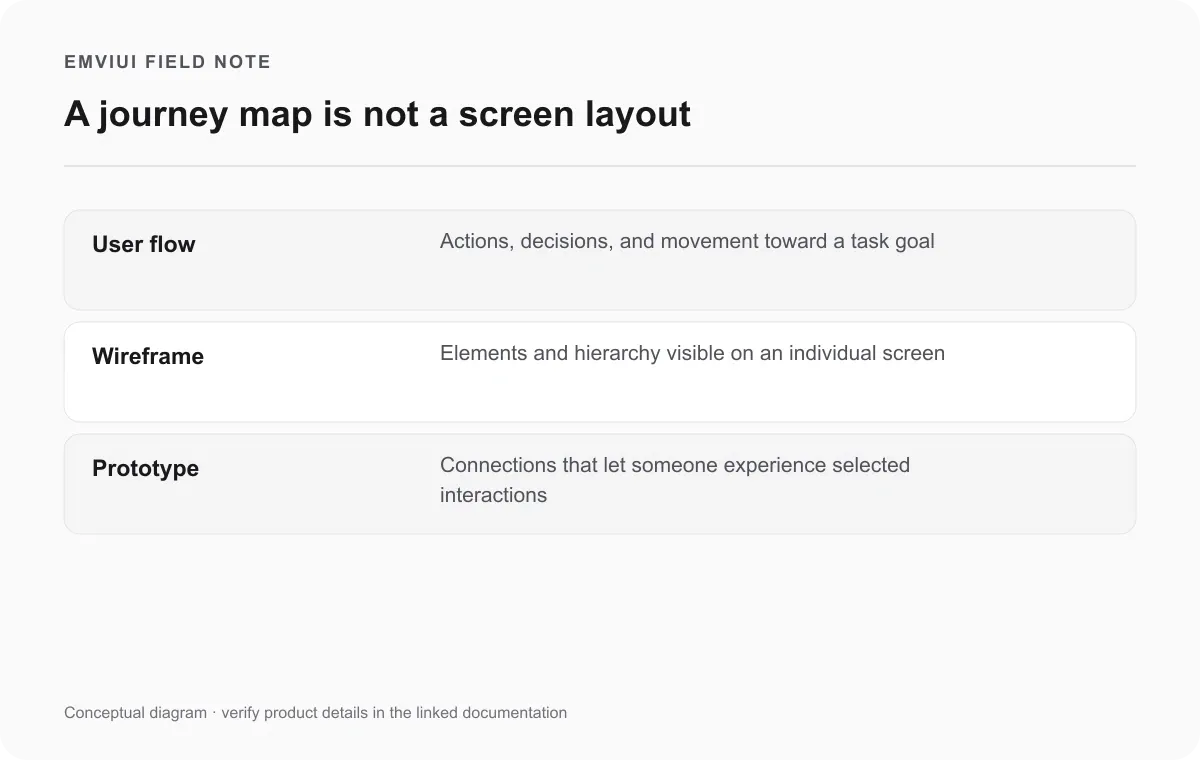
Consider someone creating an account. A flow might show: open sign-up, enter details, submit, resolve a validation error if one appears, then reach confirmation. Wireframes show the sign-up screen, error state, and confirmation screen. The flow helps catch a missing step; the wireframes help reviewers inspect fields, labels, error placement, and the next action. Without the flow, a team can polish a screen that does not support the whole task. Without screen layouts, the flow may hide whether the interface gives enough information at each step.
Low-, mid-, and high-fidelity wireframes answer different questions
Fidelity means how much detail an artifact carries. Figma describes low-, mid-, and high-fidelity wireframes as common levels, not a mandatory checklist every project must complete. A low-fidelity wireframe uses simple boxes, lines, and placeholders to make structure visible. A mid-fidelity version can include realistic content, annotations, and interaction notes. A high-fidelity wireframe may include typography, brand colors, and precise components, but it is still a draft for discussion rather than the shipped application.
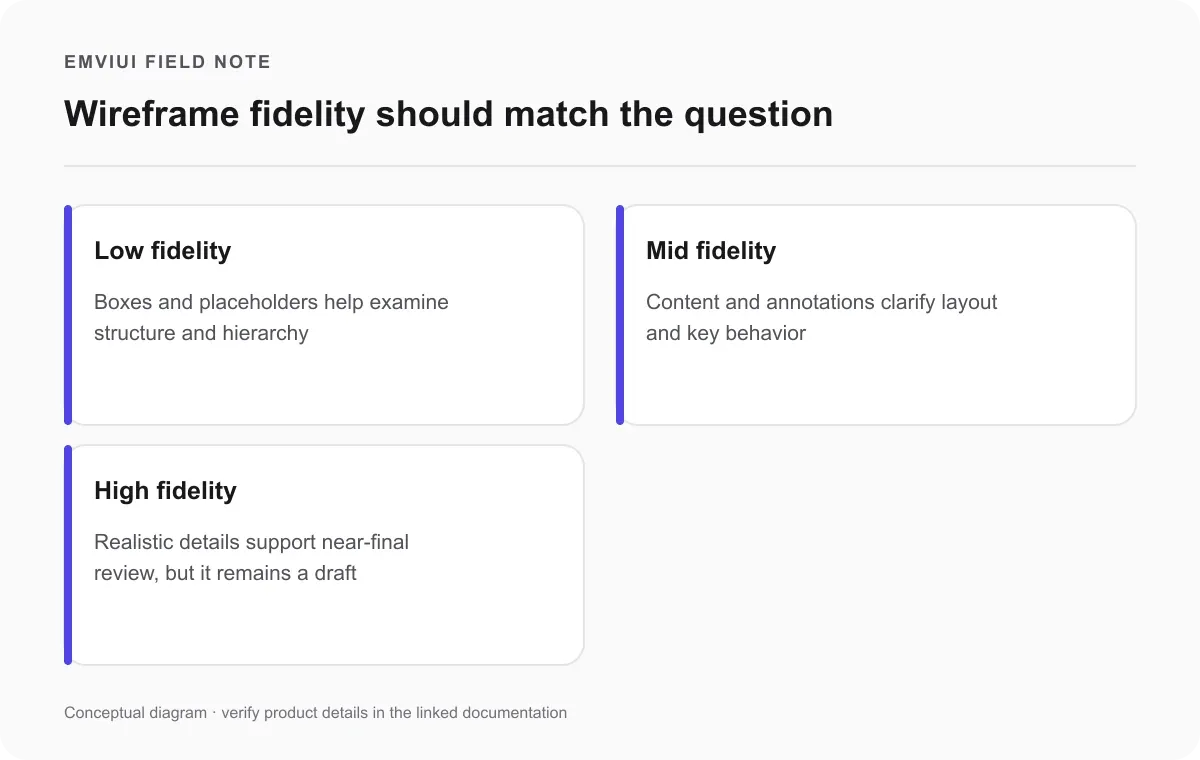
Start with low fidelity when the team is still deciding what screens exist, which content deserves emphasis, or where navigation belongs. Keep decoration minimal so reviewers focus on the question. Use realistic labels when text length or meaning affects layout; placeholder copy is useful only while actual content is unknown. A box labeled Search is more informative than a generic gray rectangle if people need to assess how search fits the task.
Use higher fidelity when the layout is familiar and stakeholders need to judge a near-final composition, or when visual details influence comprehension. Figma notes that teams with an established design system and a design similar to existing work can sometimes explore at higher fidelity without derailing feedback. That is a context-dependent option, not a rule to skip structure on every project. If reviewers debate polish while the content order is unresolved, reduce fidelity again.
Do not treat a high-fidelity wireframe as a guarantee of usability. A convincing screen can still contain confusing choices or a broken journey. Wireframes support discussion and early evaluation; they do not replace observing representative users or checking the implemented experience.
Build a useful wireframe in Figma with a five-step loop
Figma provides frames, shapes, text, reusable components, shared libraries, comments, and collaboration features that can support wireframing. It also describes starting with templates or existing components as ways to avoid the blank page. The workflow below is a practical recommendation based on Figma’s guidance, not a required product sequence.
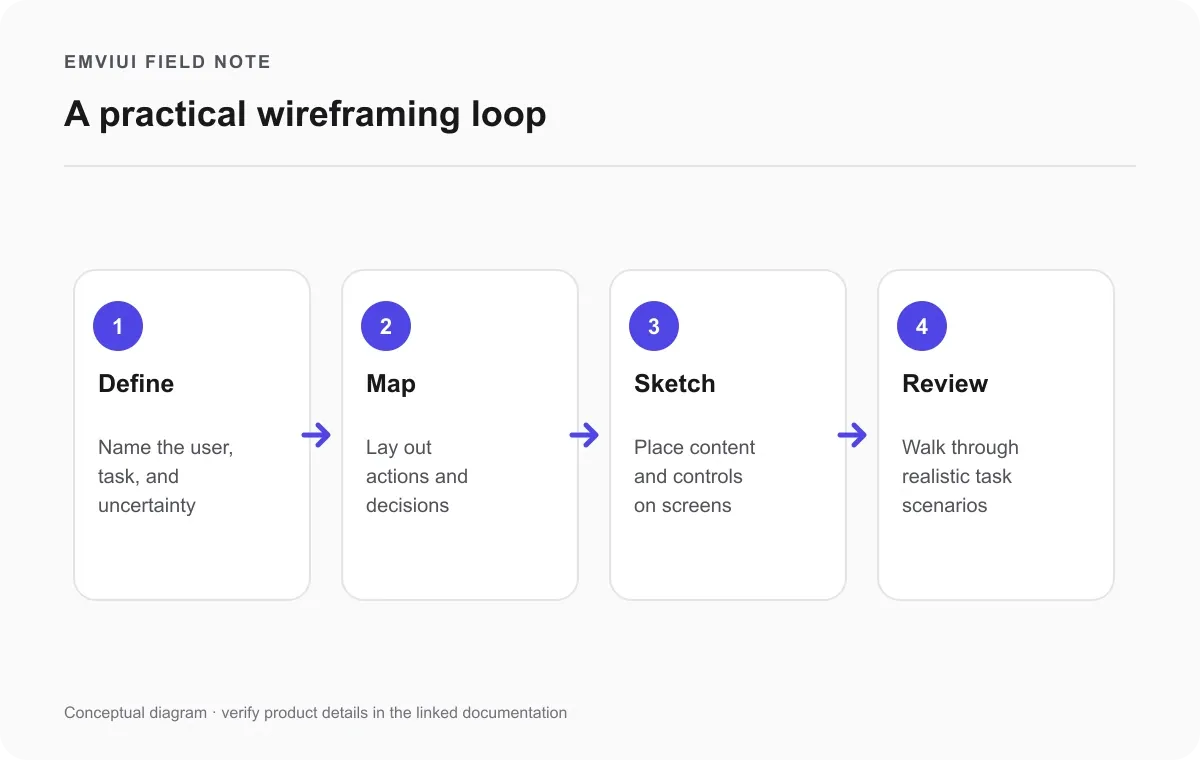
- Define the design question. Name the target user, their task, and the uncertainty you need to reduce. For example: can a new customer find plan details and understand the next step before creating an account?
- Map the journey. Use a simple user flow to list screens, decisions, and outcomes. Include an error or empty state if it changes what the interface must communicate. FigJam can help the team map and discuss the journey before laying out screens.
- Choose the lightest useful fidelity. If the screen structure is uncertain, use grayscale blocks and meaningful labels. If content length matters, use realistic copy. If a known design system already answers the visual questions, reuse components and spend time on the unresolved interaction.
- Lay out the screens. Create frames at the target device size, group related content, make the main action easy to locate, and keep repeated components consistent. Use annotations for behavior that is not visible in a static frame. Do not imply a button works unless its result is represented or connected.
- Review with a task, then revise. Ask a teammate or participant to complete a realistic scenario using the wireframe or prototype. Watch where they hesitate, misread labels, or expect a missing control. Record the issue, revise the structure, and repeat only at the detail level needed to answer the question.
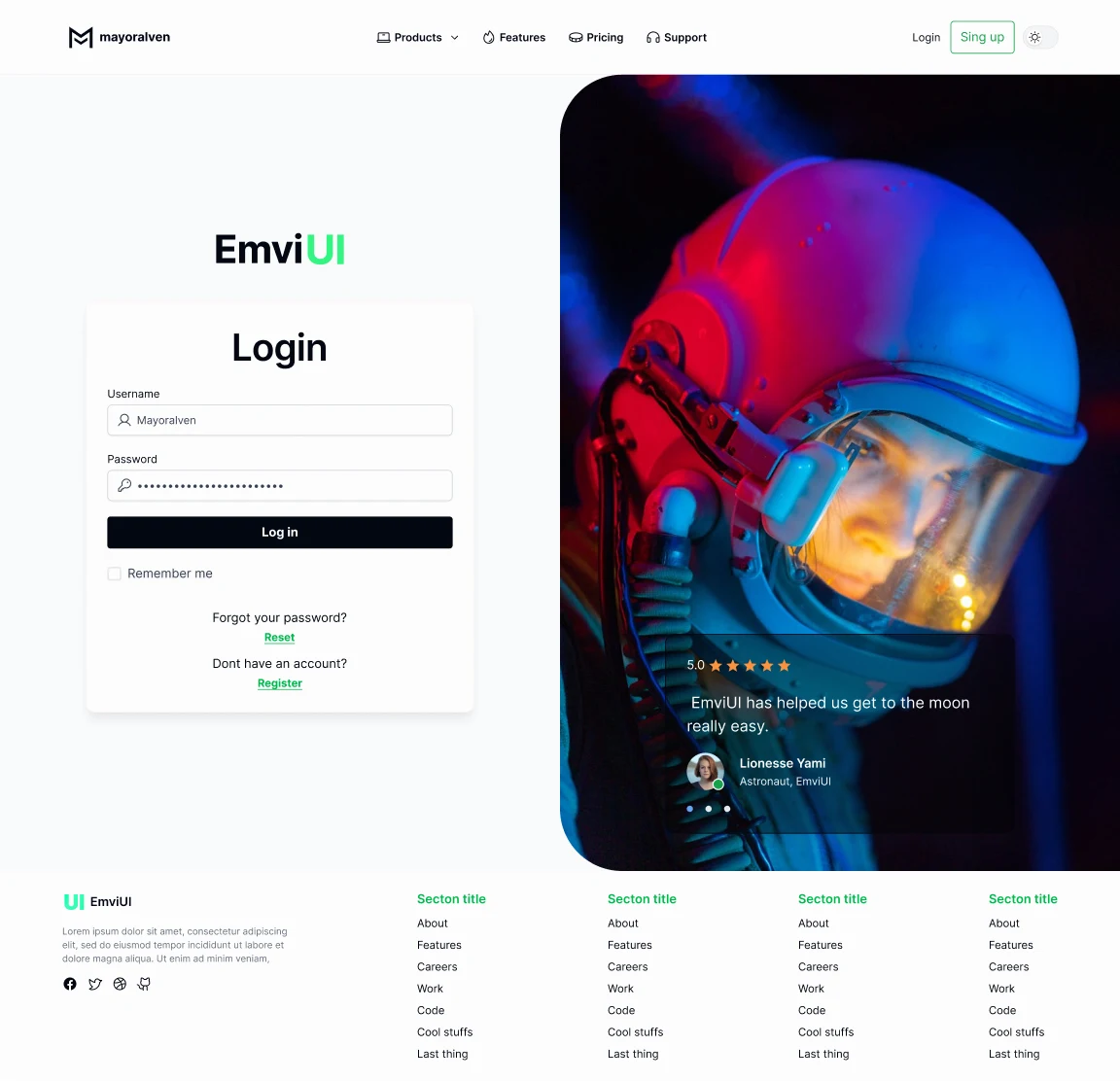
Figma’s wireframing overview describes sketching ideas, using existing components, collaborating in a shared space, and turning wireframes into interactive prototypes. The image below is a finished EmviUI interface composition from the content pool. It is not a wireframe or a Figma screenshot; use it to discuss the visual result that may follow structural wireframing.
Move toward a prototype only when interaction is the question
Make a prototype when your question depends on transitions, sequence, interaction feedback, or the difference between possible paths. If reviewers need to compare two ways to reveal filters, connect the relevant controls and states. If the issue is whether a settings screen contains all required options, a static wireframe may be enough. Prototyping every screen can add work without providing new evidence.
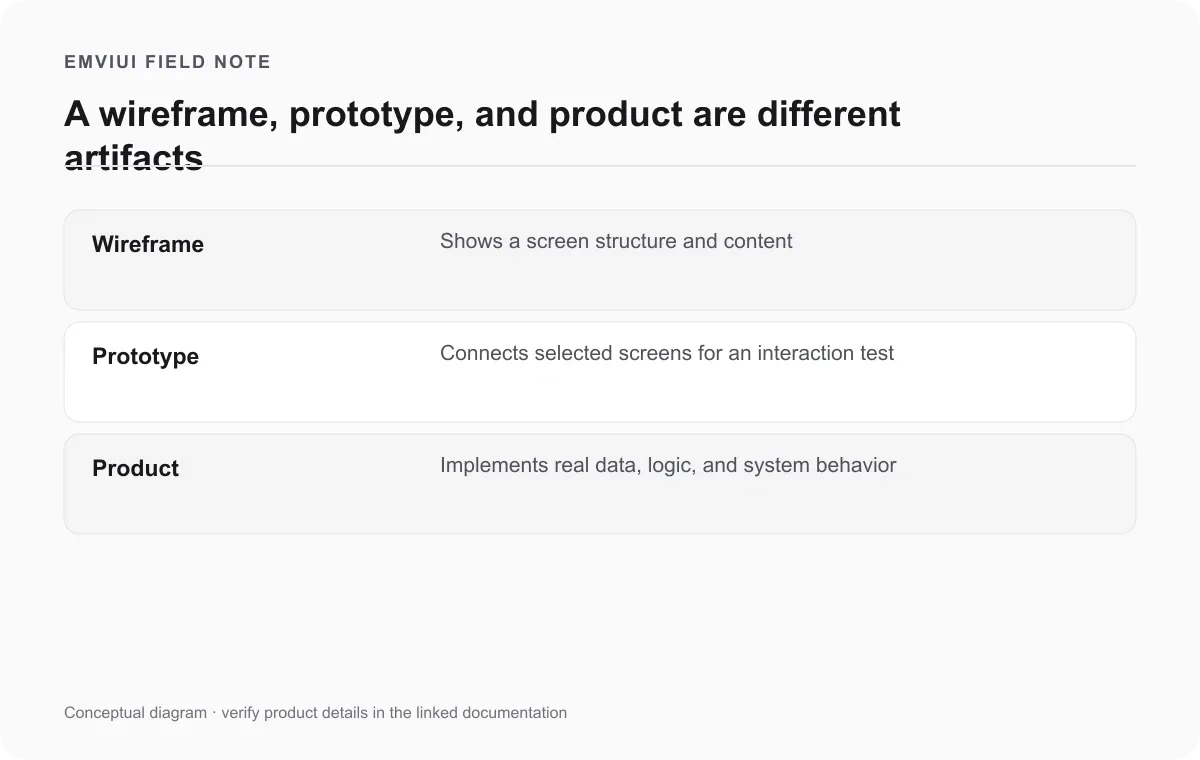
A prototype is still a model, not the implemented application. It can show a simulated response or selected flow, but it does not automatically implement product data, security, error handling, or backend logic. Make the boundary clear during handoff. The team can use the prototype to communicate intended behavior while developers decide how the real system should work and validate its states.
For a closer look at connected interactions, see our guide to Figma prototypes. When a screen moves toward implementation, our responsive web-design workflow covers translating screen relationships into layouts that adapt to real content and viewport sizes. The next handoff step is covered in our Figma-to-Tailwind workflow.
When can you skip a low-fidelity wireframe?
Wireframing is useful when it makes an unresolved question visible. It is not a ritual. Figma’s guide notes that teams with an established design system may sometimes jump straight to a higher-fidelity exploration when the new design resembles familiar work and visual details are unlikely to derail feedback. A small, well-understood change may also be faster to review directly in an existing screen or component.
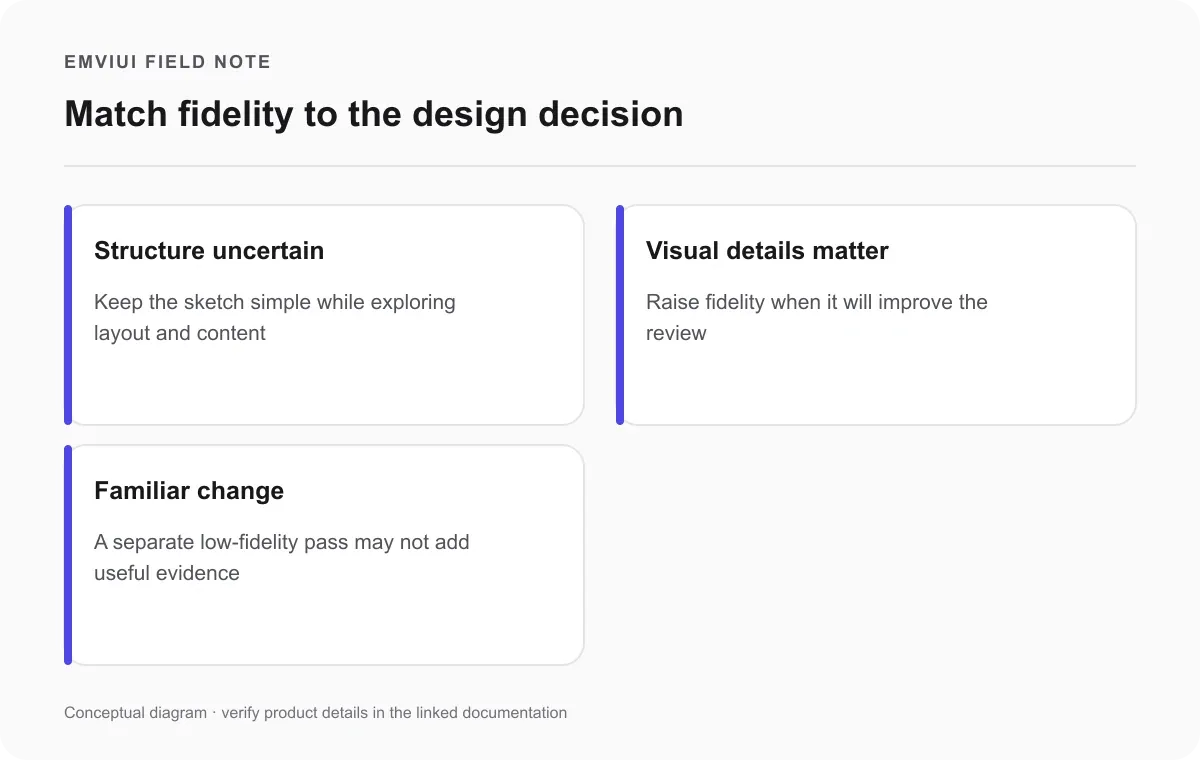
Skip a separate low-fidelity pass only when the team understands the user goal, the screen structure is familiar, and the next decision is genuinely about detailed layout or visual treatment. Keep the artifact proportionate. A rough two-screen sketch can be more effective than a polished multi-page flow when the open question is whether a label or step belongs earlier.
Do not skip the thinking wireframes make visible. You still need to know the task, required information, screen sequence, and important alternate states. If those are unclear, create a quick flow or sketch even if you do not make a formal Figma wireframe. The goal is to reduce ambiguity before expensive implementation, not increase the number of design files.
Frequently asked questions
What is the difference between Figma and a wireframe?
Figma is a collaborative design workspace. A wireframe is a simplified interface artifact that can be created in Figma, on paper, or in another tool.
Is Figma a wireframing tool?
Yes. Figma can be used to make, share, and revise wireframes. It also supports other design work, so a Figma file may contain flows, polished screens, components, or prototypes rather than wireframes alone.
Can I create a wireframe without design experience?
Yes. Begin with a user goal, simple frames, boxes, and clear labels. The early wireframe should make the structure understandable; detailed visual styling is optional until the team needs it.
What is the difference between a wireframe and a prototype?
A wireframe primarily shows screen structure and content. A prototype connects screens or interactions so someone can experience a proposed path. A wireframe can become part of a low-fidelity prototype, but the terms describe different purposes.
Should I start with low-fidelity or high-fidelity screens?
Start low when screen structure or content is uncertain. Use more fidelity when visual details matter to the question, or when an established design system makes detailed exploration straightforward.
Can a wireframe prove that a design is usable?
No. A wireframe helps teams discuss and test structure, but one artifact cannot prove usability for every user or context. Test representative tasks with people, and validate the implemented experience as it develops.
Sources and further reading

Pablo Mayoral
Senior UX/UI & Web Designer with 10+ years of experience. Creator of EmviUI (10k+ components Figma design system), UImand, and Vitamin Bootstrap. Currently designing digital products at CQMRewards.