Free Dashboard UI Kit: Test It With a Real Task
Choose a free dashboard UI kit by adapting one screen to a real job before moving the rest into your project. Confirm that you can edit the pieces you need, check the terms for your intended use, and prototype the shortest route from finding an item to acting on it.
Choose a free dashboard UI kit by adapting one screen to a real job before moving the rest into your project. Confirm that you can edit the pieces you need, check the terms for your intended use, and prototype the shortest route from finding an item to acting on it.
Choose a free dashboard UI kit by adapting one screen to a real job before moving the rest into your project. Confirm that you can edit the pieces you need, check the terms for your intended use, and prototype the shortest route from finding an item to acting on it. If that route needs extensive reconstruction, keep the kit as a visual reference and budget for the missing work. This guide uses a fictional repair desk called Breakwater, where an operator needs to find a pump inspection that missed its deadline and open the correct record. The example is a proposed pilot you can run with your own candidate.
Check what the free kit includes
Start with three checks: which artifact you receive, which parts are editable and which terms apply. Open the provider's listing and record the edition, source link and day you checked it. Then open the artifact itself. A screenshot lets you study layout, and an editable file lets you try content and geometry changes. If someone expects working code, ask where that code is delivered and include it in the inventory as its own artifact. Keep these notes next to the file so the next designer starts from the same edition.
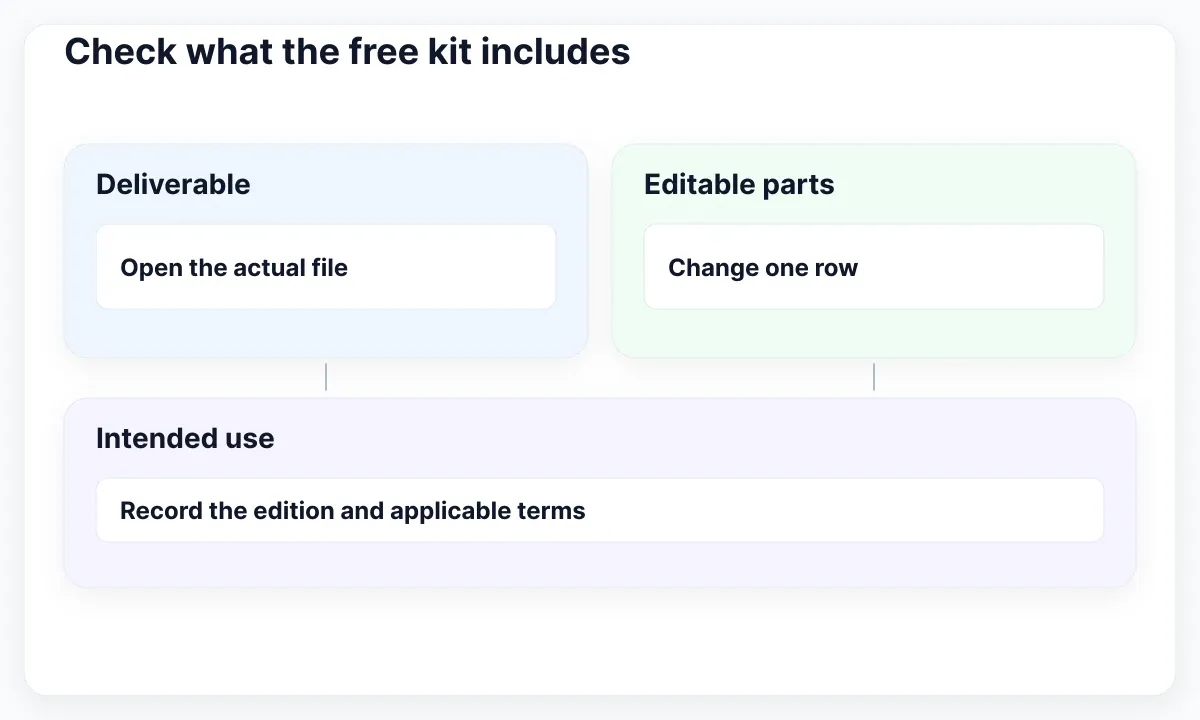
For a Figma Community resource, the official duplication guide describes when you can make a new copy in drafts and what carries over. Original comments, version history and permissions are outside the duplicate, and later changes in the original do not arrive in your copy automatically. Use a disposable working copy for the pilot. With ordinary access for your team, try changing a row label, inserting an unusually long asset name and adjusting a status badge. If a necessary piece is represented by a flat image, log the missing editable equivalent and estimate the cost of recreating it.
Check the creator's current terms for the specific use you have in mind, including client delivery when applicable. Write down any unresolved question about fonts, illustrations and other bundled assets. Figma's guide distinguishes licensing by resource type and points to its licensing guidance. A team member who can preview a file still needs to know what they can pass along and under what conditions. For this pilot, keep a link to the applicable terms and an explicit record of uncertainties. The EmviUI free Figma UI kit page is a starting point for examining EmviUI's offering. Verify the actual file you receive before assuming that every public example belongs to that edition.
Replace the overview with a work queue
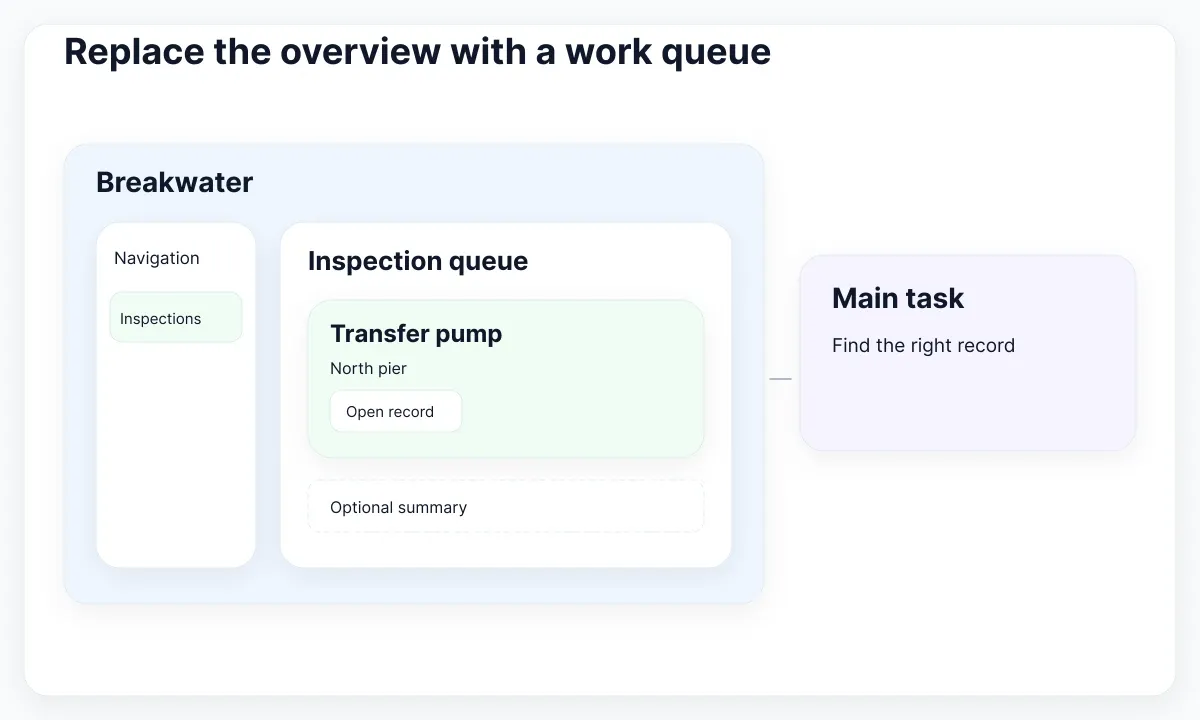
Give the chosen screen one job. In Breakwater the operator begins a shift looking for an overdue pump inspection. The kit's overview offers a starting structure for navigation and a results area. Make the inspection queue the main region, give it a descriptive heading and move any supporting summary below the route to the record. A summary such as “3 overdue inspections” can orient the operator, but the row must carry enough information to identify the work.
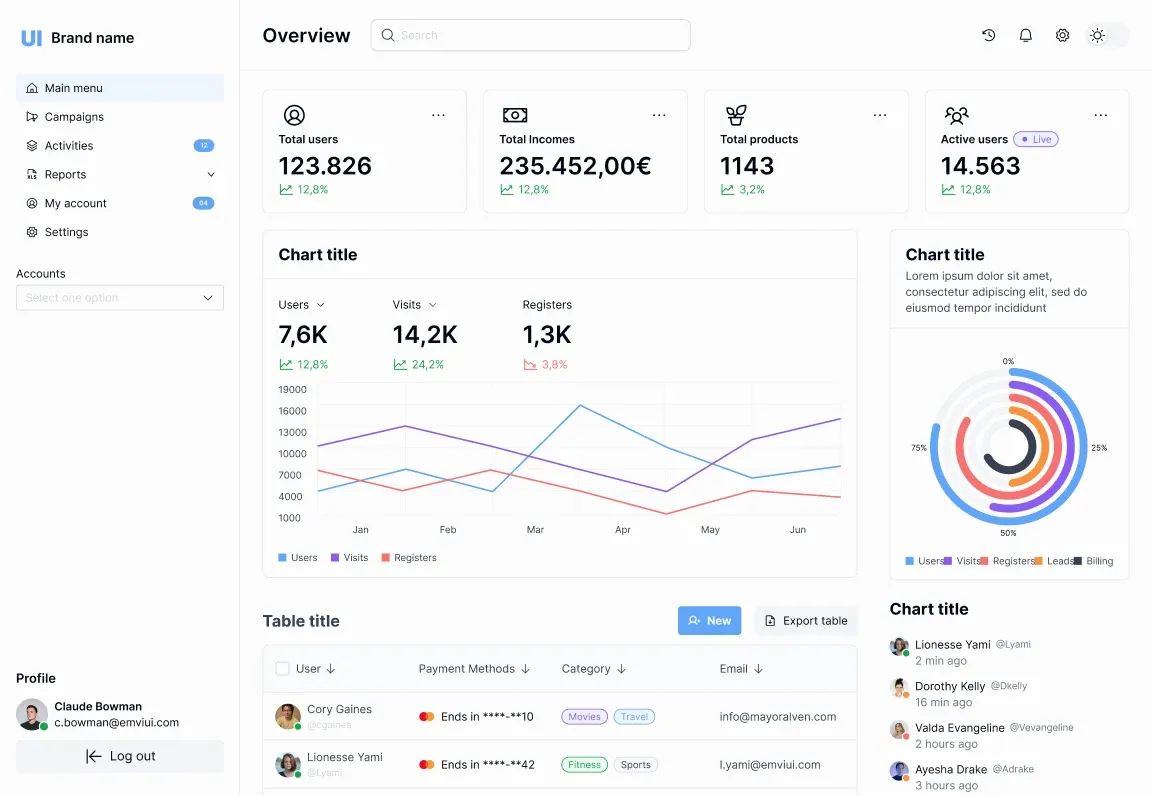
The EmviUI specimen shows a sidebar, several chart treatments and a table with action buttons. Use it to mark which parts of an overview serve the new task. Keep the sidebar's separation from the content area and the table's row structure if they suit the setting. The charts can wait until the queue is usable. The screenshot is a layout reference from the EmviUI asset pool. The editable scope and permitted uses come from the artifact and its terms. The EmviUI guide to dashboard building blocks describes the broader range of dashboard components if you need to expand the screen after the pilot.
Give each row an asset name, a deadline, a status and a clear destination. Two pumps can have the same model name, so show the location or an asset identifier alongside it. Give the open action a name that carries the item's identity in context. Try the mock list with two rows called “Transfer pump” and make sure a colleague can choose the north pier record. Replace template actions such as New or Export when they distract from this job. Clean up navigation labels carefully: the operator needs a stable way back to inspections after opening a record.
Build one narrow screen first
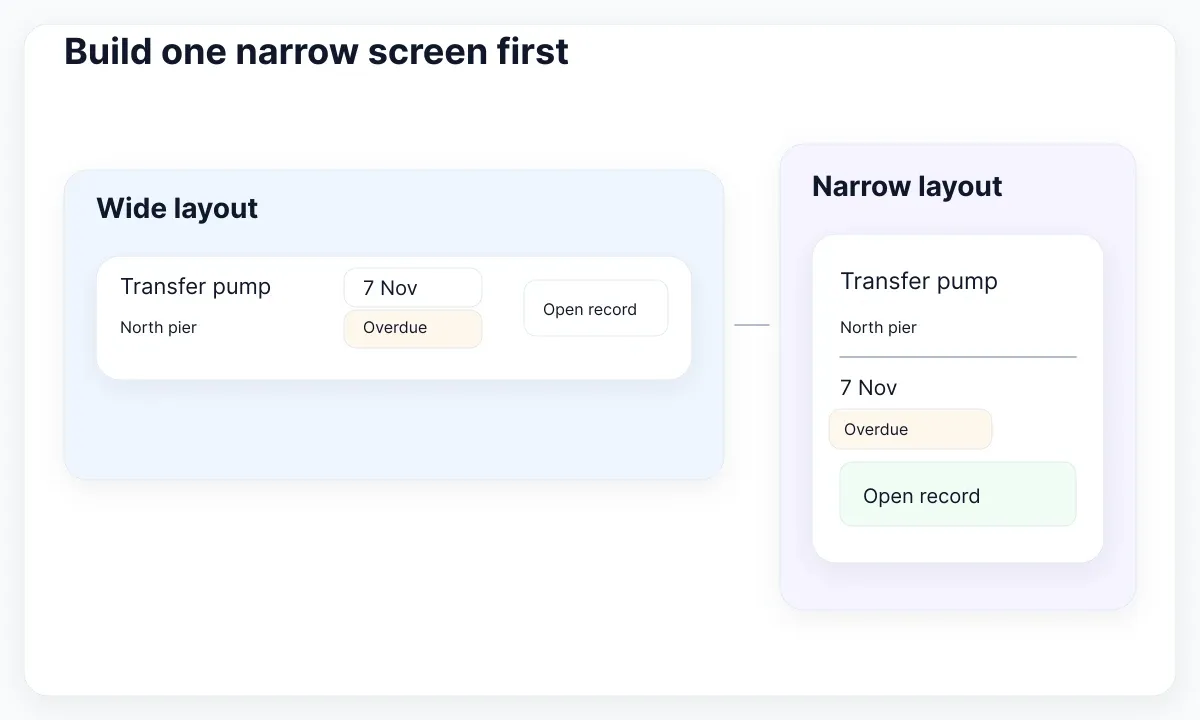
Start the pilot with a narrow layout, then give the same task space to breathe on desktop. For Breakwater a narrow record row can become a short stack: asset and location first, then deadline and status, then the link. Retain the same words and destination across widths. Use a string such as “Transfer pump, secondary intake, north pier” and a date format with a spelled-out month to expose the limits of the original specimen. The design test is whether the operator can still tell items apart when text wraps.
The WCAG 2.2 explanation of reflow describes a width equivalent to 320 CSS pixels for vertically scrolling content and allows exceptions for content that genuinely needs two dimensions. Treat the Figma frame as a way to spot obvious constraints early. Verify a functioning screen in a browser too, because zoom and the implemented layout determine whether controls or information are lost. A table used for cross-column comparison may need two dimensions; the Breakwater pilot asks the operator to identify and open one record at a time. If your task needs the table, contain its scroll and inspect the surrounding page and the content of each cell. The responsive table guide covers that layout decision in more detail.
Write down exactly what survives the change of width. “Looks good on mobile” doesn't tell an implementer whether the location may disappear. The proposed acceptance note is specific: full asset and location remain readable, the due date and overdue status are present, and the same record opens. A desktop extension can add columns for technicians and last service once the basic task is stable. Keeping scope small lets you measure how much repair the downloaded pieces need before expanding the kit into additional screens.
Give each status a visible meaning
Replace sample colors and arrows with words that explain the work. In the queue, a record past its due date can show “Overdue” next to the date. Pair that label with a tint if it helps scanning. Another row can say “Due today” in the same position. The WCAG explanation of use of color calls for a visible alternative when color carries information. Remove the tint in one design frame and ask whether you can still tell which item needs attention. Check the implemented text and visual indicators separately when the layout becomes code.
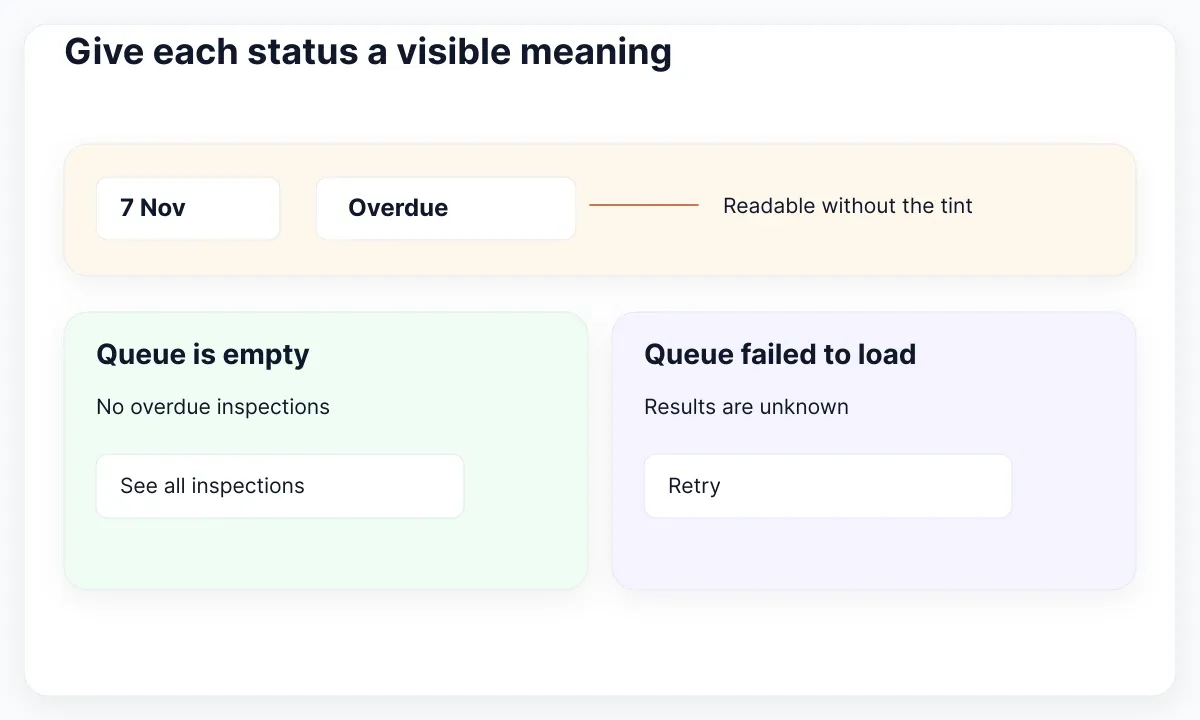
Review the screen without a full set of perfect sample rows. Build a state where the desk has no overdue inspections and another where the queue cannot be loaded. In the first, the operator can continue to all inspections. In the second, show a clear failure message and an appropriate retry action. These states depend on the product's actual data and permissions. A designer can propose the wording and placement, and an engineer can confirm when each state occurs. Avoid showing a count of zero while the application cannot confirm a result, since the operator might reasonably stop looking for work.
Mark borrowed components that require new behavior. A badge can carry the agreed wording and intent, while the application decides when a deadline has passed. Ask the team which time zone drives the deadline and how a missing date should appear. Use one test record due just before midnight and another with an unknown date. Record the expected labels separately from the design layer. A kit can make the visual treatment consistent across these examples, while the rule for producing each label needs an owner in the product.
Test the route with a keyboard
Run a short keyboard walkthrough on the working screen. Start before the queue controls, advance through the route and open the north pier inspection. Record which elements receive focus and whether the record opens with the expected keyboard activation. If the responsive layout moves the legend or filter, repeat the pass at the narrower width. WCAG guidance on focus order explains that sequential focus must preserve the meaning and operability of the page when the order affects them. Capture the route in the prototype for discussion, then test the actual focus sequence in the browser.
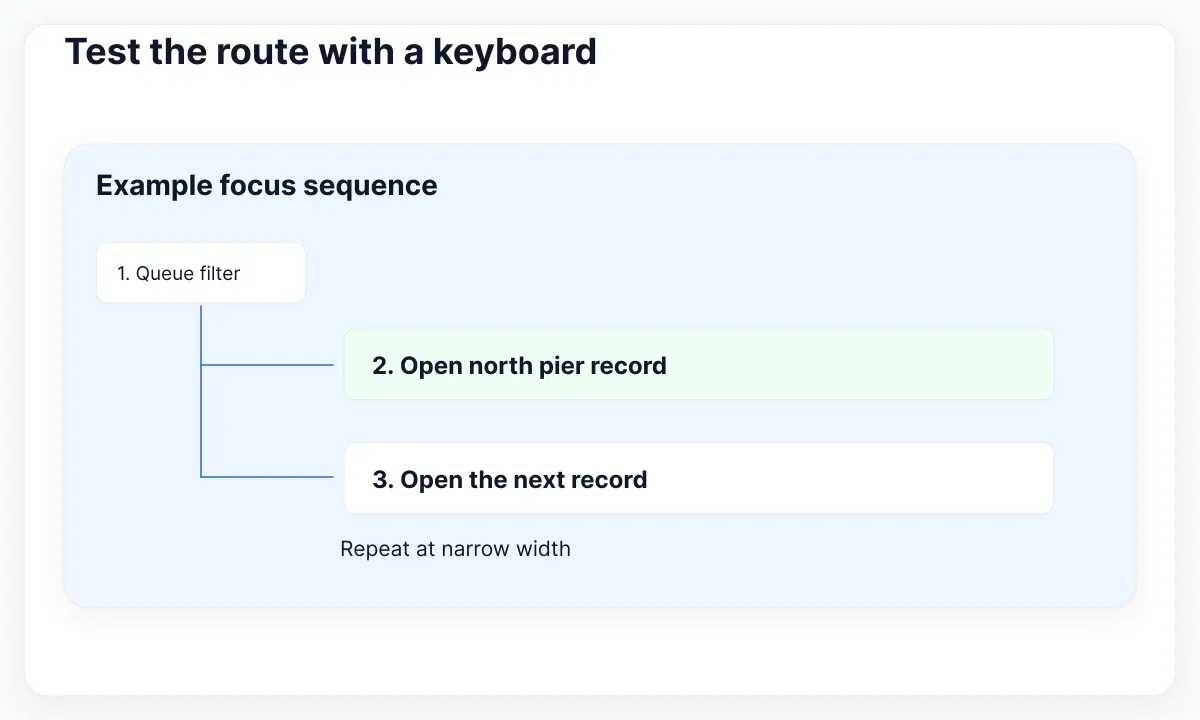
Keep secondary actions out of the way if the user rarely needs them. If a candidate table adds an action menu in every row, verify that an operator can reach the record without visiting a long chain of controls that do little for the task. Draft a link in the row heading, or put a dedicated open link at the end of each row. Use the same approach through the pilot and verify that the action stays understandable when names repeat. Test the way back to the queue as part of the task. If context is lost, record whether the problem is in the kit component, the page layout or the application's navigation.
Record the adoption decision
Finish with one sheet a teammate can read without opening the whole design. Record the source, edition, intended use and unresolved terms, then list which parts you can reuse and what you had to build. For Breakwater the sidebar and row can survive the pilot, while status rules and keyboard behavior need application work. Attach a narrow-screen example and the location of the browser test. Distinguish an on-canvas observation from a verified implementation result so future readers can tell what to retest.
Decide on the smallest useful adoption. If the editable row and shell saved work and the terms fit your use, bring those pieces into the project with their source details. If the critical row was flattened or every action needs a new implementation, limit the import to items you can maintain. Keep one dated example with the long label, one overdue item and the queue failure. Use the examples as review inputs when you change the candidate or build a second page. This pilot gives you an estimate based on your own content, constraints and team access.
Use the pilot to estimate maintenance as well as setup. Ask the person who will own the screen to replace a row, change the status wording and trace the source of the badge styles. If the kit expects a library you cannot edit, note which changes require detaching instances or replacing the dependency. In a coded candidate, record who owns future updates and what the next upgrade would affect. Compare the time spent on those three edits with the remaining tasks, including localised strings and any new states. Keep the results with the adoption decision so someone can repeat the exercise when a new edition arrives.
| Case | Evidence to keep |
|---|---|
| Two pumps with the same model | Each location remains readable and opens the corresponding record. |
| Narrow viewport | The deadline and status survive wrapping. |
| Queue request fails | Failure copy and recovery appear in the implemented screen. |
Pablo Mayoral
Senior UX/UI & Web Designer with 10+ years of experience. Creator of EmviUI (10k+ components Figma design system), UImand, and Vitamin Bootstrap. Currently designing digital products at CQMRewards.