Chat UI Kit for React: Drafts, Retry and Accessible History
Build one support conversation that retains drafts, exposes delivery uncertainty and works with keyboard, screen readers and narrow layouts.
Apply a chat UI kit React workflow through a complete conversation specimen: model delivery explicitly, preserve drafts per recipient, test announcements and protect reading position. Map visual assets to application responsibilities and verify the integrated behavior.
A chat UI kit for React is useful when it helps you build a conversation that preserves drafts, explains sending failures and stays readable as messages arrive. Begin with one complete send-and-retry scenario, then adapt the visual components. Check the transcript, composer, delivery feedback and mobile layout together before expanding the inbox. This guide uses a small support conversation as a concrete implementation and acceptance exercise.
Start with a conversation specimen
Build a small support conversation before adapting a whole inbox. Include an incoming question, a reply being sent, a failed reply and a longer paragraph containing a URL. Add a second conversation with a different draft. These examples expose product decisions that a clean gallery of alternating message bubbles cannot answer.
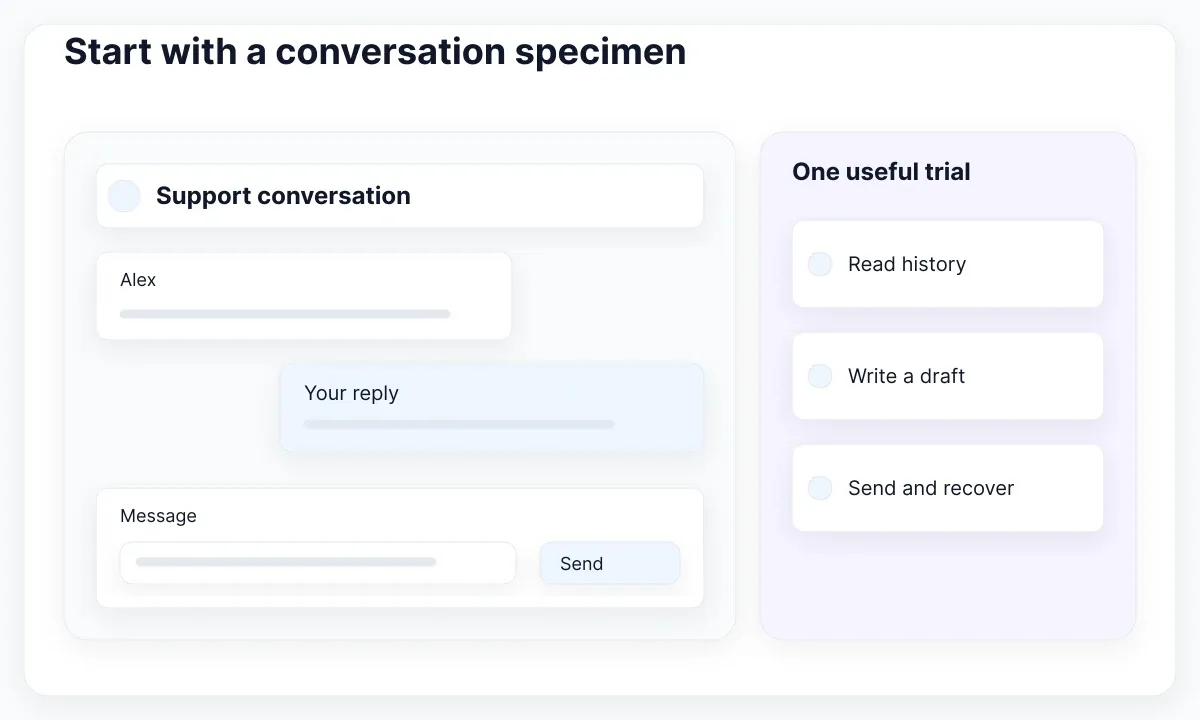
Treat this specimen as a proposed acceptance exercise, not a product ranking. You are checking whether the chosen kit can express your required behavior and whether your team can maintain the integration. A Figma library can provide the visual reference; a React package may provide rendering components. Confirm the actual deliverable before assigning implementation work.
Write down the smallest useful component set: conversation heading, message list, message row, composer, delivery feedback and a way back to the conversation list. Keep sender identity, message content and status distinct. A profile image should support recognition; users should still identify the sender when the image fails or is omitted.
Use realistic content in both directions. A short acknowledgement and a detailed support explanation create different wrapping and spacing pressures. Show a sender name, a meaningful time treatment and a plain-language failure beside the relevant reply. These are proposed design requirements for the exercise, rather than universal requirements imposed by React.
If you have not yet validated basic React integration, start with the React kit acceptance guide for forms, dialogs and state. This article narrows that process to a conversation: preserving what someone wrote, exposing delivery uncertainty and letting the reader continue reviewing history while new messages arrive.
Model sending and retry explicitly
React recommends structuring state to avoid contradictions and redundant copies. Apply that principle by giving a submitted message one delivery status, such as pending, accepted or failed. Define those words with the backend team. In this proposed model, accepted means the service acknowledged the message; it does not mean the recipient read it.
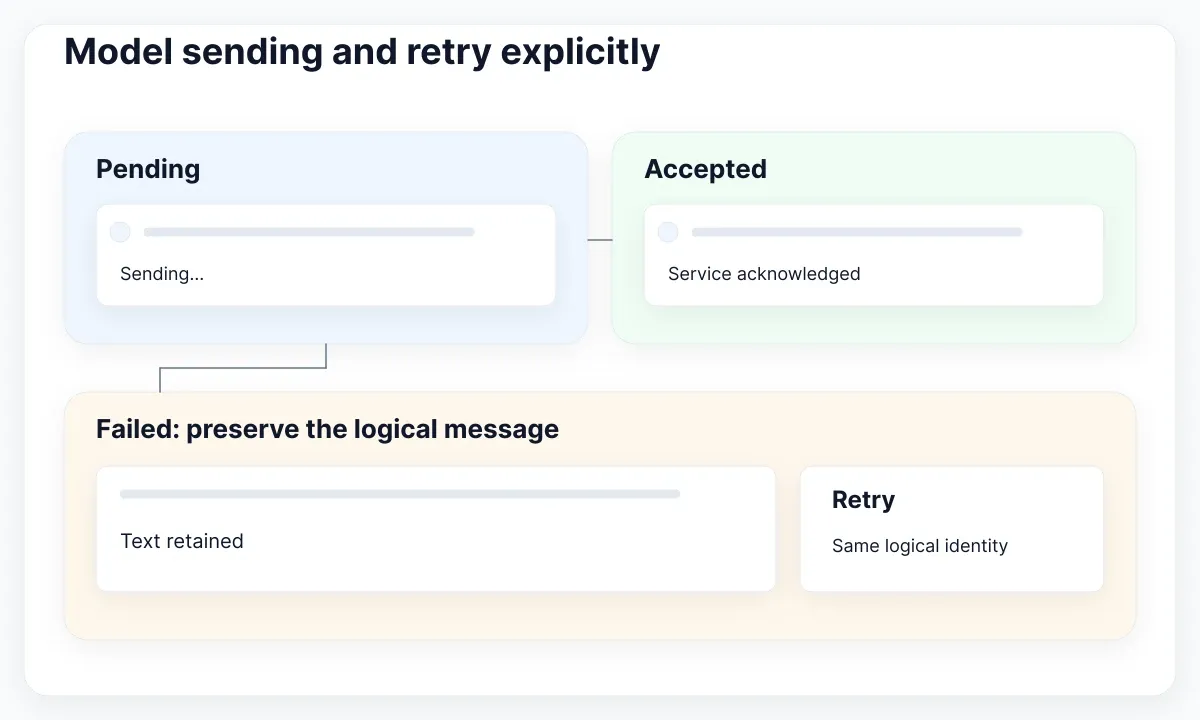
Give each message a stable local identifier and keep any server identifier separately when necessary. The React list documentation explains why stable keys matter when items are inserted, removed or reordered. Keep the rendering key stable when an acknowledgement arrives; replacing it casually can remount a row and discard local interface state.
Design the retry path before styling the error. A failed row should retain its text and offer an explicit action. Retry the same logical message according to the service's deduplication contract. A frontend key alone cannot prevent duplicate server writes. Ask the API owner what happens when a request times out after the server has already accepted it.
For the exercise, disconnect the network after submission, then reconnect and retry. Record which content remains visible, whether the control indicates progress and whether the transcript contains one logical reply. Also simulate an incoming message during the retry. The outgoing reply should not borrow the incoming row's identity or unexpectedly change the reader's selection.
Keep connection feedback separate from individual delivery feedback. A disconnected banner describes the session; a failed label belongs to one message. Someone may still read loaded history while disconnected. Avoid making every message appear failed because a connection indicator changed. The table below is a proposed interface contract that the real service must confirm.
| State | Visible result | Meaning to confirm |
|---|---|---|
| Pending | Text retained, progress label | Request is in progress |
| Accepted | Neutral confirmation | Service acknowledged it, not proof of reading |
| Failed | Text retained, Retry action | Outcome needs recovery or reconciliation |
Build a composer that keeps the draft
Use a labeled multiline editor with an explicit Send button as the baseline. The React textarea reference distinguishes controlled value from initial defaultValue and requires an onChange update for controlled editing. Initialize a controlled draft as a string. A placeholder can suggest content, but it should not carry the field's only label.
Choose a deliberate draft policy. In a support inbox, switching from Alex to Sam must not silently send Alex's unfinished reply to Sam. You could preserve a draft per conversation, or deliberately reset after a clearly communicated navigation. The React state preservation guide includes a chat example showing how a key can reset the editor for a different recipient.
For this specimen, preserve drafts in a map indexed by conversation ID. That is a product choice, not a built-in persistence guarantee. Decide separately whether drafts survive refresh or sign-out. Keep the policy visible to maintainers, especially if local persistence would store sensitive conversation content on a shared computer.
Capture the submitted text and its destination before starting an asynchronous send. If the user types a new draft while the earlier request is pending, a late success must not clear the new text. One workable design moves the submitted text into the pending message and clears only that submitted draft. Failure then appears beside the retained pending row.
If you add Enter-to-send, document the alternative for inserting a newline and test text composition input. Keep the explicit button available. For a multiline baseline, ordinary Enter can remain a newline. Try keyboard-only editing, pasting several paragraphs and correcting a failed reply; the useful question is whether the draft remains understandable and recoverable throughout.
Separate history from announcements
A transcript is sequential content, while delivery feedback describes an action's outcome. W3C technique ARIA23 demonstrates a named region with role=log for appended chat messages. Its implicit polite live behavior is intended to notify assistive technology without moving focus to the added content. The technique also makes browser and assistive-technology compatibility testing relevant.
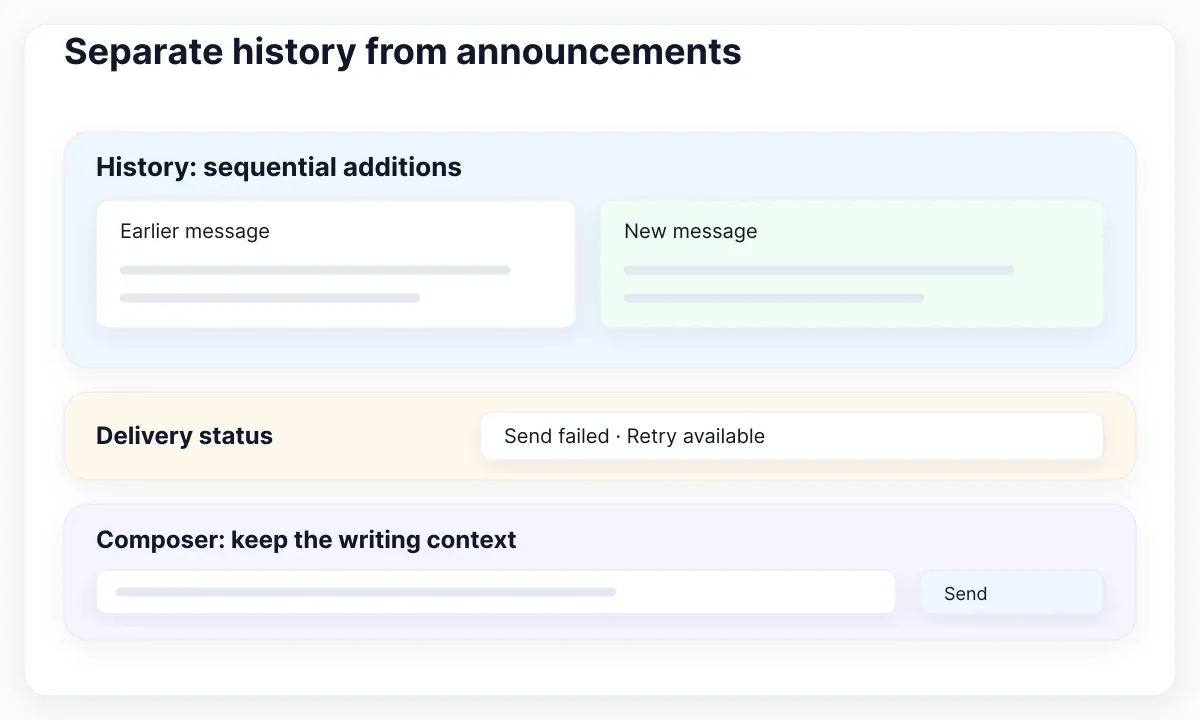
Keep the visible sender and text in a meaningful reading order. Test the transcript as a list of messages before adding elaborate positioning. An incoming message should not automatically focus its bubble and interrupt typing. For this design exercise, leave focus in the composer after a normal send and provide a deliberate route to inspect the transcript.
WCAG guidance on status messages explains that relevant updates can be exposed programmatically without receiving focus. Use that guidance for concise feedback such as a send failure. Avoid announcing the same event through both an updated log row and a separate assertive alert unless testing establishes a clear reason. More announcements do not automatically provide more clarity.
For long or continuously updated responses, agree on announcement boundaries. Replacing one growing paragraph character by character is different from appending a completed message. A useful trial is to announce completion or a concise status while retaining the full readable response. This is a proposed interaction policy; verify the result with the actual screen reader and browser combination.
Keep routine delivery updates proportionate. A read receipt does not need to interrupt every sentence being spoken. Record what the test user hears when a reply arrives, a send fails and older history loads. Use the UI kit and design system scope guide to decide which shared feedback rules your team must document beyond the visual assets.
Adapt the layout without losing position
On a narrow screen, a conversation list and transcript do not have to stay side by side. Show one useful task at a time, with a clear return action and preserved conversation identity. WCAG Reflow guidance describes presenting ordinary vertical content at a width equivalent to 320 CSS pixels without losing information or requiring scrolling in two dimensions.
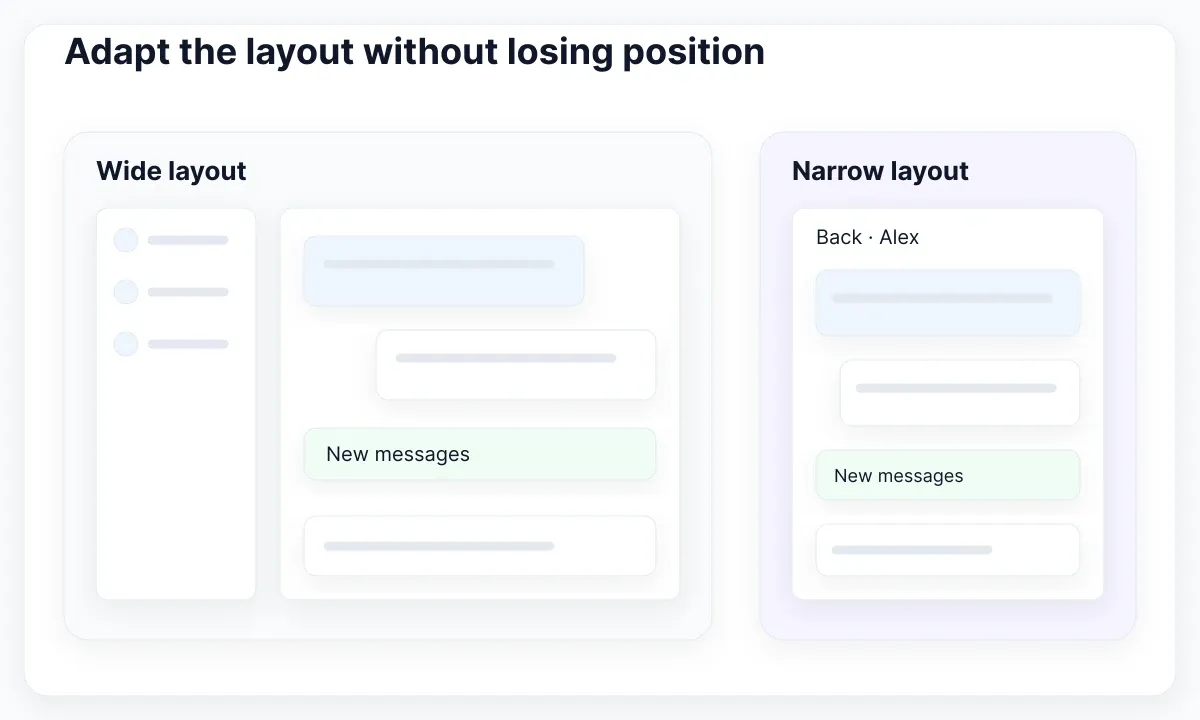
Test that width with a long sender name, an unbroken URL, a failed-message action and the longest translated button text. Let the message text wrap within its available space. A decorative bubble maximum width should never force the whole page wider. Check the actual browser layout; a desktop screenshot scaled down does not demonstrate reflow.
A sticky composer can cover the end of the transcript or a focused retry button. WCAG Focus Not Obscured guidance requires a focused component not to be entirely hidden by author-created content at the minimum level. Aim for a fully visible control in your design and test navigation past the composer, rather than treating partial visibility as a design target.
Keep the reader's position when new messages arrive while they are reviewing older content. A proposed policy is to follow new content only when the reader is already at the end; otherwise show a New messages action. Loading older history should also preserve a recognizable reading anchor. Neither policy follows automatically from adding a scrollable div.
Inspect the mobile keyboard as part of the composer layout. Can the person still see what they are editing and reach Send? For compact icon actions, consult WCAG Target Size guidance: the minimum criterion uses 24 by 24 CSS pixels with defined exceptions, including spacing. A larger comfortable control is often a better choice than relying on an exception.
Map EmviUI assets to React responsibilities
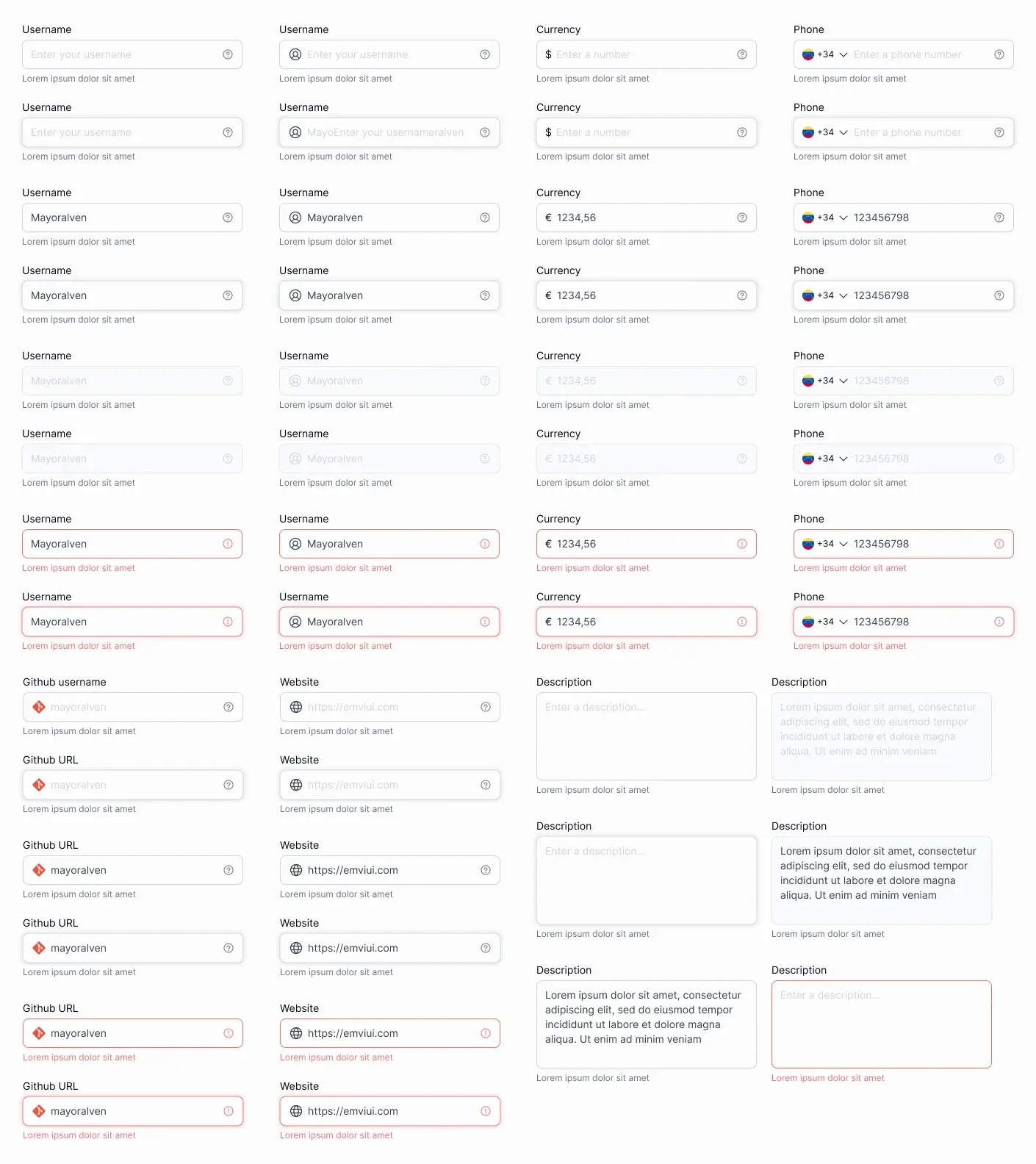
The live EmviUI catalogue includes avatars, buttons, inputs, alerts, empty states and error treatments. Use those assets to establish a consistent visual language for the conversation specimen. The real input examples shown earlier help compare labels, supporting text and error treatment. They do not establish implemented React behavior or a ready-made messaging service.
Start with the composer rather than decorating every bubble. Adapt a multiline field, a visible action and a concise failure treatment. Then assemble a message row whose sender and delivery status remain legible. Keep the visual reference small enough that the designer and developer can review the same pending and failed examples in one sitting.
Write a mapping beside the specimen: field appearance to the React textarea wrapper, action treatment to the submit button, and failure styling to the message status component. Assign the draft and delivery model to the application. This mapping makes the kit useful without suggesting that visual assets supply authentication, storage, transport or delivery guarantees.
Do not generalize one successful row into a complete chat solution. Attachments, moderation, search, message deletion and unread tracking introduce separate product and service decisions. Add them only when the conversation's actual job needs them. For component boundaries across those features, see the guide to configurable and separate components.
Accept the kit through observable results
Run a short acceptance session against the integrated application. Start with a fresh conversation, type a draft, switch recipients, return and submit. Then fail a request, retry it, receive a reply and review older history. Observe the visible result and the spoken feedback. Keep the network fixtures deterministic so two reviewers can compare the same sequence.
Record the expected outcome before running each case. For example, after switching recipients, the editor shows that conversation's draft; after a failed send, the submitted text remains recoverable; after a new arrival while reading history, the viewport stays anchored. These expectations are your team's chosen contract, not evidence that a particular kit already satisfies it.
Accept the kit when its visual parts fit the specimen and the composed React interface passes the agreed behavior checks. Keep unresolved gaps assigned to a named owner. A polished message bubble is useful, but the decisive result is a conversation that preserves writing, communicates uncertainty and remains usable as content, viewport and connection conditions change.

Pablo Mayoral
Senior UX/UI & Web Designer with 10+ years of experience. Creator of EmviUI (10k+ components Figma design system), UImand, and Vitamin Bootstrap. Currently designing digital products at CQMRewards.