Difference Between EmviUI and shadcn/ui: Ownership and Maintenance
The difference between EmviUI and shadcn/ui is the artifact your team takes responsibility for: EmviUI provides a Figma design starting point, while shadcn/ui provides adaptable component code. Compare ownership, customization, accessibility evidence and long-term maintenanc
The difference between EmviUI and shadcn/ui is the artifact your team takes responsibility for: EmviUI provides a Figma design starting point, while shadcn/ui provides adaptable component code. Compare ownership, customization, accessibility evidence and long-term maintenance at those different layers. Use either or both according to the missing deliverable and the people available to maintain it.
The difference between EmviUI and shadcn/ui is the artifact your team takes responsibility for: EmviUI provides a Figma design starting point, while shadcn/ui provides adaptable component code. Compare ownership, customization, accessibility evidence and long-term maintenance at those different layers. Use either or both according to the missing deliverable and the people available to maintain it.
Compare the deliverables first
The EmviUI product page presents an editable Figma UI kit and design system. The shadcn/ui introduction describes components delivered as open code that teams can modify. The useful comparison therefore starts with design assets and application source. Neither label establishes that your particular product workflow is already finished.
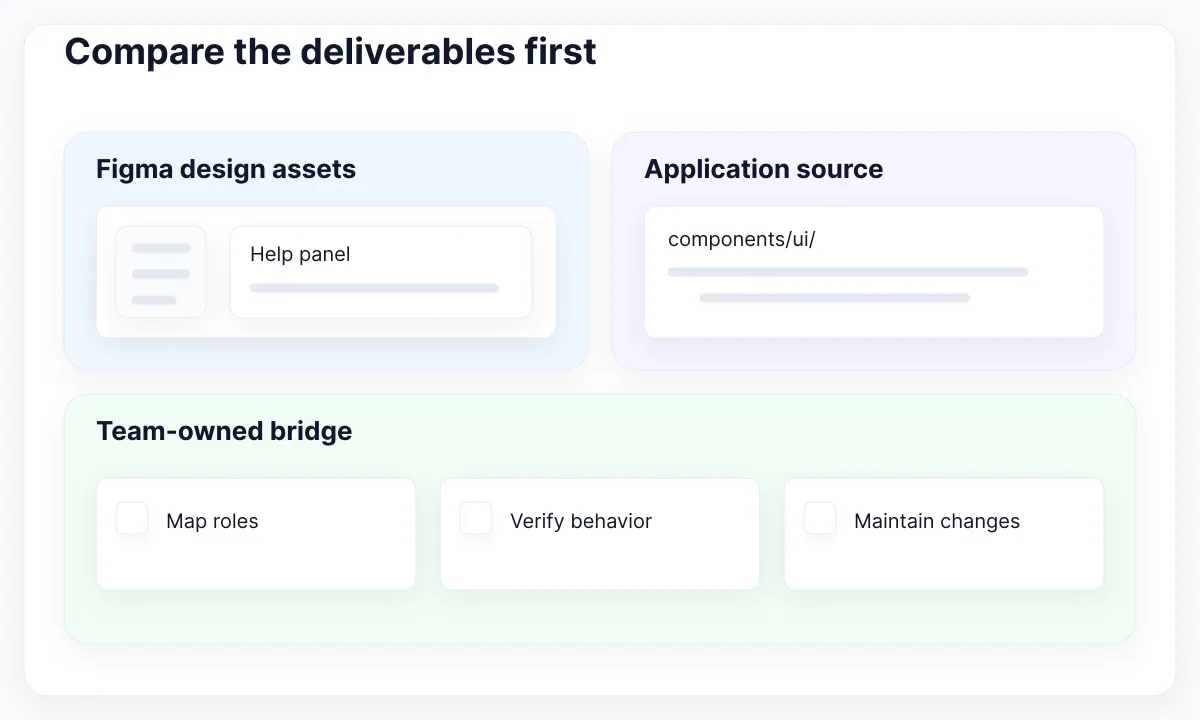
Make a two-column inventory before evaluating appearance. In the design column, list the shared Figma file, approved component treatments, examples and written interaction notes. In the implementation column, list the component source, dependencies, application state and verification results. A missing entry becomes assigned work instead of an assumption hidden behind a familiar component name.
For this guide, imagine a small product team standardizing an account help panel and a confirmation dialog. The proposed exercise follows one visual change from design approval to a maintained release. It is a decision method, not a measured speed comparison, a product ranking or a claim that either vendor has passed the team's application tests.
Read the UI kit versus design system scope guide if the team is also deciding how much shared policy to maintain. Here, the narrower decision is who edits which artifact, who checks the result and who carries the change forward. Start there before comparing the number of available screens.
Use the help panel as a boundary example rather than a buying shortcut. If the team already has an approved component source, the missing work may be a clearer visual specification. If its Figma reference is settled, another visual kit may add less value than a maintained implementation. Write the missing artifact in one sentence before opening another product gallery.
Assign ownership to files and decisions
For each component, name the person responsible for its visual specification and the person responsible for its implementation. They can be the same person in a small team. What matters is that an approved Figma change does not silently become a production change, and a local code edit does not automatically redefine the design reference.
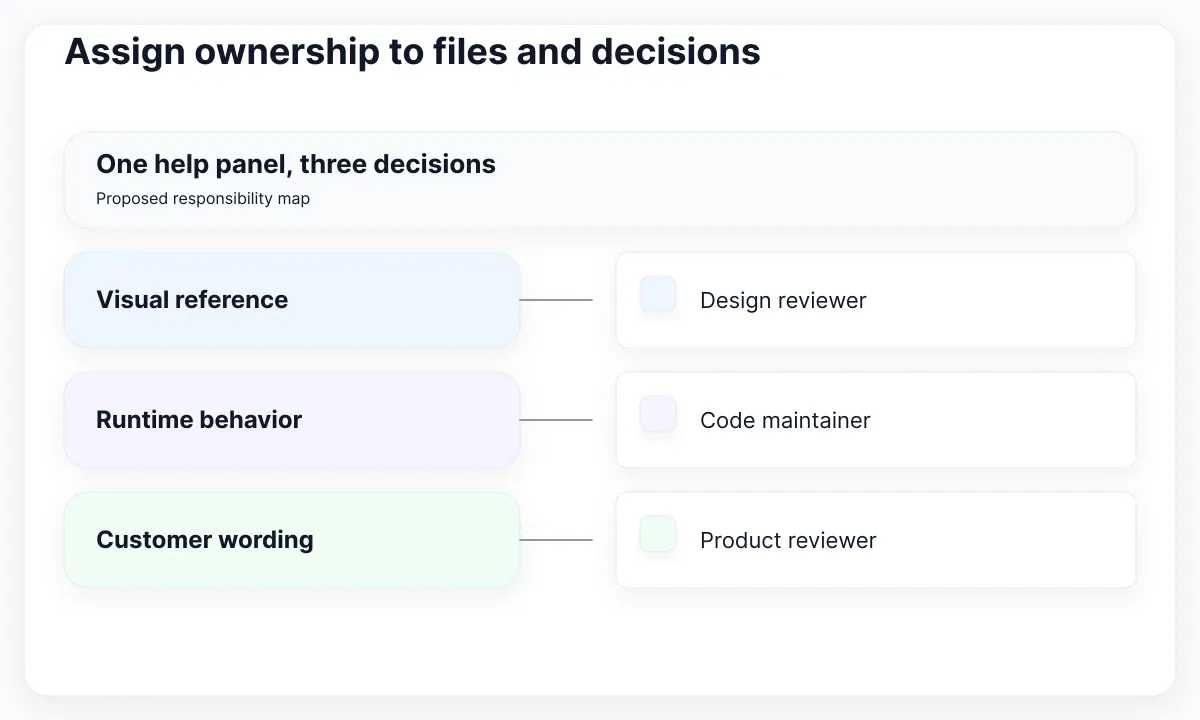
Treat ownership as three separate questions: can we edit the artifact, may we use or redistribute it in the intended context, and who will maintain our adaptation? An editable file answers only the first. Check the applicable product terms before sharing source assets with clients or other teams. This article makes no claim that editing permission transfers intellectual-property rights.
In the proposed help panel, design owns the heading hierarchy, spacing and expanded appearance. Engineering owns the actual open state and integration with the surrounding page. Product owns the explanation shown to customers. Assign a reviewer for the complete combination. A small responsibility record prevents a cosmetic update from escaping review because it crossed a discipline boundary.
Keep the original reference and the adapted version distinguishable. Record the design file revision, the source component location and the reason for local changes. If a new teammate cannot tell whether a discrepancy is intentional, ownership is still incomplete. This record should be short enough to update with each meaningful change, rather than becoming a second documentation project.
Include an ordinary handover in the ownership exercise. Ask a second teammate to change the help heading using only the recorded reference and file location. Have them describe which other screens might be affected and who approves the result. Unanswered questions reveal missing responsibilities early, while the specimen is still small enough to understand.
Customize through an explicit mapping
Customize by mapping roles before matching individual pixels. Name the panel surface, heading text, subtle border and primary action. Then identify which Figma decisions and which application styles implement those roles. This proposed mapping gives reviewers a shared vocabulary without implying automatic synchronization between EmviUI and shadcn/ui.
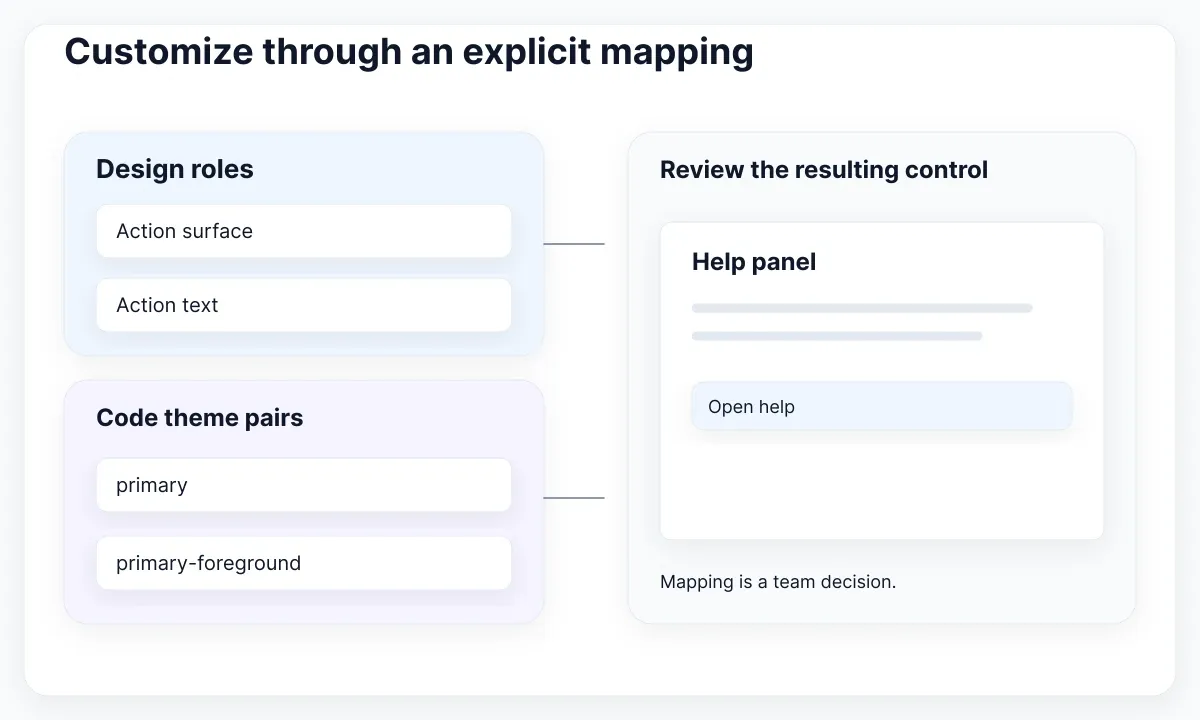
The shadcn/ui theming documentation recommends CSS variables and describes semantic foreground and surface pairs. Use that documented model when adapting the code. Decide which local design roles correspond to those tokens, and record exceptions deliberately. Similar Tailwind terminology alone does not establish identical values, component anatomy or behavior.
Try one change: increase the prominence of the help-panel heading while retaining a quiet body treatment. First update the specimen. Then adapt the mapped implementation role and inspect other components that consume it. If the same token also changes a destructive action unexpectedly, narrow the mapping or introduce a more suitable local role before approving the change.
Separate visual changes from structural changes in review. Altering a border or radius is different from replacing a trigger, removing a description or rearranging focusable controls. The current shadcn/ui Dialog documentation shows a composition with named parts and distinct primitive-family choices. Check the documentation for the implementation you actually adopt; avoid applying instructions from another base without checking compatibility.
Keep the comparison fair by giving each product a question it can answer. Evaluate the visual kit through editable design work, and the code starting point through a running implementation. Document the bridge between them as your team's work. This avoids crediting a polished screenshot with implemented behavior or penalizing source components for missing your product's visual direction.
Inspect the visual accordion specimen
The real EmviUI image below shows several accordion treatments with collapsed and expanded content. Use it to discuss density, separators and how much explanatory text belongs in a panel. It is a Figma design specimen, not a screenshot of shadcn/ui or evidence of working keyboard interaction.
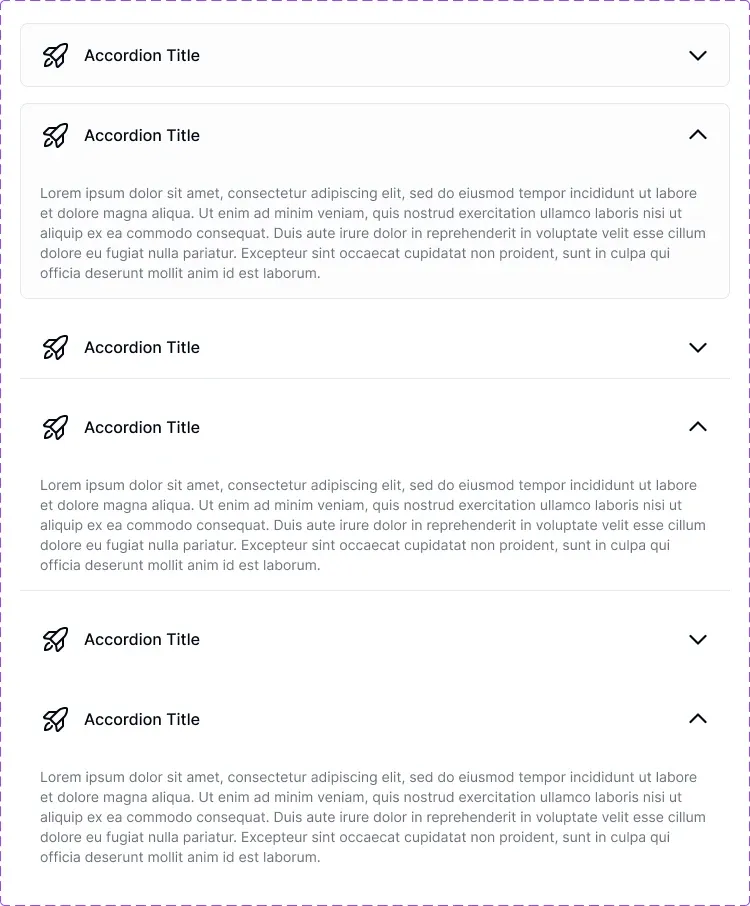
The EmviUI component catalogue includes accordion and modal design assets alongside foundational elements. In the proposed review, pick one accordion treatment, replace the sample content with a realistic help question and write the intended opening rule. Decide whether one section or several may stay open. That decision belongs in the specification even when the visual variants look obvious.
WAI-ARIA Authoring Practices for accordions describes header controls, expanded state and keyboard activation. Use this as a behavior reference when implementing the chosen treatment. The chevron in a design conveys a visual direction; it does not supply a button name, an exposed state or a connection to the controlled panel.
Review the long-content case in both languages. A two-line heading and a paragraph of help should preserve a clear control boundary. Keep supporting links distinguishable from the section trigger. If the visual specimen cannot express these cases comfortably, adapt it before engineering repeats the pattern across many settings pages. These are proposed acceptance tasks, not a certification of the pictured asset.
Verify behavior in the running interface
Assess accessibility where the behavior exists. Design review can identify a missing focus treatment or poor color pairing. Runtime review can establish how a user opens the help panel, understands its state and returns from a dialog. Retain both kinds of evidence instead of assigning either product a universal accessible or inaccessible label.
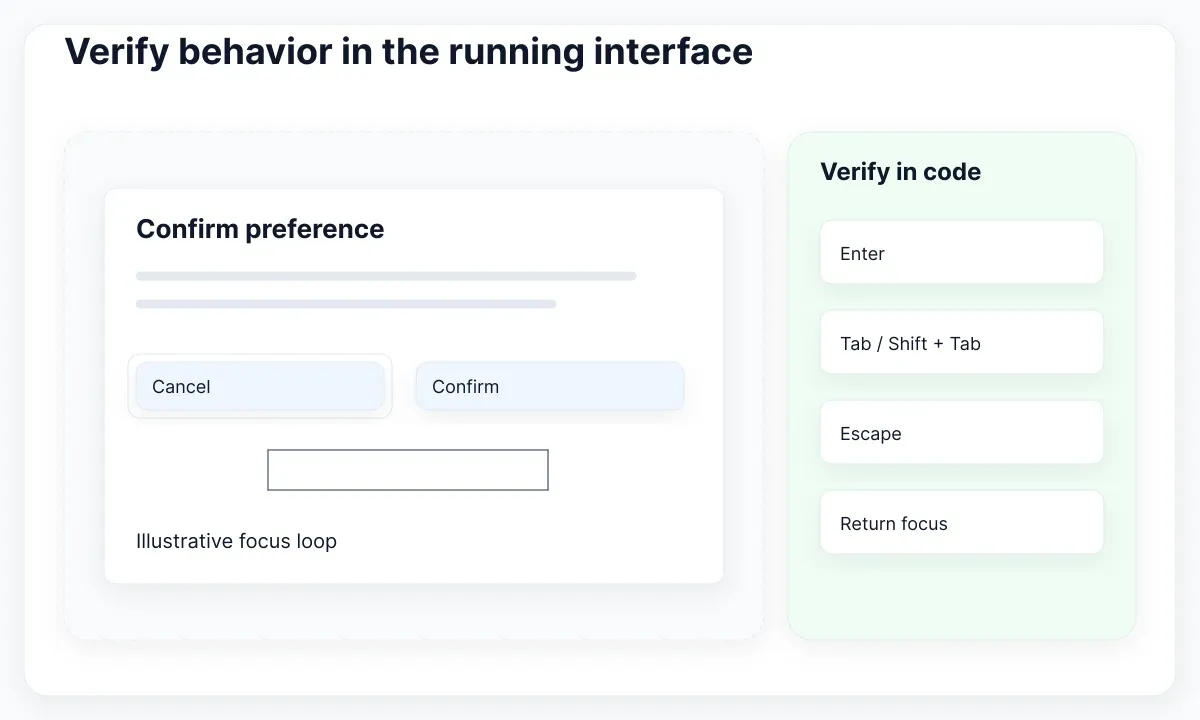
For a modal confirmation, the WAI-ARIA modal dialog pattern describes focus entering the dialog, a contained tab sequence, Escape to close and normally returning focus to the invoking control. Document any applicable exception. Build a short keyboard recording of the implemented specimen, including what happens when the original trigger is no longer available.
Check visual pairs after customization. WCAG guidance on minimum text contrast explains the relevant thresholds and exceptions; a palette name or attractive screenshot is insufficient evidence. Measure the actual foreground and background combination used by the delivered interface. Include helper text and the content inside buttons, rather than measuring only the main heading.
If saving a preference produces a message without moving focus, consult WCAG guidance on status messages for its programmatic exposure. Then test the implemented announcement in context. The wording, timing and semantics need to work together. For broader component-selection exercises, the React UI-kit guide covering forms, dialogs and state provides a separate acceptance scenario.
Write findings as observations: “The expanded header reports its state,” or “Focus disappeared after closing the dialog.” Assign the failure to a specific integration or change. That is more actionable than a vendor score and avoids treating a source component's default behavior as proof that every customized composition preserves it.
Plan maintenance before adoption
Plan the next change while the first specimen is still small. Put a design revision beside the corresponding application commit and note which files differ from the adopted source. A local adjustment is easier to maintain when its reason is visible and the team can reproduce the behavior it was intended to improve.
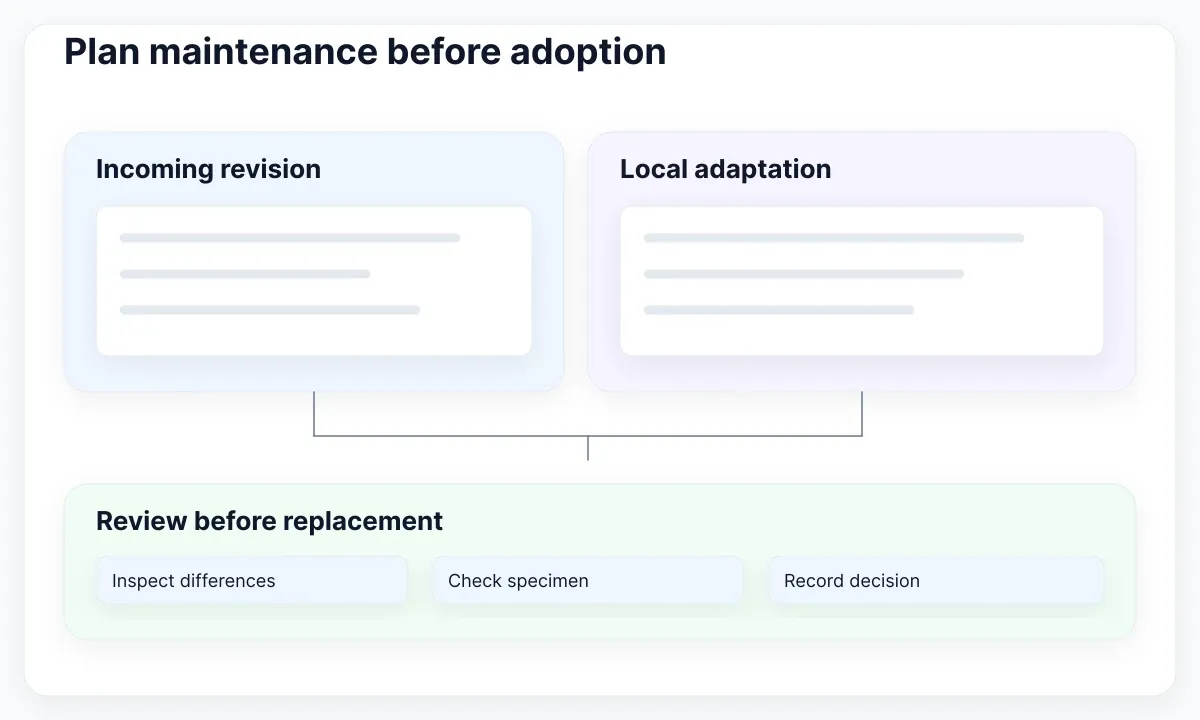
The shadcn CLI documentation distinguishes adding components and options that overwrite existing files. Treat any overwrite of adapted source as a reviewable change. Keep the working revision recoverable, inspect the diff and rerun the affected specimen before merging. Receiving component code makes local customization possible; it does not remove dependencies or the work of evaluating future changes.
For the proposed help panel, simulate a routine upstream change that affects the trigger structure. Compare the incoming component with the locally adapted version. Identify which local decisions still apply, which should be removed and which require fresh verification. Have the maintainer explain that decision in the review rather than preserving every historical edit automatically.
Apply the same discipline to a new design-kit revision. Check whether the approved local treatment still matches the intended product direction before replacing instances throughout a shared file. Keep a small specimen page for changed states, not just pristine defaults. Record an intentional difference when the product needs it; forcing accidental parity can create more maintenance work than a documented exception.
The component-library architecture guide helps decide where to keep the resulting pattern. A product-specific help flow can stay near its feature while the reusable trigger treatment belongs in shared components. Avoid making every local decision a global API obligation simply because it began inside a reusable kit.
Choose a workable combination
Choose EmviUI when the immediate missing artifact is an editable visual starting point in Figma and the team will implement and verify its behavior separately. Choose shadcn/ui when the immediate need is adaptable application component source and the team can maintain that source. Use both when design exploration and code ownership are explicit parts of the workflow. These are conditional recommendations, not universal winners.
Keep a compact comparison record with four rows: deliverable, customization boundary, accessibility evidence and maintenance owner. For each, write the current evidence, the missing work and a name. Do not combine unlike evidence into a numerical score: a designed modal and a tested runtime modal answer different questions, even if they look similar.
Before broad adoption, require one accepted visual specimen, one working implementation, a list of intentional differences and a repeatable change review. If no one can own future code updates, postpone the implementation choice. If the team cannot agree on a visual reference, settle that smaller decision first. A sustainable combination is the one whose remaining work is understood and funded.
| Decision | EmviUI design work | shadcn/ui implementation work |
|---|---|---|
| Deliverable | Adapted Figma reference | Adapted component source |
| Customization | Approved visual roles and states | Reviewed styles, structure and integration |
| Accessibility evidence | Visual specifications and identified gaps | Observed behavior in the composed application |
| Maintenance | Named design reviewer and revision record | Named code maintainer and change checks |

Pablo Mayoral
Senior UX/UI & Web Designer with 10+ years of experience. Creator of EmviUI (10k+ components Figma design system), UImand, and Vitamin Bootstrap. Currently designing digital products at CQMRewards.