Tailwind CSS CDN: Review a UI Trial, Then Build Its CSS
Build a small browser specimen, agree on what it proves, and carry the accepted UI into a compiled stylesheet.
Use the v4 Play CDN script in a standalone HTML document for a development trial. Review the specimen with real content, keyboard navigation and relevant widths. Move the accepted HTML and theme decisions to a supported CSS build before production delivery.
Tailwind CSS CDN lets you try utilities in an HTML file without setting up a build. Add the Play CDN script, make one small UI specimen and review its content in a browser. For delivery, move the accepted result to compiled CSS: the official documentation reserves Play CDN for development. This guide proposes a course card and a repeatable review process.
Choose what the browser trial should prove
Start with one question the prototype can answer. For this exercise, a fictional Fieldnote course catalogue needs a readable course card with a title, a summary and a link to details. The review question is whether those pieces stay understandable when the title grows. The example is an editorial exercise; it is not an EmviUI template or a measured usability result.
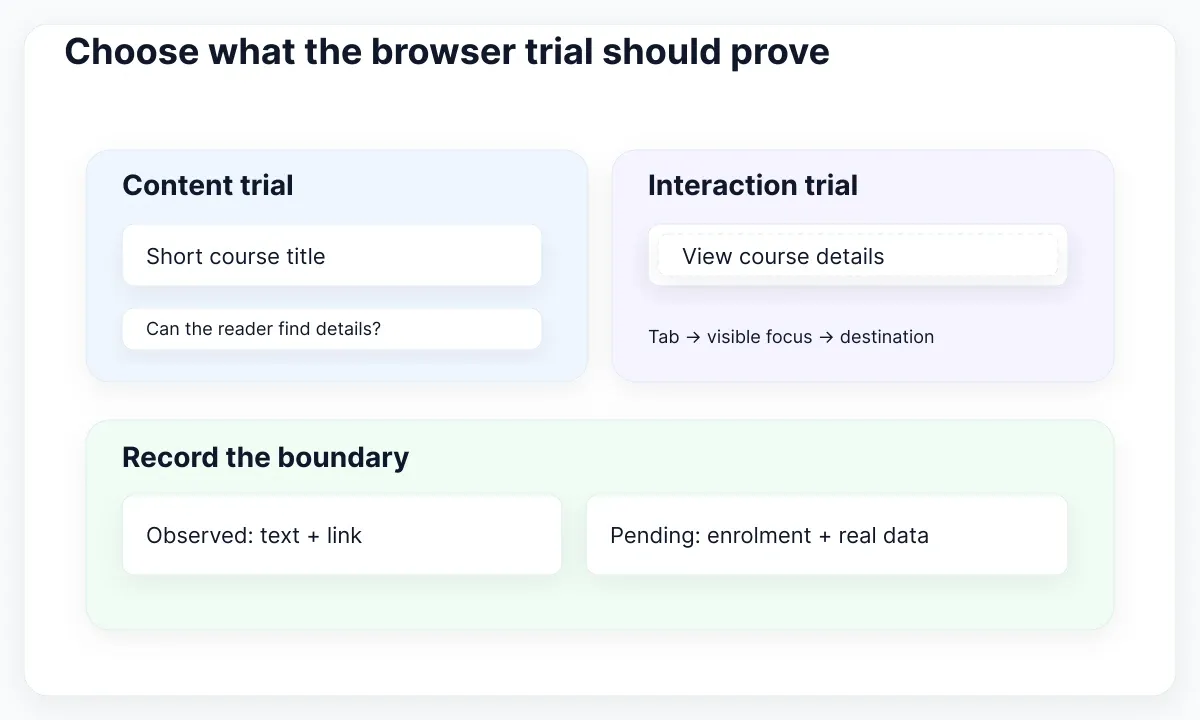
Write a small acceptance note before opening the editor: the title remains readable, the description can grow, and the details link stays discoverable. This gives reviewers something more precise than “does it look finished?” Keep account access, enrolment and payment outside the exercise. Their appearance would suggest a level of implementation that this document does not provide.
Choose two contrasting content records: a short introductory course and a longer accessibility workshop. Give both the same information order. Ask a colleague to find the longer workshop and explain what its link would open. Record the words they use. That observation is more useful than adding a carousel before the team agrees on the card's purpose.
Define the stopping point as well. Once the team has agreed on content hierarchy and the destination label, save the accepted specimen and move to the application workflow. Extending the experiment into every catalogue feature makes its boundaries harder to communicate.
Use an EmviUI card as a visual reference
Use a real design specimen to discuss hierarchy before translating it into HTML. The local EmviUI example below places an image beside a heading, supporting copy and an action. Its repeated horizontal cards let the team compare how content length competes with the image. Treat the screenshot as a design reference, not evidence of browser behavior.
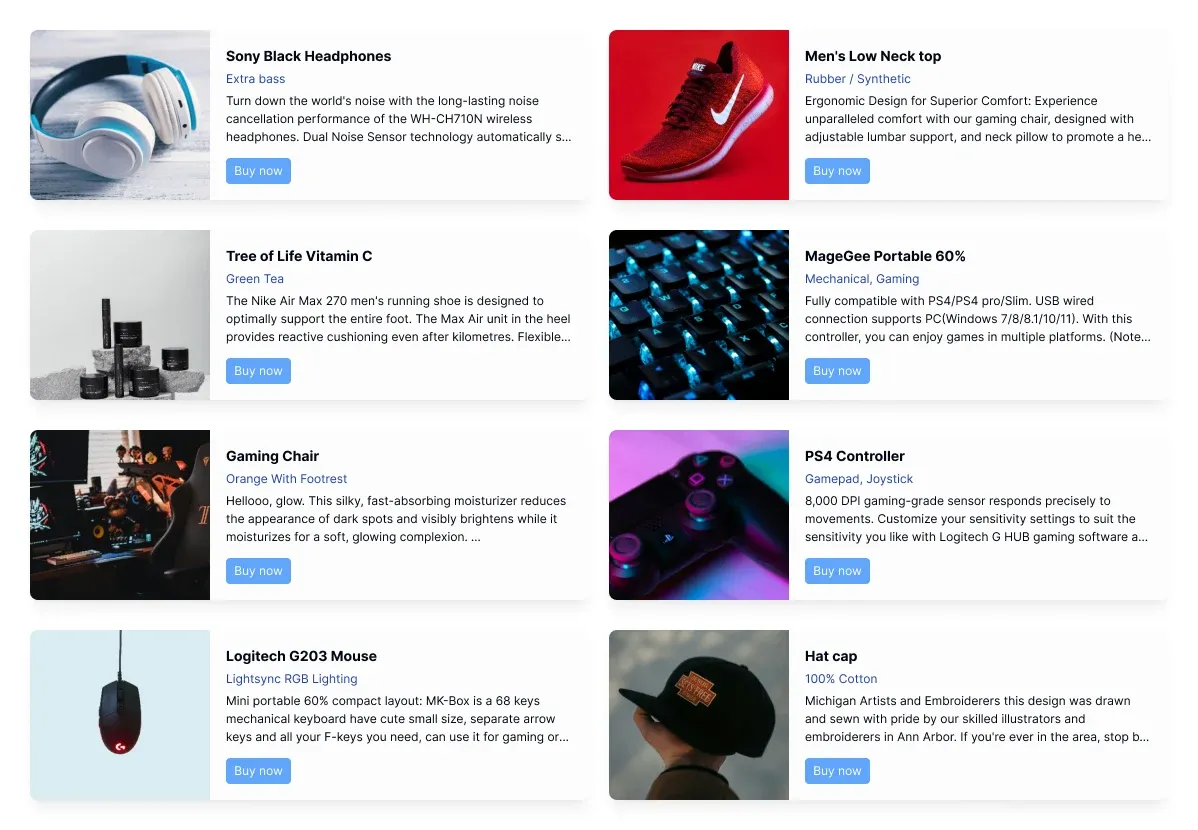
EmviUI presents an editable Figma UI kit and design system with Tailwind-oriented design resources. In this exercise it helps the designer select an arrangement and discuss spacing with the developer. It does not replace the HTML implementation or establish that a particular screenshot has working links, responsive code or keyboard support. The code in this guide is our own deliberately small example.
For Fieldnote, translate the hierarchy rather than the sample catalogue copy. Replace shopping language with course information, remove controls that the course task does not need, and keep one clear details destination. Do not carry over a decorative favorite icon without defining its action. Every additional control creates another behavior to review.
Keep the chosen Figma frame beside the browser specimen during discussion. Mark intentional changes, such as allowing a summary to wrap freely instead of visually truncating it. For a broader resource-selection task, use the free Tailwind UI kit evaluation guide. Here the deliverable is one inspectable translation, not a ranking of kits.
Create one HTML file with Play CDN
Create a file named index.html and use the current script documented in the official Play CDN instructions. The minimal example below loads the v4 browser package. It has a viewport declaration, a semantic heading and a real local destination. Save a second file named course.html with a heading so the details link has somewhere to go during review.
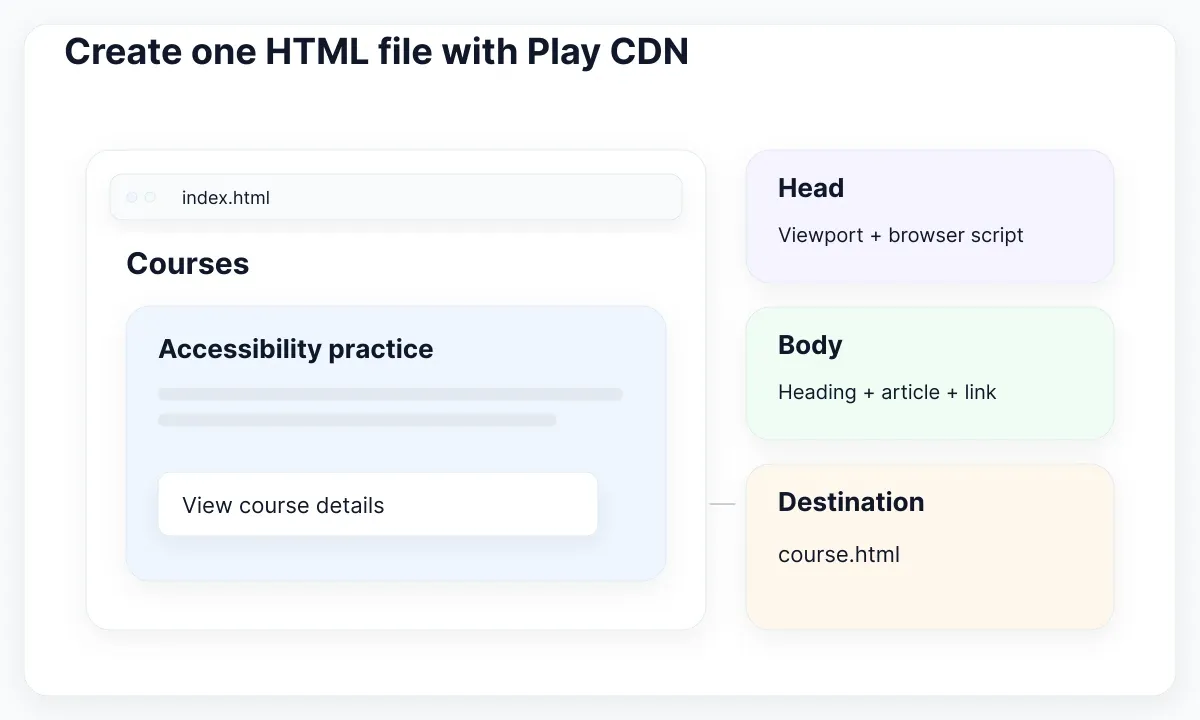
Open index.html in a supported browser with a network connection. If the stylesheet does not appear, check whether the external script loaded before altering the card. The prototype depends on that request. A plain HTML file can be easy to share while still depending on resources outside the folder.
Use this specimen as a starting point. The course description deliberately remains ordinary text. The link opens the details document; it does not enrol anyone. Replace both documents' language attributes when creating a Spanish specimen, and translate the visible copy together with the destination page.
Keep the example isolated from an existing website. Adding an experimental runtime script to an established application makes it harder to tell which environment supplied a style. A separate folder also makes the eventual migration review clearer: the team can identify exactly which document and decisions were accepted.
<!doctype html>
<html lang="en">
<head>
  <meta charset="UTF-8">
  <meta name="viewport" content="width=device-width, initial-scale=1.0">
  <title>Fieldnote — Courses</title>
  <script src="https://cdn.jsdelivr.net/npm/@tailwindcss/browser@4"></script>
</head>
<body class="bg-slate-50 p-6 text-slate-900">
  <main class="mx-auto max-w-xl">
    <h1 class="mb-6 text-3xl font-bold">Courses</h1>
    <article class="rounded-xl border border-slate-200 bg-white p-6">
      <h2 class="text-xl font-semibold">Accessibility practice</h2>
      <p class="mt-3 leading-7">Learn to review an interface using a keyboard.</p>
      <a href="./course.html"
         class="mt-6 inline-block rounded-lg bg-blue-700 px-4 py-2 text-white focus-visible:outline-2 focus-visible:outline-offset-4 focus-visible:outline-blue-700">
        View course details
      </a>
    </article>
  </main>
</body>
</html>
Keep theme decisions beside the specimen
Add a small theme block only when the trial needs a specific shared decision. For example, the proposed course link can use a single named accent. Tailwind theme variables connect appropriate variable names to utility classes; a color named --color-course creates utilities such as bg-course. Record why the name exists instead of using the experiment to rebuild an entire token architecture.
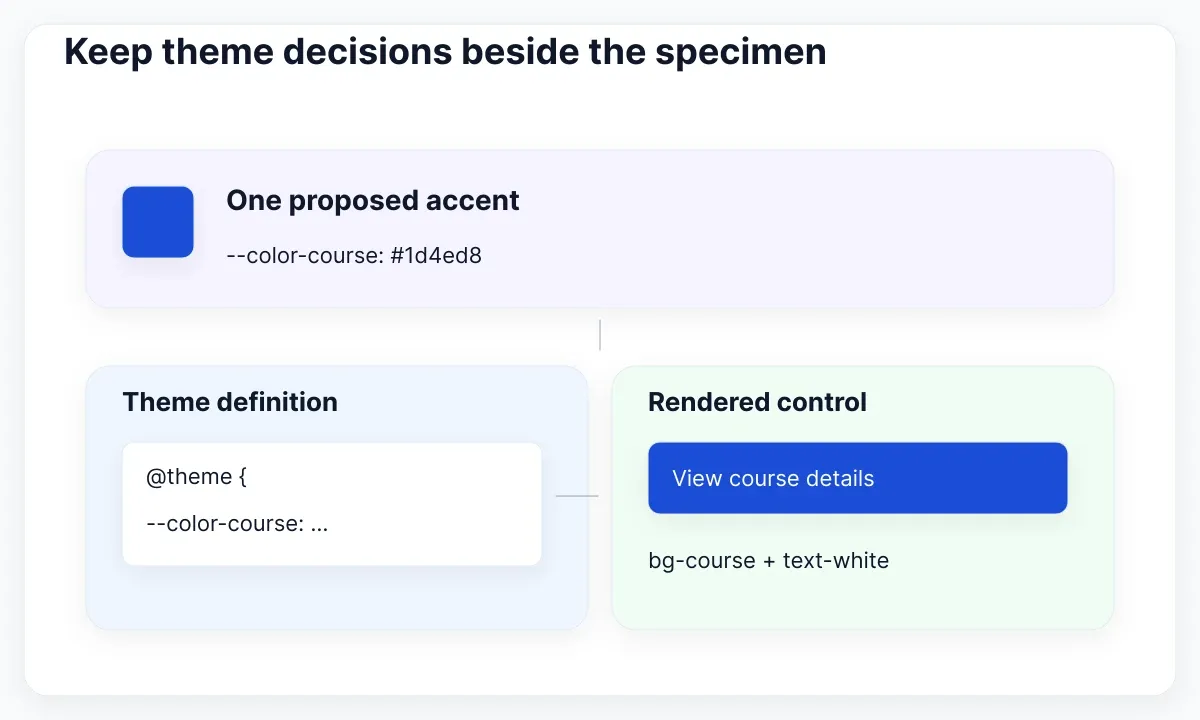
Place the theme block in the document head after the browser script. For this example, use a style element with type="text/tailwindcss", containing @theme { --color-course: #1d4ed8; }. Then change bg-blue-700 on the link to bg-course. This value is a proposed choice for the exercise, not a universal accessibility recommendation. Check the actual combination with its text and focus indicator.
Avoid changing both the accent and the spacing during the same review. Save one version, compare the change, and note what improved or regressed. If reviewers disagree, ask which task the treatment should support: finding the details action, reading the summary, or recognizing the course category. That keeps a visual discussion tied to the specimen.
Remember that Preflight changes base styling, including default margins and heading presentation. Set the specimen's hierarchy deliberately. A heading still needs the right HTML level even when its appearance is controlled with utility classes. Do not infer document structure from font size alone.
Review content, widths and keyboard focus
Review the same HTML with both course records before adding more components. At a narrow width, read the entire title and reach the details link using the keyboard. At a wider width, check whether the text column remains comfortable rather than simply filling all available space. Our chosen maximum width is a proposal to inspect, not a guaranteed optimum.
Tailwind responsive variants apply styles at configured breakpoints. Keep unprefixed classes as the starting layout and introduce a breakpoint only when a concrete content problem calls for it. Test just below and above the chosen change, then drag through the widths between your saved screenshots. A pair of endpoint images cannot reveal every awkward intermediate wrap.
Use the Tab key to visit the link, and verify that its location stays obvious. State variants let you describe focus styling, while W3C explains why keyboard focus must remain visible. A focus utility is an implementation choice; seeing its class name is not an accessibility audit. Inspect the rendered result and the actual interaction.
Use a review record with columns for content, viewport, action and observation. For typography-specific problems, continue with the guide to readable Tailwind text, zoom and reflow. Keep issues found during this trial attached to the specimen so a later implementation does not silently inherit an unresolved assumption.
Separate a runtime trial from a CSS artifact
A browser trial and a compiled stylesheet are different delivery artifacts. In the first, the browser package processes the experiment at runtime. In the second, the project builds a CSS file before visitors load the page. Treat migration as an explicit acceptance step, even if both screens initially look identical.
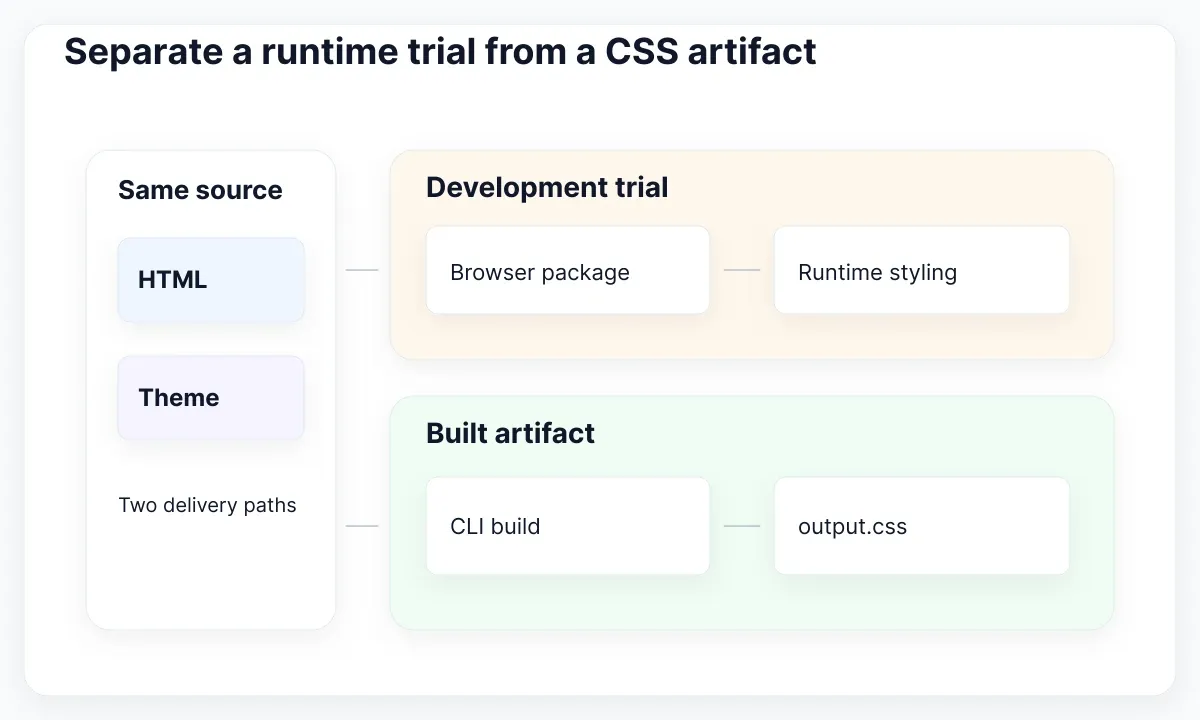
Our proposed team rule is simple: prototype approval accepts the observed hierarchy and content behavior; implementation approval accepts the built artifact in its intended environment. Store those decisions separately. A designer can approve the course title wrapping without approving a release dependency or the application's routing.
Do not use the experiment to claim that the application will work offline, meet a performance target or satisfy a security policy. Those conclusions require checks of the real delivery environment. No benchmark is implied by choosing either workflow. If the review requires reliable disconnected access, establish that requirement before choosing the demonstration format.
Check the current Tailwind browser compatibility guidance against the audience's actual browser requirements. Changing the delivery mechanism does not automatically make an unsupported CSS feature supported. If an older target browser matters, capture it as an implementation constraint and test an appropriate solution. Do not let a successful demonstration in one developer's browser become the team's entire compatibility argument.
Move the accepted specimen into a build
Move the accepted HTML into the project that will own it. For a plain HTML exercise, the official Tailwind CLI workflow provides a direct route: install the framework and CLI, import Tailwind into an input stylesheet, and generate an output stylesheet. Replace the browser script with a link to that output and move the small theme definition into the input file.
Run the commands from the exercise root. Put index.html and course.html in src, and put @import "tailwindcss"; at the start of src/input.css. Add the course theme block beneath the import. Generate src/output.css, then point both documents at ./output.css. Copying only one document's stylesheet reference would leave the other route outside the migration check.
Use the same course records and review widths after the move. Compare text wrapping, the accent, the focus treatment and the destination. Tailwind source detection relies on class names it can discover in source files; retain complete class strings when translating the specimen into application components. Do not turn this small migration into a broad refactor before checking parity.
If React and Vite own the eventual implementation, follow the React/Vite installation and CSS verification workflow instead of adding a second build approach. The course example supplies accepted content and a review case, while the application chooses its own supported build integration.
npm install tailwindcss @tailwindcss/cli
npx @tailwindcss/cli -i ./src/input.css -o ./src/output.css --watch
Hand over evidence with the prototype
Deliver the prototype with a short evidence sheet. Include the source document, the selected design reference, the course records and the browser used for review. Add the observed outcome at each width. A screenshot can illustrate a decision, but the editable source and a reproducible action make that decision easier to inspect later.
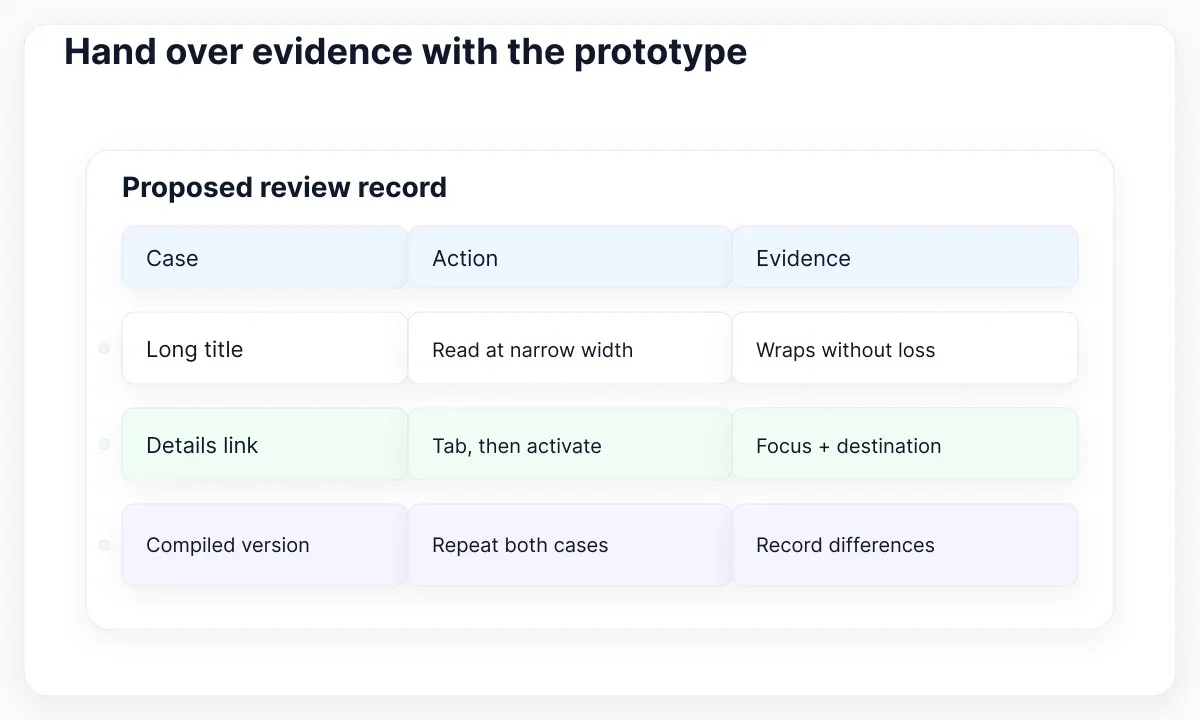
Write unresolved items as concrete questions with an owner. For example: “Content owner to approve the long workshop title” or “Developer to verify focus after moving to the application route.” Avoid a blanket “responsive done” label that hides what the team actually checked. If a behavior was represented only by a static state, say so beside the state.
For the proposed Fieldnote handoff, acceptance means both course titles remain readable, the details link reaches the intended document, and the compiled specimen reproduces the accepted presentation. Enrolment, authentication and production data remain future tasks. Those boundaries describe the exercise accurately; they are not deficiencies to conceal with convincing placeholder screens.
Keep the final browser trial and the compiled review result identifiable. Name the accepted files, attach the review date and explain any intentional differences. The useful outcome is a small UI decision that another person can reproduce and implement. Once that evidence is available, the CDN experiment has served its purpose and the team can continue in the delivery environment.
| Deliverable | Proposed evidence | Owner |
|---|---|---|
| HTML specimen | Two titles and a checked destination | Design |
| Compiled CSS | Same actions after migration | Development |
| Open items | Specific question and next step | Team |

Pablo Mayoral
Senior UX/UI & Web Designer with 10+ years of experience. Creator of EmviUI (10k+ components Figma design system), UImand, and Vitamin Bootstrap. Currently designing digital products at CQMRewards.