Best UI Kit for Nextjs: Test App Router Integration
Choose a Next.js UI kit by testing one real route: document server/client boundaries, loading, validation, hydration and who maintains the result.

Choose a Next.js UI kit by testing one real route: document server/client boundaries, loading, validation, hydration and who maintains the result.
Direct answer: The best UI kit for Nextjs is the one your team can integrate into its actual App Router route without losing server rendering, understandable loading states or maintainable component boundaries. Start with a small implementation trial. A polished dashboard preview cannot demonstrate these properties. For a code starting point, shadcn/ui provides a documented Next.js installation route; for visual design, EmviUI provides Figma components. They address different parts of the work. This guide shows how to test that fit before adopting a kit across an application.
Test one App Router route
Build a fictional workspace-settings route that shows an organization name, navigation and a save action. Use the same route, content and failure scenarios for every candidate. This is a proposed evaluation exercise, not a benchmark or a claim that any particular kit has passed it.
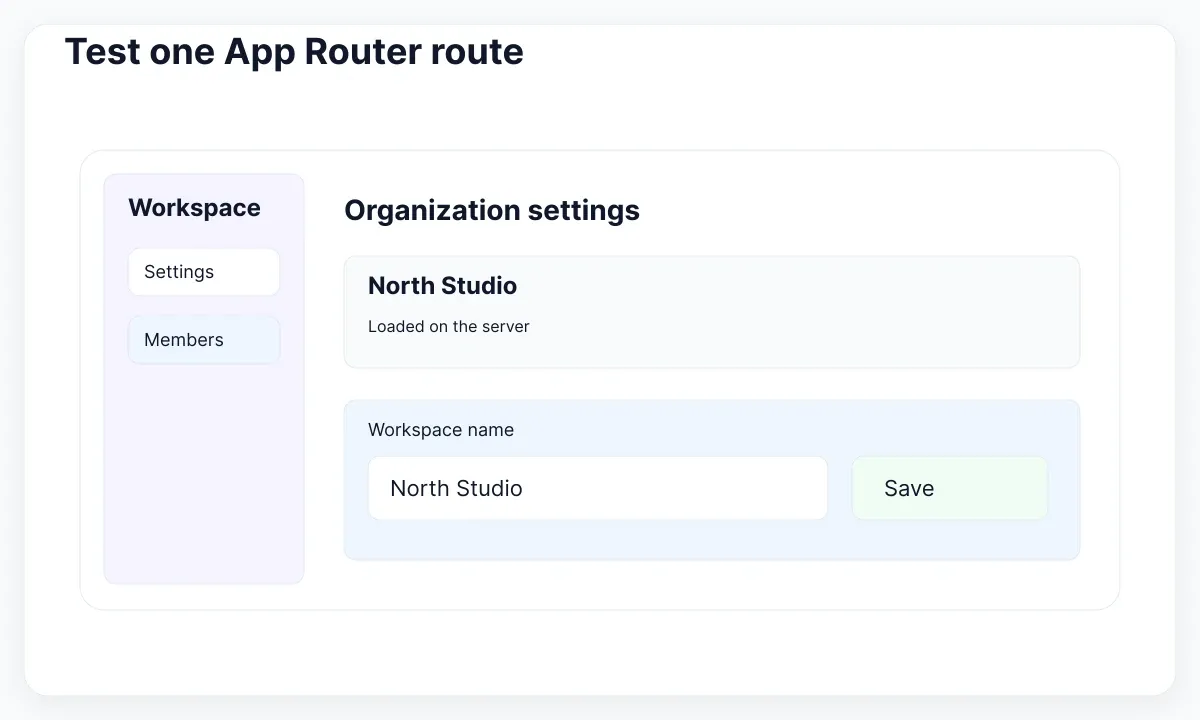
Record the Next.js and React versions, router choice, styling setup and relevant package versions in the trial notes. Check the candidate's installation instructions against that environment. The official shadcn/ui Next.js installation guide is useful evidence of a supported setup path, but successful installation alone does not prove that your completed settings route behaves correctly.
Define three acceptance observations before styling: a direct request displays the correct workspace, navigating from another route preserves the surrounding shell where intended, and submitting a rejected name leaves a clear correction path. Add a fourth observation for the actual product risk, such as changing between workspaces. Keep permissions checks in the application; a component catalogue cannot establish authorization.
Take screenshots and note the user action that produced each state. Review the implementation diff as well as the pictures. Count wrappers you had to invent, document assumptions about providers, and identify any imports that only work in the browser. This evidence makes selection more useful than awarding points for the number of example pages.
If your team still needs to decide who owns component behavior, use the broader React UI-kit evaluation guide. Here the narrower decision is whether the selected material fits Next.js route composition, server/client boundaries and asynchronous delivery. Reusing the same button appearance does not make those architectural checks redundant.
Keep the trial deliberately ordinary. A name editor is useful because it crosses several real responsibilities without requiring an entire dashboard: data arrives, a person changes it, a request runs and a result must be explained. Ask one designer and one developer to walk through the same fixture together. The designer records missing states and unclear feedback; the developer records integration changes and runtime assumptions. Agree on what counts as a blocking defect before inspecting the candidate. Otherwise, attractive visual details can gradually lower the acceptance standard. End the session with one owner for each open issue and a clear condition for repeating the trial.
Keep the client boundary small
Draw the route as a component tree before adding a provider to the root layout. In the proposed trial, the workspace heading and fetched summary surround a small interactive name editor. Mark which modules need browser interaction and which can remain outside that client import tree.
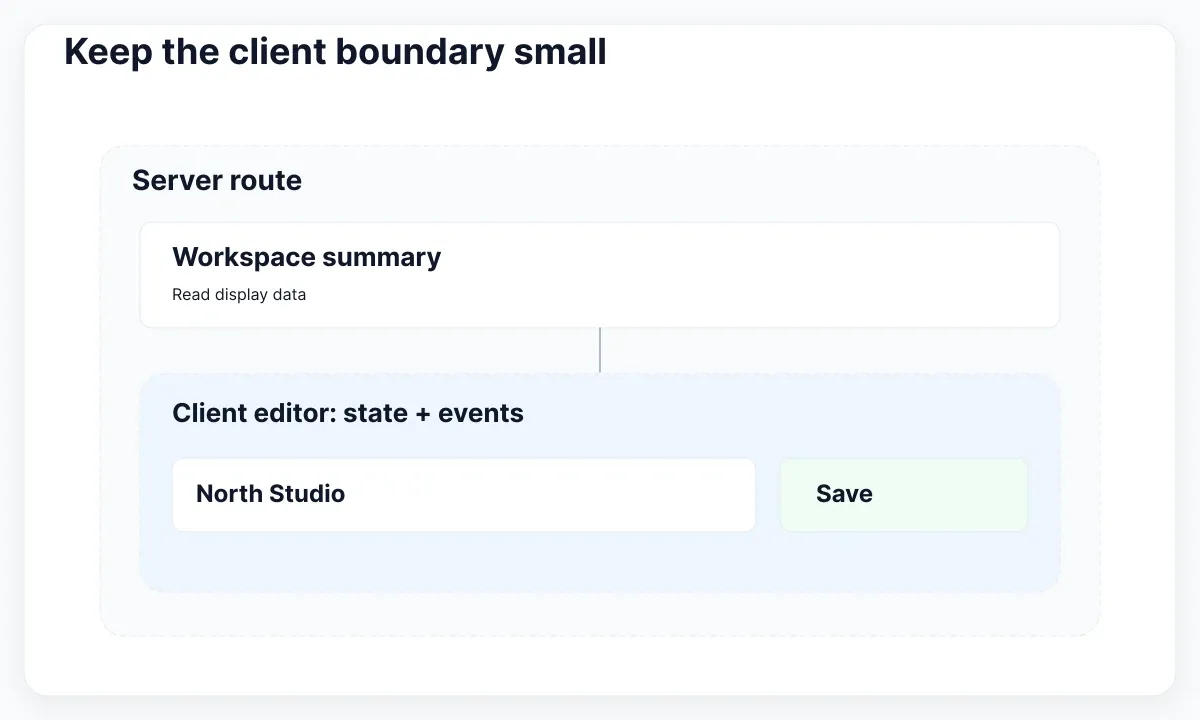
Next.js documents Server and Client Components as complementary tools. Client features include state and event handlers; a client entry point establishes an import boundary. Review where the kit places that boundary. A narrow editor wrapper is a different integration cost from converting the whole application shell merely to use one field.
Inspect the imports of the editor rather than relying on its filename. If it pulls in an entire screen module, move shared types and simple formatting into suitable separate modules. Keep data access with the server-side part of your application. Pass a deliberately small workspace display model into the editor instead of handing every component the raw database record.
Test any required theme or configuration provider at the lowest useful scope. Write down which components depend on it and what happens outside that scope. A local wrapper may be acceptable when it is explicit and easy to review; scattered duplicate providers make later debugging harder. Choose the arrangement according to the real dependency tree.
One useful handoff artifact is a two-column inventory: component name and execution responsibility. For example, WorkspaceSummary reads display data while WorkspaceNameEditor owns interaction. This is a recommendation for organizing the trial, not a universal requirement for naming files. The component-library architecture guide helps turn an accepted experiment into reusable boundaries.
Design loading around stable content
Give the route a loading specimen with the same content hierarchy as the completed view. In this trial, keep the workspace navigation visible and reserve space for the summary. Show that data is arriving without suggesting that a blank organization name has already been saved.
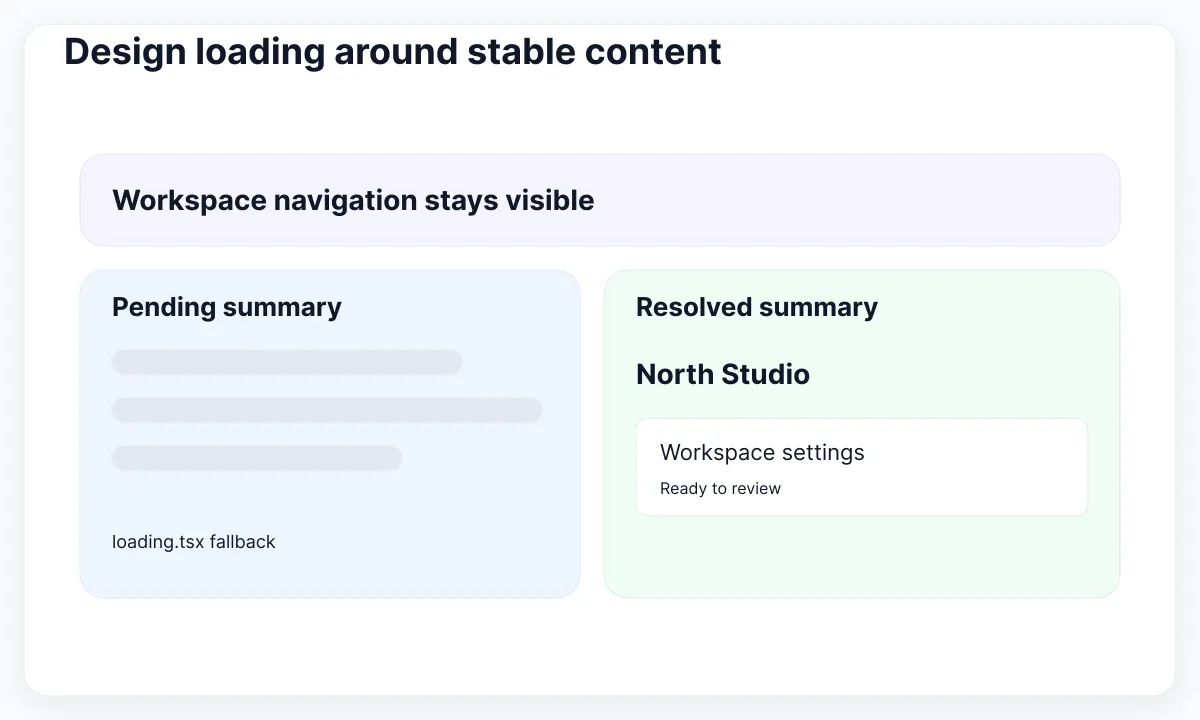
The loading.js convention supplies a Suspense fallback for the relevant route segment. Review the location of the actual slow work: a loading file does not automatically provide a fallback for every operation above its boundary. Decide which region can wait independently, then place the fallback around that dependency.
Make slow responses repeatable in a controlled development fixture. Visit the route directly, navigate from a sibling route, then leave while the request is pending. Use the Next.js navigation documentation to understand the framework behavior and inspect how the kit's links participate. Do not replace navigation with a decorative selected tab that has no real destination.
Review what people can still do while the summary waits. The trial should make it possible to return to another area where that matches the application flow. Do not display a working save control against data that has not been loaded. A skeleton is a representation of pending content, not a substitute for defining available actions.
Also try empty results and long workspace names. An empty organization list needs a deliberate next step; it is not the same state as a request still running. Translate the fixture early, then compare the width and wrapping of the resulting labels. These are editorial test suggestions: record the observed behavior instead of inventing performance guarantees for a component library.
Separate validation from route failure
Run two different failure exercises. First return an expected validation result for an unsuitable workspace name. Then simulate an unexpected failure while loading the route. The first should support correction within the task; the second needs an appropriate route-level recovery experience.
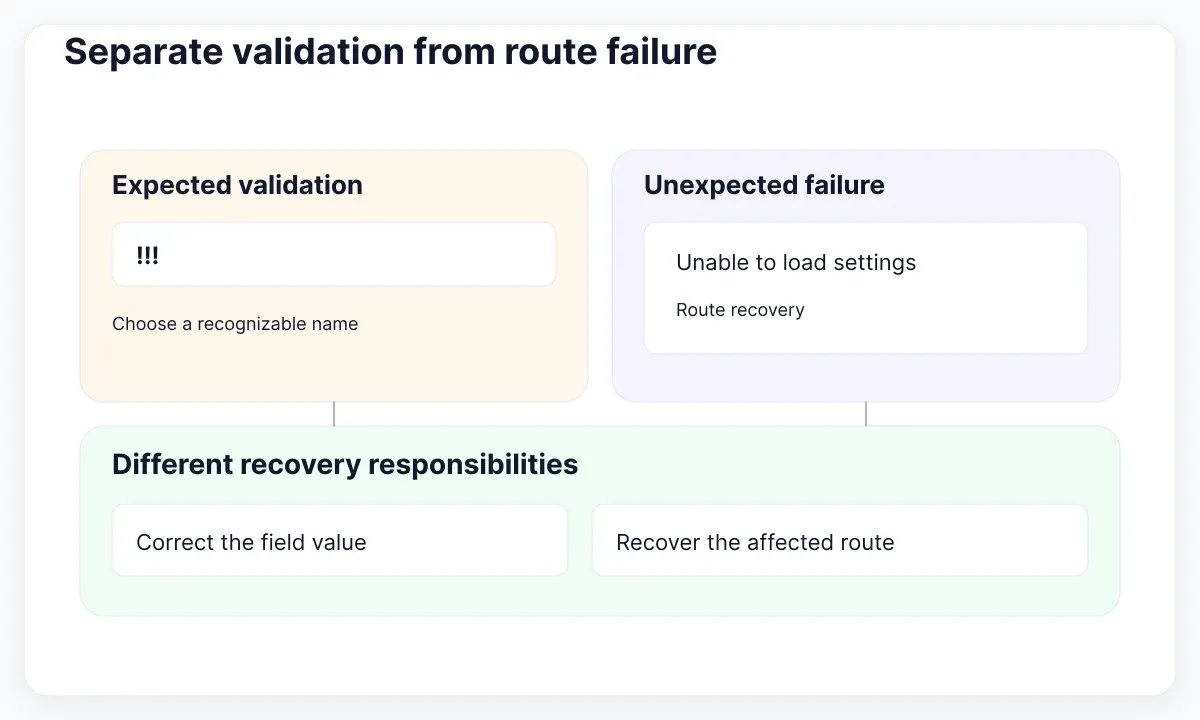
The Next.js error-handling guide separates expected errors from uncaught exceptions. Follow that distinction when evaluating the kit. A field message, a submission response and an error boundary have different responsibilities, even when the same visual alert component appears in more than one place.
For the trial, reject the value “!!!” with a useful instruction such as “Use a workspace name colleagues can recognize.” Keep the entered value available for correction where your form implementation permits. Then try a successful submission and verify the confirmed name after a fresh request. A green message without persisted data is insufficient evidence of a successful workflow.
The Server Actions forms guide describes pending state and returned validation messages. Wire the kit's field and submit control into the application's chosen form approach. Give pending feedback a specific label, and decide how another activation is handled. Client-side disabling alone does not establish server-side protection against duplicate writes.
During the unexpected-failure exercise, identify which portion of the interface is replaced and whether navigation still works. Check the recovery API for the installed Next.js version rather than copying an old snippet. Write the observed result in the selection notes: what failed, what the reader saw, and whether their next action was clear.
Check the first render and hydration
Reload the route directly after the visual states are accepted. React's hydrateRoot reference expects the client output to match the server-rendered content at hydration. Treat warnings as a debugging lead, then isolate the component responsible instead of hiding the symptom across the page.
For this trial, inspect date labels, randomly generated visual content and theme-dependent markup. Feed the route stable fixture data and compare the initial rendering assumptions. Review browser-only reads in the candidate code. Fix the smallest responsible boundary and rerun both the direct request and subsequent navigation; a route may appear fine after navigation while still failing its initial load.
Evaluate a production build as well as the development view. Keep a baseline before introducing the kit and compare the same route afterwards. Record the measurement method, environment and accepted tradeoff. This article supplies no bundle-size ranking: the result depends on what you import, how your application composes it and which features you actually ship.
Use EmviUI to specify feedback
The EmviUI component catalogue includes visual material for inputs, buttons, alerts and error states. Use the alert specimens below to discuss feedback hierarchy with the team. They are EmviUI design examples, not screenshots of a running Next.js application and not proof of screen-reader behavior.
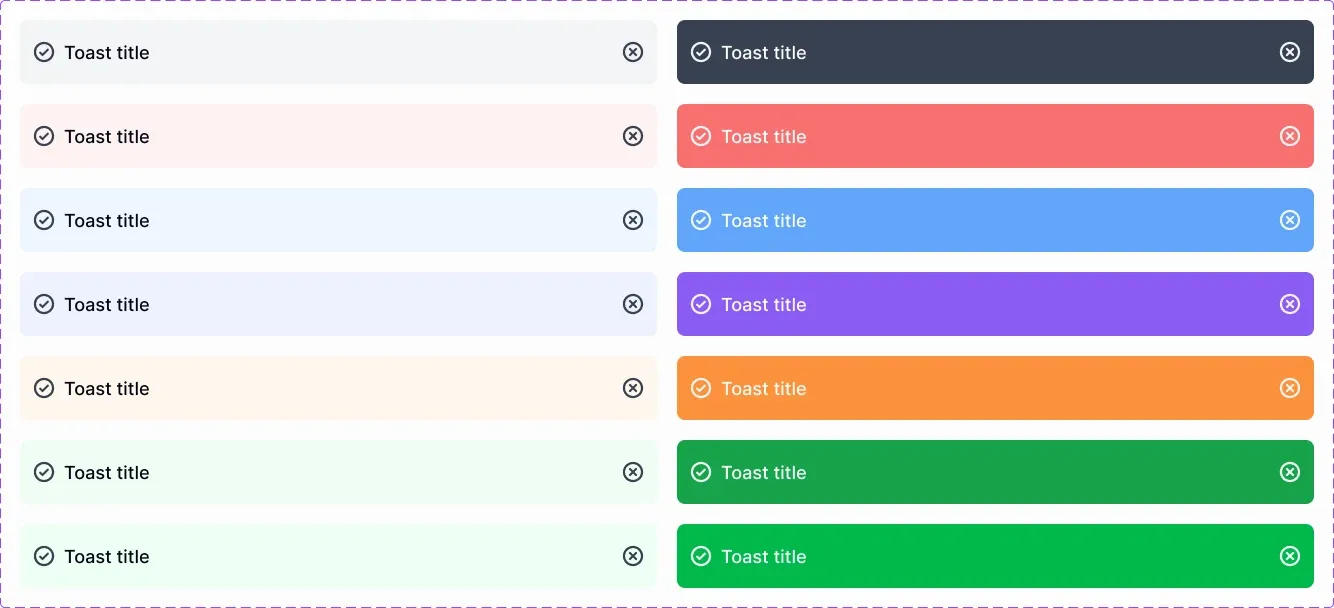
Choose a treatment for a neutral loading notice, a recoverable save error and a confirmed success. Replace generic specimen text with the event and next step: “Changes were not saved. Check the workspace name.” Review the icon, message length and dismissal affordance together. Do not depend on a color difference to explain the outcome.
Turn those visual choices into an implementation contract: where the message appears, what triggers it, whether it remains available, and whether focus moves. W3C guidance on status messages explains that qualifying status changes need programmatic exposure without necessarily taking focus. The implementation must choose appropriate semantics and be tested with assistive technology; the image supplies neither.
EmviUI is useful here because the team can agree on the intended visual state before repeating it across settings screens. It does not decide where a Server Component belongs, implement your persistence layer, or certify hydration. Keep the design reference beside the working trial so differences are visible and intentional.
Make the kit decision reviewable
Make adoption depend on demonstrated behavior and a manageable maintenance plan. Use the following decision record as a starting point. The rows are proposed acceptance criteria for the workspace trial, not ratings of EmviUI, shadcn/ui or another library.
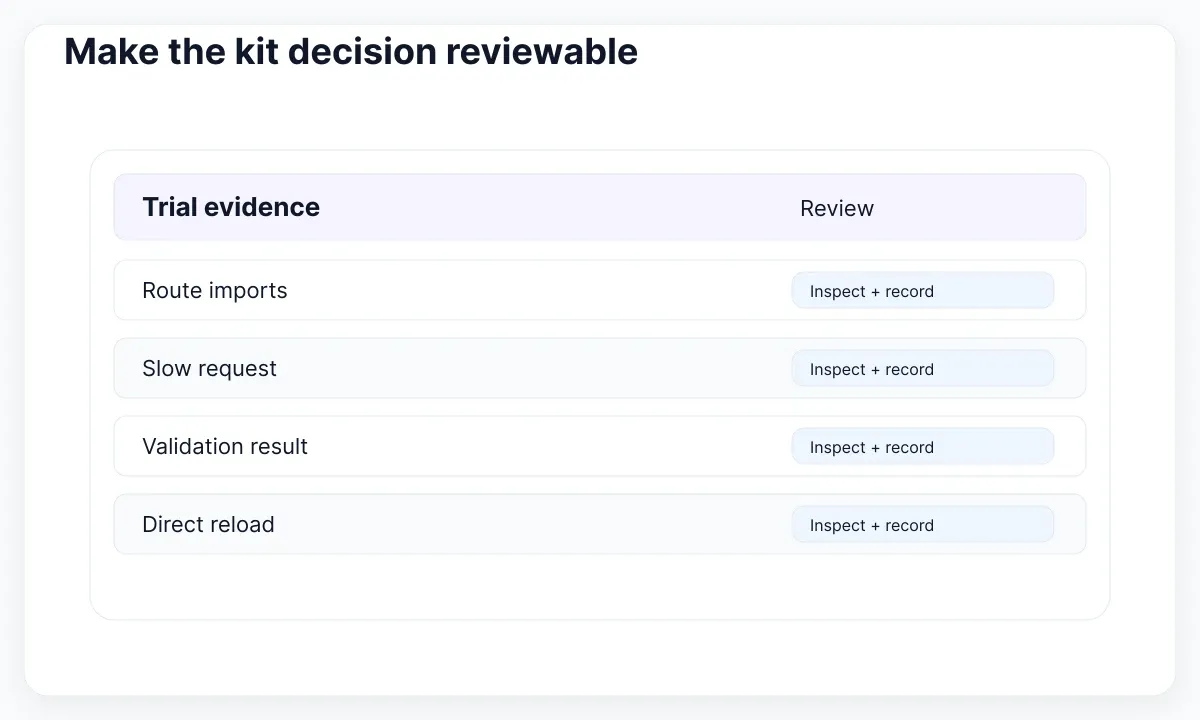
| Check | Evidence to retain | Decision |
|---|---|---|
| Client boundary | Route tree and imports | Accept or reduce scope |
| Loading | Slow-request recording | Accept or move fallback |
| Failure | Validation and route-error examples | Accept or repair recovery |
| Hydration | Direct-load console and build | Accept or investigate |
| Ownership | Named maintainer and update plan | Adopt or defer |
Prefer a candidate whose remaining gaps are visible, bounded and assigned. If it requires replacing the route architecture before the first real save works, defer adoption and reduce the experiment. If the visual kit is strong but code integration is absent, budget that implementation explicitly. Neither outcome is a failure of the trial.
Keep the accepted specimen for future updates. Re-run the same route when dependencies change, when a provider moves or when a new component introduces browser behavior. Link the design states, implementation notes and checks in the design-to-code validation workflow. The useful result is a repeatable selection decision backed by your application, not an unsupported universal winner.

Pablo Mayoral
Senior UX/UI & Web Designer with 10+ years of experience. Creator of EmviUI (10k+ components Figma design system), UImand, and Vitamin Bootstrap. Currently designing digital products at CQMRewards.