Best UI Kit for SaaS: Subscription States and Billing Tasks
Choose a SaaS UI kit through a small subscription-management task. Check billing state, workspace permissions, recovery and a readable plan-change review; distinguish visual assets from implemented services.
Choose a SaaS UI kit through a small subscription-management task. Check billing state, workspace permissions, recovery and a readable plan-change review; distinguish visual assets from implemented services.
The best UI kit for SaaS is the one that can express your product's recurring account tasks clearly, including subscription changes, restricted billing access and recoverable failures. Evaluate a small billing journey before adopting a whole dashboard. Choose the delivery format you need, then check whether its components can describe consequences and uncertainty without relying on a happy-path screenshot.
This guide proposes an acceptance exercise for a fictional workspace called Cedar. Its owner changes a subscription while a member has read-only access. Examples, role names and selection rules are editorial recommendations, not product benchmarks. The goal is to discover missing interface work before committing to a kit.
Define the billing task before choosing a kit
Write one observable task: Cedar's owner reviews the current plan, selects a different plan, checks the effective date and returns to an accurate account summary. Include a declined change and a delayed result. This bounded journey exposes more useful kit requirements than a gallery of unrelated analytics cards. It also keeps the selection review small enough to finish.
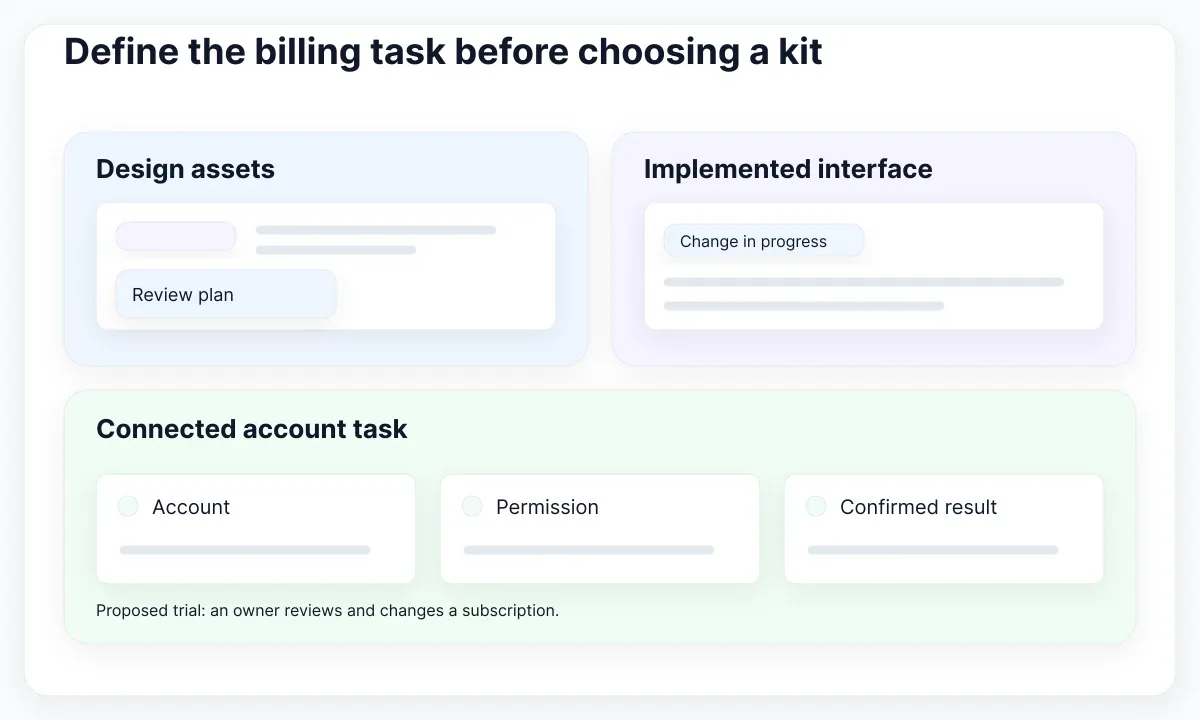
Identify the deliverable first. A Figma kit supports design exploration and specification. Implemented components support application behavior in a particular stack. A hosted billing portal supplies another boundary with its own capabilities. Record which of these you are buying or adopting. Do not count a designed payment field as an implemented payment integration, or a prototype transition as a confirmed account change.
Collect the essential ingredients: a plan summary, current-plan indicator, readable feature differences, a review surface, a pending message and a recovery action. Add a billing contact and an invoice link only if the product task needs them. Ask a candidate kit to assemble this exact sequence with realistic content. Mark every newly invented component and every component that needs structural changes.
Use the UI kit versus design system guide when deciding how much maintained policy belongs around the assets. In Cedar's exercise, the kit supplies reusable interface parts; the team still owns billing policy, access rules and release decisions. A clean boundary makes the eventual selection easier to explain to both designers and engineers.
Separate subscription status from interface state
Model two questions independently: what does the account currently permit, and what is the interface doing now? A subscribed account can still have a page loading error. A button can finish its animation before a remote update is confirmed. Treating all of these conditions as one generic success or error variant creates misleading screens.
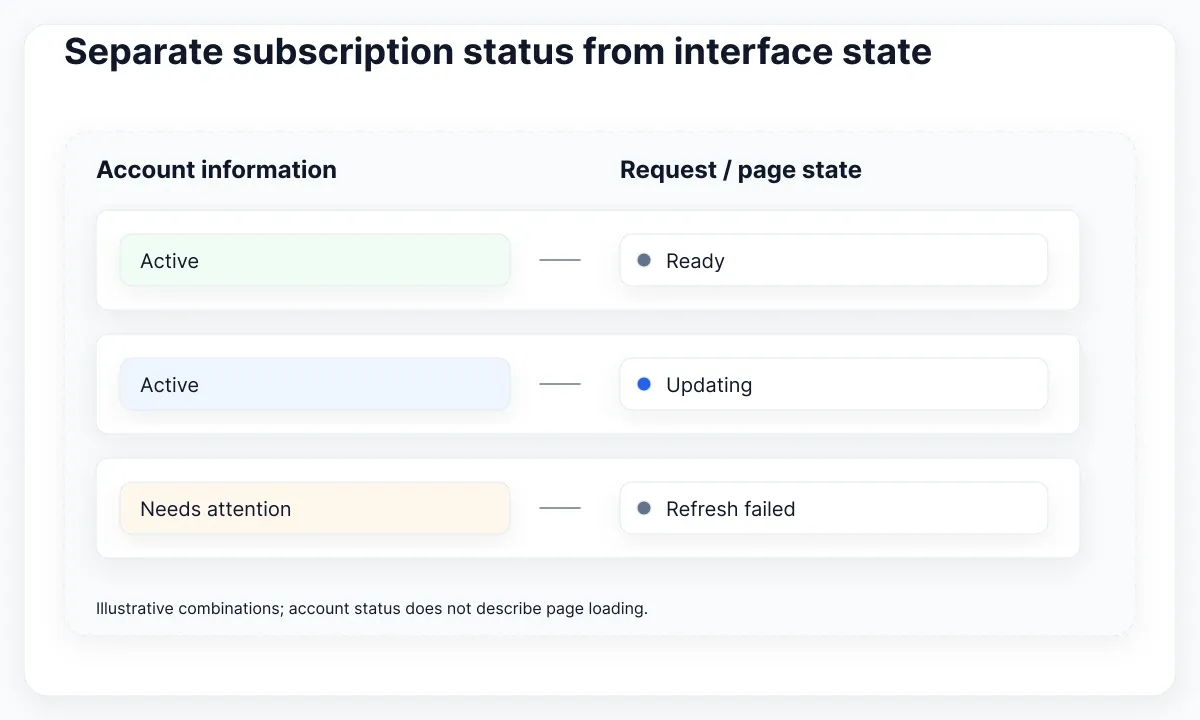
Stripe documents subscription lifecycle statuses such as trialing, active, past_due and canceled. Their meaning depends on billing configuration; active is not universal proof that every invoice has been paid. Use the provider's documented state as an input to product policy, rather than translating a green badge directly into an unrestricted entitlement.
For the proposed Cedar test, prepare account fixtures separately from request fixtures. One account has an active subscription; another needs billing attention. Run each with a ready page, a change in progress and a failed refresh. Show the last confirmed account information with clear freshness wording when that is appropriate. Avoid replacing an accurate plan name with an unexplained spinner covering the entire page.
Inspect whether the kit can combine a status label with a local progress indicator and a next action. Keep one primary action per immediate task. A pending change might offer a refresh route, while a confirmed billing issue might point to the person allowed to resolve it. Record the intended action in the fixture so reviewers can distinguish a missing component from an unresolved product decision.
Check who can act in each workspace
Evaluate the same billing surface as two different people in two different workspaces. In this fictional policy, Cedar owners can change the subscription and members can see a limited summary. Another workspace can have another owner. The kit needs enough room to identify the current account and explain why a particular action is unavailable in that context.
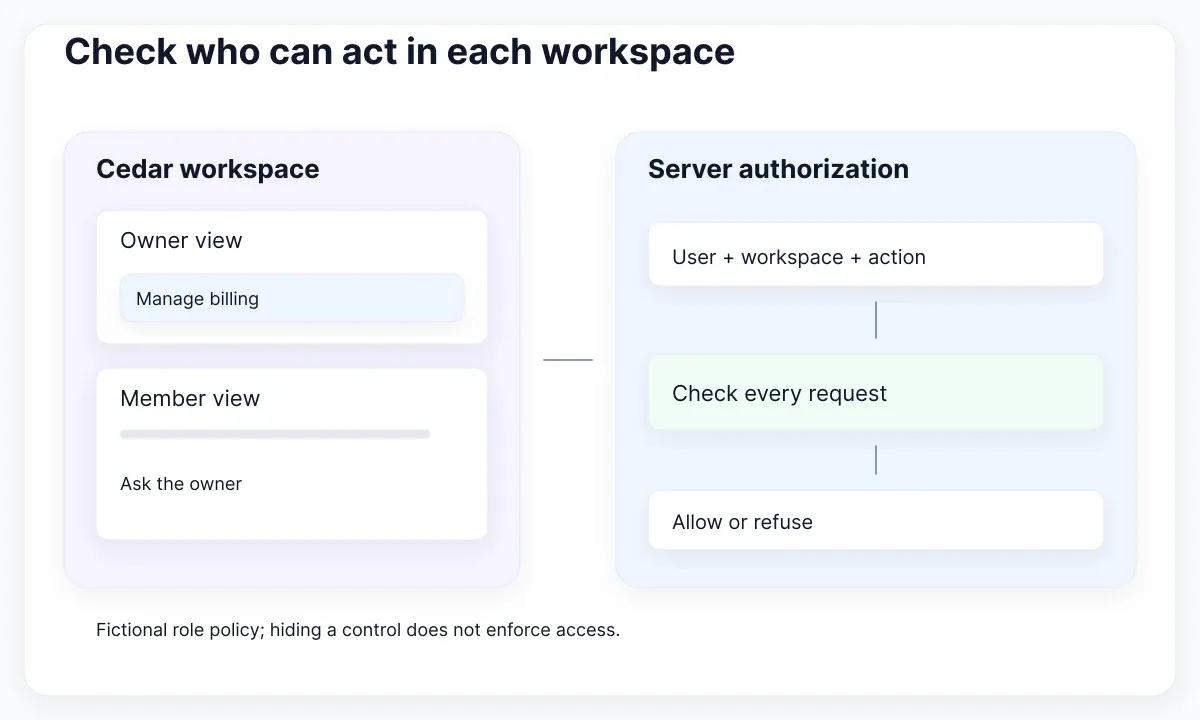
OWASP recommends denying access by default and checking authorization on every request. Hiding a control is therefore only a presentation decision. A design review cannot establish that the server enforces workspace boundaries. Put permission checks in the engineering acceptance criteria and specify the interface response separately.
Create a member view with useful wording such as “Ask your workspace owner to manage billing.” Decide whether that view should reveal plan details at all. Then create an owner view with an actionable billing route. Change workspaces while the page is open and inspect the resulting label, available actions and stale content. The proposed test is passed only when the displayed context is unambiguous.
A disabled button without an explanation is weak evidence of thoughtful permission handling. Prefer a clear reason and a practical next step when the user can do something about the restriction. Test a permission change during an unfinished request too: the interface should reconcile to the confirmed result, not leave behind an apparently successful action that was refused by the application.
Make recovery messages specific and persistent
Use the kit's feedback components to communicate a specific account event. For Cedar, “Could not confirm your plan change; reload the account summary before trying again” conveys a different situation from “Your payment method needs attention.” The first describes uncertainty; the second requires confirmed billing information. Avoid choosing the same alarming message merely because both examples fit a red alert component.
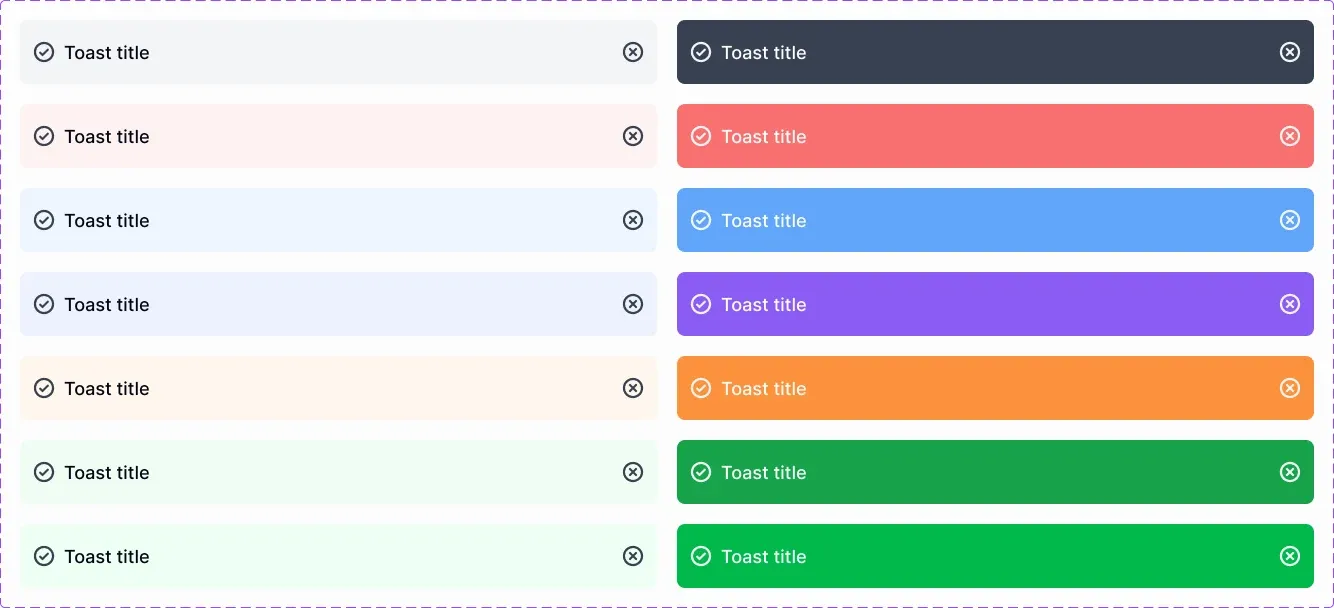
The real EmviUI specimen below shows reusable toast treatments. It is a visual starting point, not a screenshot of Stripe and not evidence of payment recovery behavior. Its generic labels must become meaningful task copy. Test how a longer explanation, an action link and a dismiss control fit before relying on the specimen in a billing journey.
W3C explains that qualifying status messages must be programmatically available to assistive technology without receiving focus. Specify what should be announced when an update completes or fails. Then verify the implemented behavior; a static component image cannot show whether an announcement occurs at the right time.
W3C also requires information to be conveyed beyond color alone. Pair a warning treatment with explicit text. For this exercise, keep unresolved billing issues accessible from the account page after a transient toast disappears. Do not announce every background refresh as an urgent interruption. Review the meaning, persistence and next action together; visual emphasis alone does not tell a customer what happened or what to do next.
Review plan changes at a narrow width
Stress the review screen with long plan names, translated labels and a narrow viewport. Put the selected plan, effective date and important consequences before the committing action. In the fictional example, use a clear “Review change” step followed by a distinct confirmation action. These are proposed labels, not a claim that every subscription requires the same number of steps.
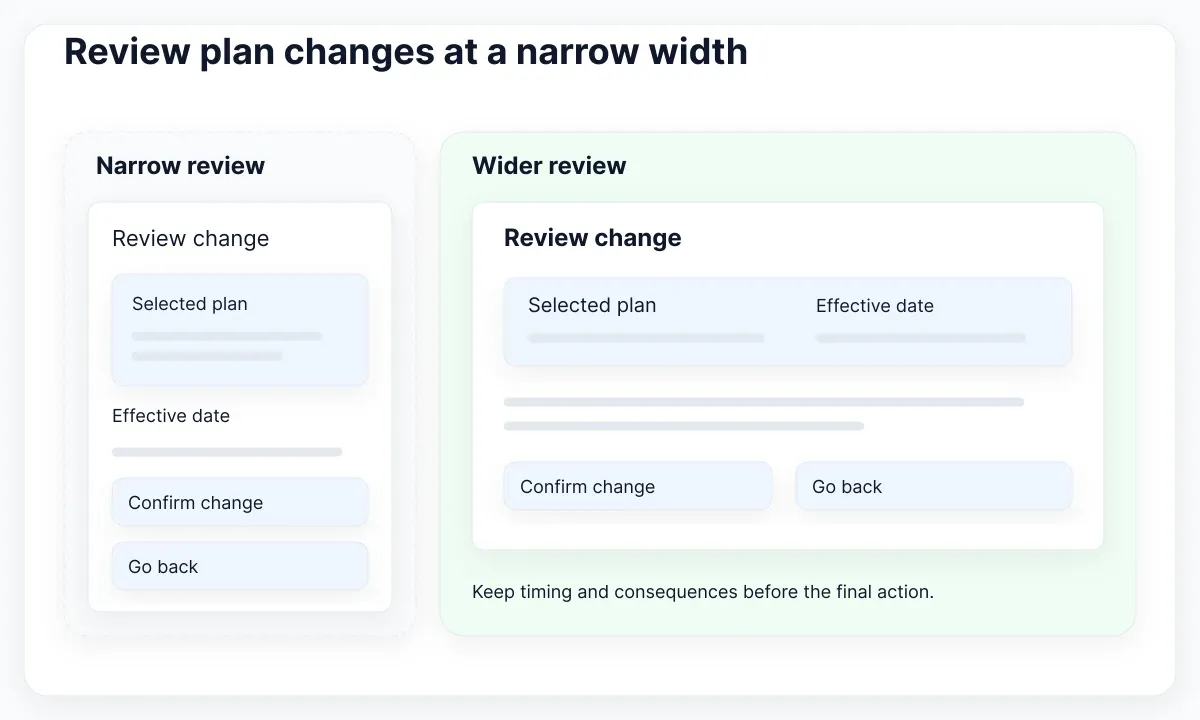
W3C describes safeguards for covered legal, financial and data submissions: at least one of reversal, checking with correction, or review with confirmation and correction applies. A review screen is one possible approach, not a universal requirement for every ordinary save. Let the product's actual consequences determine the safeguard and document the decision.
W3C Reflow guidance addresses content at an equivalent width of 320 CSS pixels, with exceptions for genuinely two-dimensional content. In this selection exercise, check the plan-change summary and actions at that width. A wide feature comparison does not justify clipped confirmation text or an unreachable cancel action elsewhere on the page.
Stack the summary and action region when side-by-side content becomes cramped. Preserve the reading sequence: current choice, proposed change, timing, consequences, then actions. Inspect long dates and amounts using controlled test data. Keep labels adjacent to values when the layout changes. Reject a candidate composition if making it usable requires removing the information a person needs to make the decision.
Decide which screens belong in a hosted portal
Before drawing every billing screen, decide which tasks will happen in the application and which will happen in a hosted service. This affects kit selection: you may need an excellent account summary and a clear handoff rather than a complete custom invoice-management suite. Evaluate the return journey as part of the same task, not as an unrelated settings screen.
Stripe documents a customer portal for managing billing information, payment methods, invoices and subscriptions. Its configured features and limitations determine which actions are available. Treat the portal's documentation as the capability reference; a kit's billing mockup cannot promise that a particular subscription arrangement supports every portal action.
For Cedar, propose a “Manage billing” entry with nearby workspace context. After the person returns, refresh the confirmed account summary and explain any information that is still being checked. Exercise both a completed portal action and a return without changes. A browser returning to the application is evidence of navigation, not sufficient evidence that a plan changed.
Document ownership of the boundary. The product team supplies the surrounding explanation and account context; the selected service supplies its configured billing experience; engineering connects the account safely and reconciles the result. If a custom flow remains necessary, add its missing components to the acceptance sheet. Avoid paying for screen coverage you will not use, while overlooking the small handoff states customers encounter repeatedly.
Choose using a documented acceptance sheet
Choose from a short evidence sheet rather than an unexplained overall score. Record the candidate's delivery format, the exact Cedar fixtures used, the missing components and the work needed for each missing state. Use three outcomes: usable as supplied, adaptable with bounded work, or blocked by a structural gap. These are editorial decision categories, not measured rankings of commercial products.
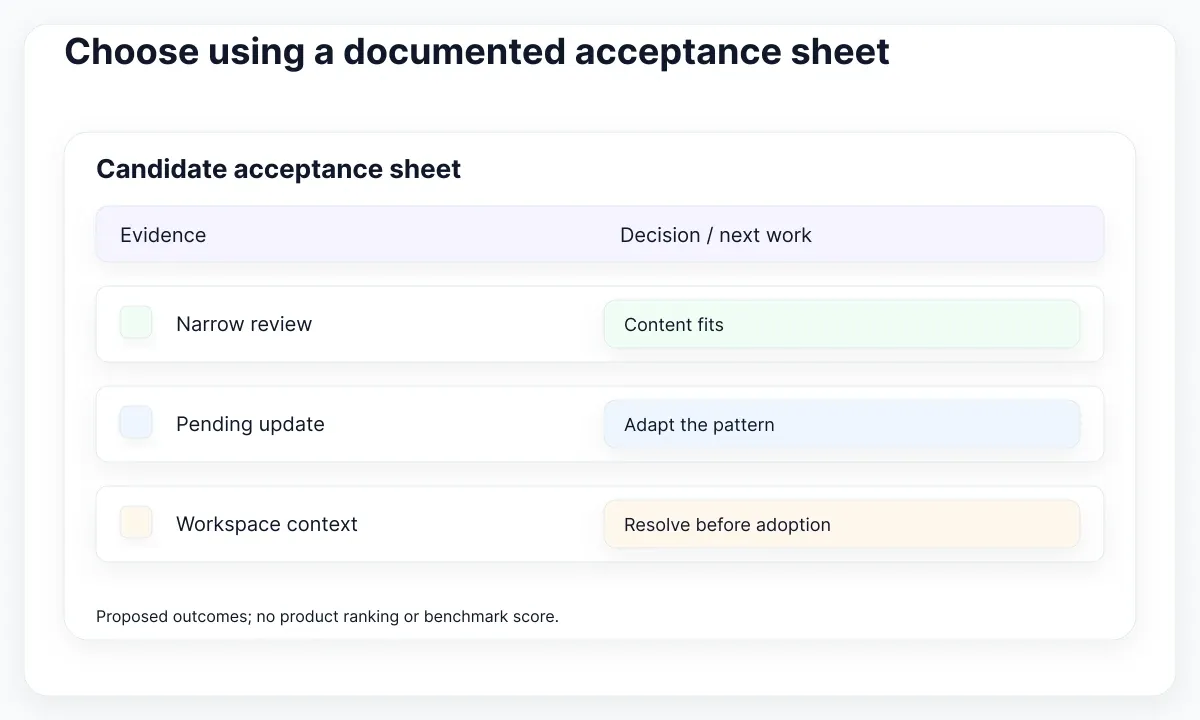
For each outcome, attach one concrete artifact. A narrow review layout supports the content-fit judgment. A member-view design supports the communication judgment. An implemented authorization check supports the access-enforcement judgment. Keep those forms of evidence distinct. A design candidate should not fail merely because it is not a backend service, but the overall product plan still needs that service work assigned.
Set rejection conditions before reviewing the prettiest screens. In this exercise, reject an unresolved inability to distinguish pending from confirmed updates, an ambiguous workspace context, or a confirmation layout that hides essential consequences. Accept a missing decorative chart if it is irrelevant to the selected billing task. This directs customization effort toward the parts that customers actually depend on.
Finish with a small adoption decision: use the kit for the tested account surfaces, name the remaining work and assign a reviewer for the next iteration. Repeat the acceptance exercise when the product introduces another billing model or role policy. The best UI kit for SaaS is a defensible fit for your current tasks, with visible boundaries and a manageable adaptation plan—not a permanent winner chosen from component counts.
| Fixture | Required evidence | Next owner |
|---|---|---|
| Change still pending | Visible uncertainty and a safe next action | Product and engineering |
| Member opens billing | Clear restriction plus a server permission test | Design and engineering |
| Narrow plan review | Readable consequences and reachable actions | Design and accessibility reviewer |
Apply EmviUI to the visual specification
The EmviUI component catalogue includes Figma interface ingredients such as buttons, badges, inputs, modals and feedback treatments. For this exercise, use those ingredients to specify the account summary, restricted view and plan-change review. Evaluate the actual editable components you intend to use, including their content limits and the work needed to adapt them.
Start with one small composition. Place the workspace name above the subscription summary, add a text status, and attach one management action. Build the member view from the same visual rules. When adapting the alert specimen, replace generic text with the confirmed condition and a meaningful next step. Keep the component role consistent even when its copy changes between English and Spanish.
Do not assume that a Figma kit supplies billing logic, authorization or an accessible runtime. Those are separate implementation responsibilities. EmviUI can help communicate the intended hierarchy and reusable visual treatments; the team must still connect them to verified application state. Capture that division in the handoff so a polished mockup does not become an accidental engineering promise.
Use the guide to building your own UI kit to organize any patterns added during the trial. If you also need implemented React components, continue with the React kit behavior exercise. The SaaS review here answers a different question: can the selected assets represent the subscription lifecycle clearly across account contexts?

Pablo Mayoral
Senior UX/UI & Web Designer with 10+ years of experience. Creator of EmviUI (10k+ components Figma design system), UImand, and Vitamin Bootstrap. Currently designing digital products at CQMRewards.