Difference: Component Properties, Variants, Slots and Nested Content
Use focused properties for configuration, variants for named states or types, and slots for content that needs composition. Keep the shell’s responsibilities explicit. A scalable design system needs a clear agreement about what consumers may change, not a variant f

Use focused properties for configuration, variants for named states or types, and slots for content that needs composition. Keep the shell’s responsibilities explicit. A scalable design system needs a clear agreement about what consumers may change, not a variant for every possible combination of content.
Use focused properties for configuration, variants for named states or types, and slots for content that needs composition. Keep the shell’s responsibilities explicit. A scalable design system needs a clear agreement about what consumers may change, not a variant for every possible combination of content.
Separate configuration from composition
Start with the decision the component consumer needs to make. A named state, an interchangeable icon and a variable collection of fields are different decisions. Treating all three as variants makes the component harder to understand because users must search combinations instead of expressing the change they actually want.
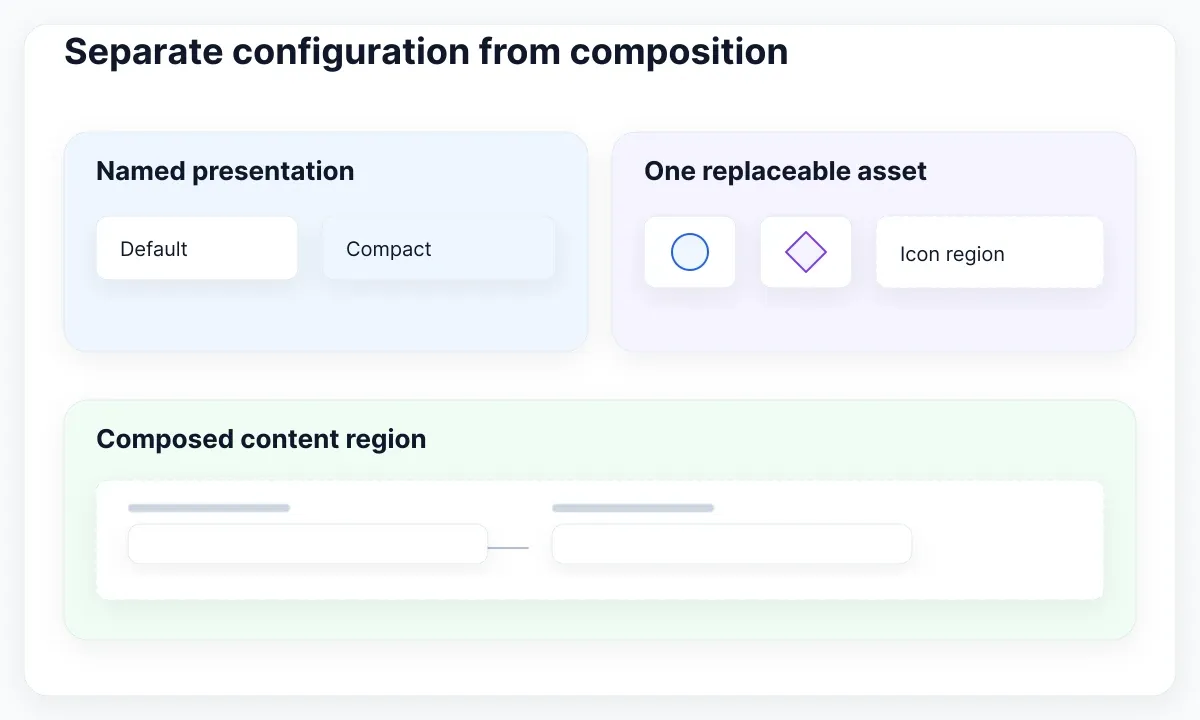
Figma distinguishes variants, instance swaps and slots by the flexibility required. Variants describe named states or types; an instance swap replaces a nested instance; a slot opens a region for composed content. Slots are themselves component properties, so “properties versus slots” is not a strict either-or classification.
Consider a proposed Workspace settings dialog. Its shell has a title, dismiss control, content region and action area. The content could contain a short explanation or several permission fields. The shell should remain recognizable in both cases. The exercise is to define which decisions belong to that shell and which belong to the inserted content.
Write two consumer requests before editing the library: “Show the compact shell” and “Add a second permission field.” These requests should have different controls in your proposed contract. Changing density should not require a different content component, and adding a field should not require creating a new shell variant for every possible field count.
Assign each decision to one owner
Assign ownership before naming properties. In the proposed dialog, the shell owns its outside padding and action-area placement. A nested field owns its label, help text and input treatment. The consumer owns which approved fields appear in the body. This makes it possible to discuss a requested change without editing several unrelated layers.
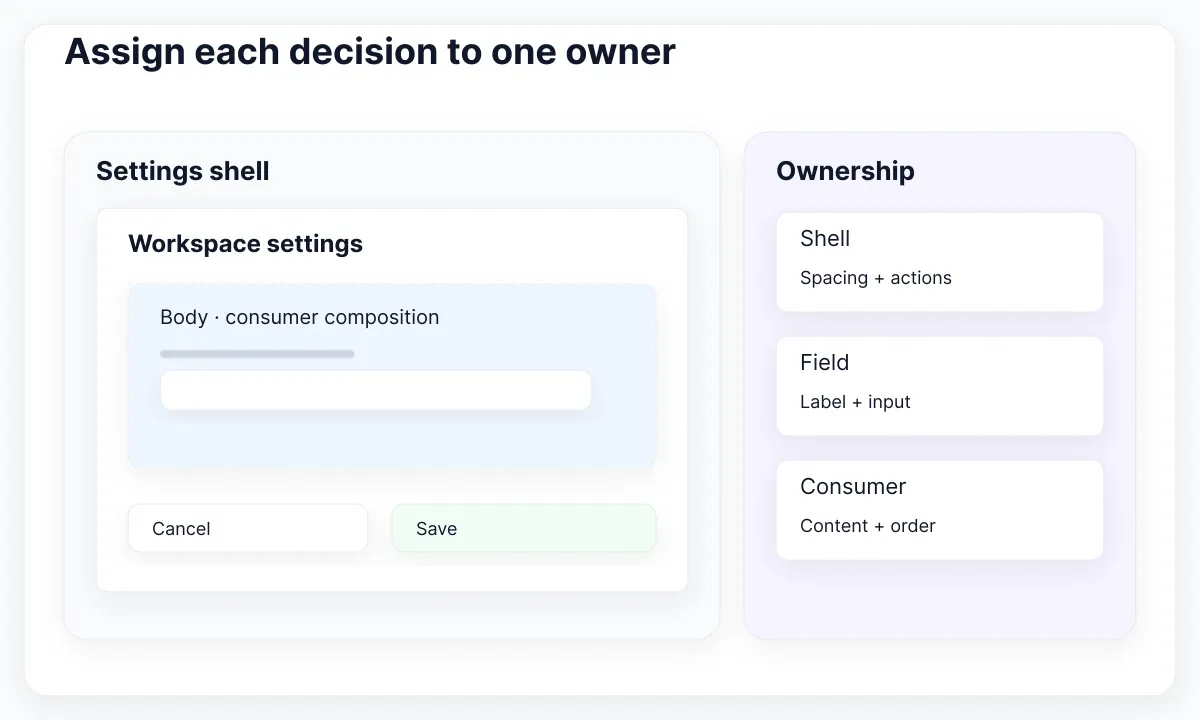
Figma’s property guide describes text, boolean and instance swap controls. Use a text property for an editable heading, a boolean for an optional supporting element and an instance swap for a single replaceable asset. Explain each control by the consumer task rather than exposing every internal layer because it can technically be exposed.
For our example, name the shell setting Density, the editable heading Title and the flexible region Body. Avoid a catch-all setting named Custom. A designer choosing Custom cannot tell whether they are changing appearance, content or ownership. A developer reading the file has the same uncertainty and may build an unnecessarily permissive API.
Keep state vocabulary independent from content examples. “Default” and “compact” can describe shell presentation; “permissions” and “explanation” describe content recipes. Combining them into names such as CompactPermissions encourages more combinations as the product grows. Use the guide to Figma variants for UI states for the state dimension, then document content separately.
Define a small content contract
A slot needs a contract even when it allows free composition. For this proposed Body region, describe its purpose, recommended children, ordering and empty behavior. Write one short statement: “Place the information and controls needed for this decision here; keep the dialog’s primary and cancel actions in the shell action area.”

Figma’s slots fundamentals explains that flexible content can remain inside a linked instance. Use that capability to preserve shared shell ownership, then add your own product guidance. The ability to insert a layer does not establish that the layer is useful, accessible or consistent with the intended task. Those decisions still need review. The EmviUI avatar-group specimen provides a second concrete example: decide separately how many members are visible, what the overflow indicator communicates and whether the add control belongs to the shell. The image shows these parts, without establishing their underlying properties or interaction.
Our suggested acceptance contract permits an explanatory text block followed by two field instances. It also permits a read-only summary without fields. It excludes a second independent dialog inside Body. These are proposed product rules, chosen to keep this exercise understandable. They are not restrictions that Figma automatically derives from the meaning of the region.
Keep a recipe beside the component: title, purpose, example children, shell actions and an owner. Add a counterexample with a note explaining why it belongs in another pattern. A concrete counterexample is often more useful than a broad sentence such as “Use appropriate content,” because reviewers can compare a new request against an observable boundary.
Build and exercise one content region
Build a pilot in a controlled library area. In the main component, select the nested frame that will hold Body and use Convert to slot. Then insert a fresh instance and compose the example there. Figma documents this creation route and the settings available for the slot. Keep the pilot separate from existing product screens until reviewed.
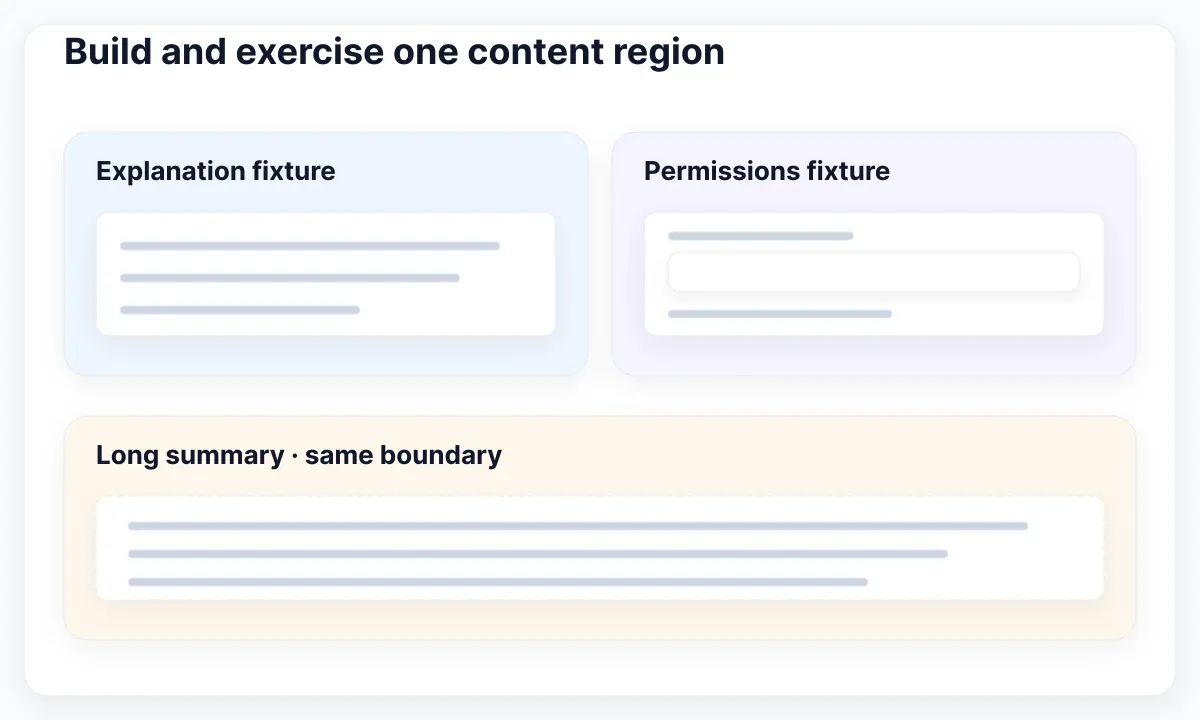
Use three deliberately different fixtures: a one-paragraph explanation, a pair of labeled fields, and a longer read-only summary. Record the exact content in the test file so future reviewers can reproduce the result. A beautiful short placeholder does not exercise the contract, particularly when the eventual product needs longer translated labels or multiple controls.
For each fixture, inspect the region, the shell and the surrounding viewport separately. Does the content grow as intended? Are shell actions still identifiable? Can the reviewer explain where the inserted content ends? If width fails, consult the Auto Layout Fill Container walkthrough and investigate sizing rather than adding another variant named LongContent.
Log outcomes in the proposed table below. These checks describe the exercise’s acceptance conditions, not a certification of Figma or EmviUI. A pass requires both correct content and an understandable ownership boundary. If a field must be redesigned to fit, record that as a field issue instead of quietly changing the shared shell to conceal it.
| Fixture | Expected boundary | Acceptance evidence |
|---|---|---|
| Explanation | Text stays in Body | Shell actions remain identifiable |
| Permissions | Fields own labels and help | Order and copy remain intact |
| Long summary | Content grows inside shell | Layout reviewed at narrow width |
| Existing consumer | Customized content preserved | Before and after record compared |
Review limits and defaults explicitly
Review what the component communicates when the consumer first inserts it. Empty content can reveal the area that needs work, while a useful starter recipe can show what belongs there. Figma’s slots article discusses intentional defaults and clearer content guidance. Choose one starting point for this pilot and explain the reason beside the component.
For the proposed settings dialog, start with a short explanatory block and one representative field. Give the text an explicit example label rather than copy that could be mistaken for approved product language. The consumer should understand the arrangement and still know what needs replacement. The example’s purpose is to teach the contract, not to invent a real account policy.
Do not use a layer-count suggestion as proof that a design cannot exceed the intended structure. The current Figma creation guide describes minimum and maximum layer counts as guidance with warnings. In our review, try an extra field deliberately and record the result. The product team must still decide whether that extra content fits the user task.
Document the difference between replacing content and restoring a starting point. Preserve an example before testing reset behavior. Otherwise a reviewer may remove useful copy and mistake the loss for an acceptable cleanup. The acceptance record should say which content was intentionally replaced, which was retained and why the current sample still represents the requested task.
Inspect the EmviUI modal specimen
The real EmviUI image below shows two modal arrangements: actions side by side in one specimen and stacked in the other. Both have a leading status symbol, a title, supporting copy and two actions. These visible parts make a useful starting point for discussing a shell and its content regions.
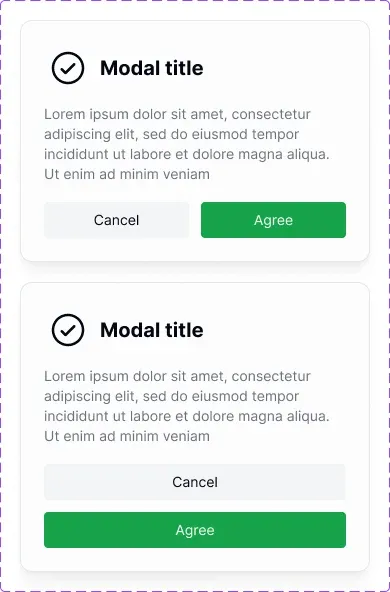
The EmviUI component catalogue provides Figma building blocks including modal and button designs. For this exercise, use the visual specimen to mark the stable shell, proposed Body region and action area in your working file. The screenshot does not reveal native slot properties, nesting metadata or which library release a particular file uses.
Do not infer application behavior from either action arrangement. The image cannot establish keyboard navigation, focus handling or successful form submission. Also avoid claiming that every EmviUI component already exposes native slots. Inspect the actual component you have access to, then deliberately author and test the boundary your product needs.
Use the component library architecture guide when deciding whether a resulting recipe belongs in the shared library or a product-specific pattern. EmviUI supplies a concrete design starting point; your team owns the component contract, allowed content and implementation checks. That division makes the specimen useful without treating a visual asset as evidence of behavior it cannot show.
Map regions to an implementation contract
Describe the intended code boundary using the same names as the design. In this proposed implementation, the dialog shell accepts a title, body content and actions. The shell handles the surrounding interaction; the body supplies task content. This is an example API for discussion, not generated code or a claim that a Figma region exports directly into a production component.
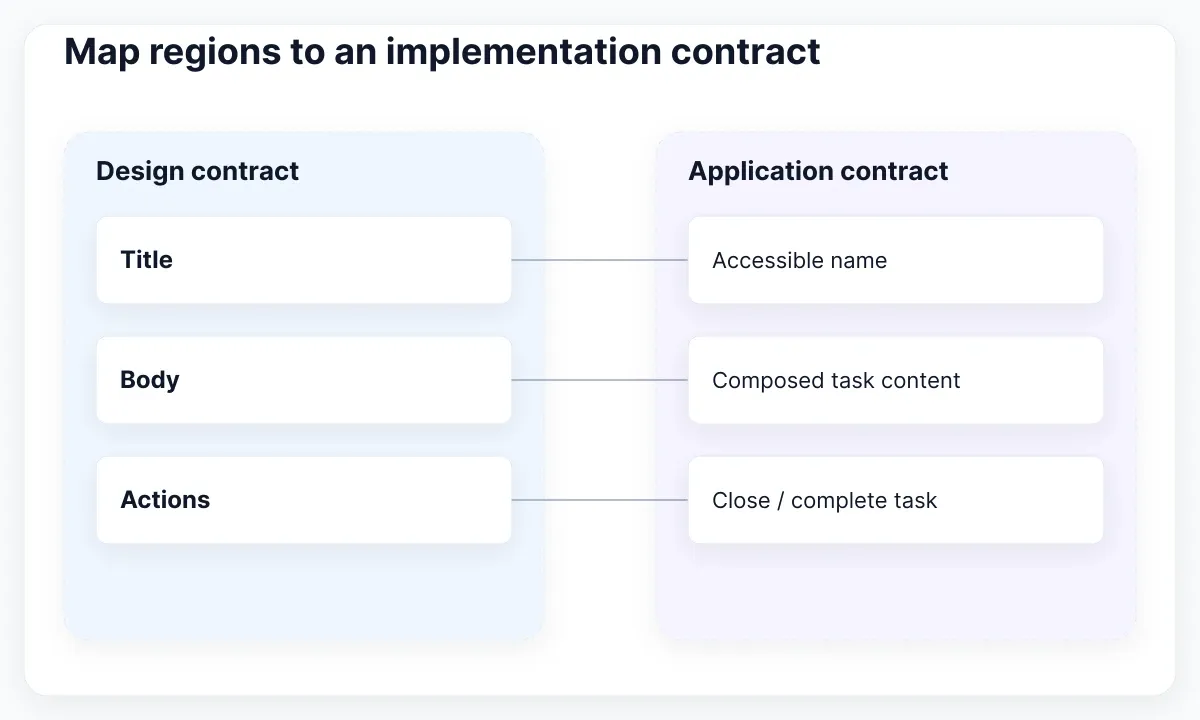
React documents passing JSX through the children prop. That offers one familiar composition mechanism, while named props can express separate regions. Choose according to the actual application component. Keep the conceptual mapping explicit: Body means task content; Actions means the controls that conclude or cancel the task. Matching names alone does not implement the contract.
For a modal implementation, WAI’s dialog pattern describes focus containment, Escape and an accessible name. Verify those behaviors in the running application with every content fixture. Adding several fields changes the set of interactive elements, so a successful keyboard check with a paragraph-only example is not sufficient evidence for the permissions version.
Define an acceptance sequence: open the dialog, identify its title, move through the inserted controls, reach the actions, close it and verify the expected return location. Repeat with long content and the compact presentation. Record which fixture ran and what failed. A handoff note that merely says “accessible modal” leaves too much ambiguity for another reviewer to verify.
Release a tested composition boundary
Release the pilot as a small, named change with an inventory of affected consumers. Figma’s migration guide distinguishes existing placeholder and variant-based workarounds. Identify the actual starting structure before selecting a migration route. A library that uses nested placeholder components needs a different review from a new component with no existing consumers.
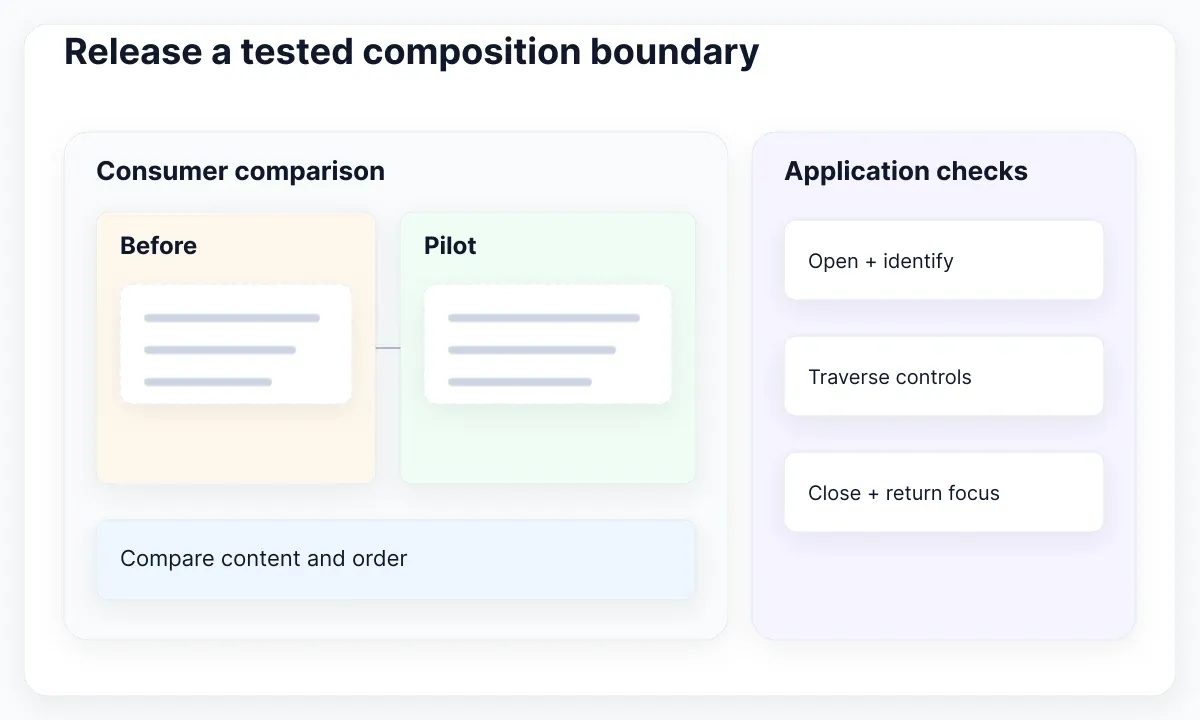
Our proposed release record includes the old structure, new Body contract, three fixtures and the owner’s decision. Add a consumer with customized content to the pilot. Compare its required copy and field order before and after the change. A fresh example can pass while an older consumer still needs deliberate content transfer or a documented exception.
Treat removal or renaming of the composition boundary as a reviewable library change. Preserve representative consumer examples before any destructive experiment. The current Figma creation documentation warns that removing a slot property can discard customized instance content. Do not infer safety from the shell looking unchanged; inspect the material inside it.
Finish with a concrete release statement: “The settings shell supports the documented explanation and permissions recipes; content remains in Body; actions stay in the shell; the application fixtures passed the recorded keyboard checks.” List unresolved issues separately. This gives both designers and developers a testable agreement and keeps the next request from silently expanding the public component interface.

Pablo Mayoral
Senior UX/UI & Web Designer with 10+ years of experience. Creator of EmviUI (10k+ components Figma design system), UImand, and Vitamin Bootstrap. Currently designing digital products at CQMRewards.