How to Create Shadow Variables in Figma: Reusable Elevation
To create shadow variables in Figma, create number variables for the supported numeric effect fields and a color variable for the shadow color. Bind them to a drop shadow, then save the complete treatment as an effect style. Test the resulting elevation on its intended surfa
To create shadow variables in Figma, create number variables for the supported numeric effect fields and a color variable for the shadow color. Bind them to a drop shadow, then save the complete treatment as an effect style. Test the resulting elevation on its intended surfaces before reusing it.
To create shadow variables in Figma, create number variables for the supported numeric effect fields and a color variable for the shadow color. Bind them to a drop shadow, then save the complete treatment as an effect style. Test the resulting elevation on its intended surfaces before reusing it.
This guide develops a fictional raised workspace card. The names, values, acceptance cases and review procedure are proposed design examples, not a prescribed Figma scale or an existing EmviUI token contract. The goal is a shadow another designer can inspect, reuse and change without guessing what each number controls.
Separate shadow values from the effect recipe
A reusable elevation treatment has two responsibilities: storing individual values and keeping those values assembled into the intended effect. Do not start by creating a variable named “card shadow” and expecting it to contain an entire stack of effects. Start with the fields the card actually needs, then name the assembled treatment by its purpose.
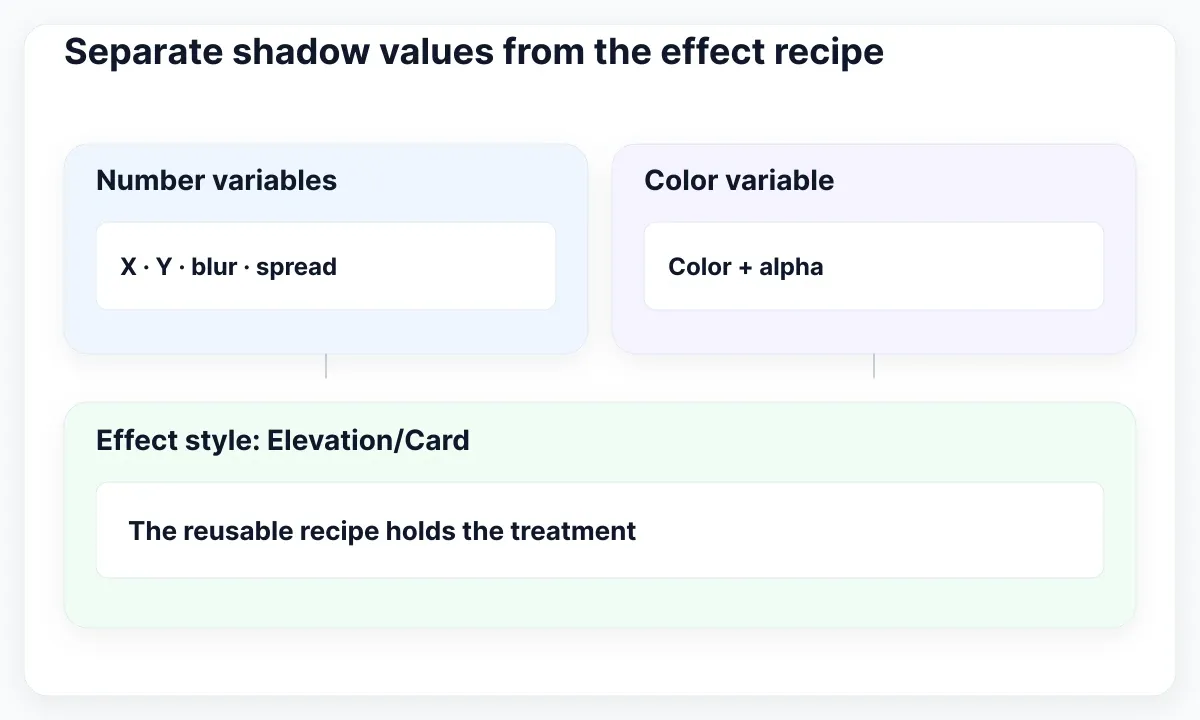
Figma supports number and color bindings in effect properties, while effect styles hold reusable treatments. See the linked variable application instructions and style creation guide for the supported controls. Our recommendation is to use the variable names as an inspectable parts list and an effect style as the reusable recipe.
For this example, the parts list is elevation/card/x, elevation/card/y, elevation/card/blur, elevation/card/spread and elevation/card/color. The recipe is Elevation/Card. These names are suggestions. Keep an existing library’s naming convention when it already communicates the same relationship; renaming unrelated foundations is unnecessary work for a first shadow specimen.
If your team needs the broader distinction between reusable values and treatments, read Figma variables versus styles. Here the narrower deliverable is one traceable shadow recipe, including the exact fields and the surface where the team has agreed it works.
Build one inspectable elevation specimen
Draw a card on a larger surface frame and leave enough surrounding space to inspect all four edges. Keep the card’s dimensions, corner radius, fill and border fixed during the first experiment. Otherwise a simultaneous radius or surface-color change can make a shadow look improved without explaining which adjustment caused the difference.
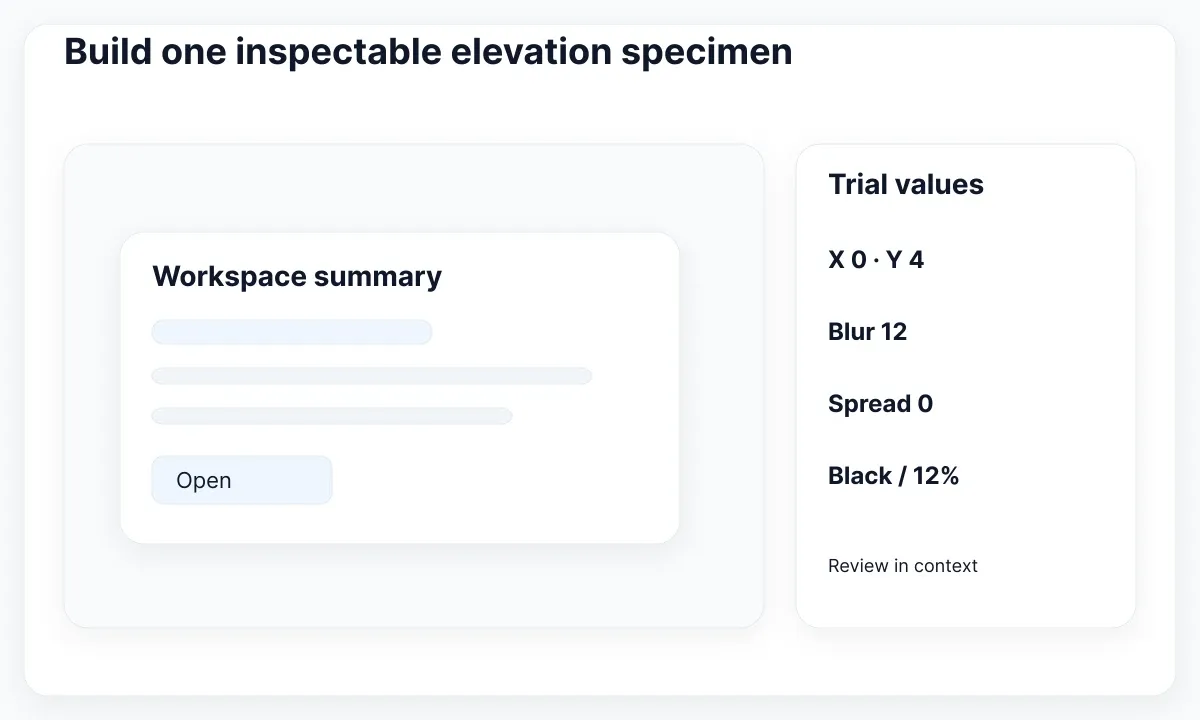
Use a small proposed starting recipe: X 0, Y 4, blur 12, spread 0 and black at 12% alpha. Treat these as trial values, not an accessibility threshold or a recommended universal elevation level. Put the values beside the specimen and inspect the same card at its intended display size before deciding whether they suit the interface.
Create a comparison card with the same fill and border but no shadow. This gives the reviewer a useful question: does the raised treatment communicate the intended grouping or layer relationship more clearly? Ask that question in the actual page context. A shadow that looks attractive on an isolated gray canvas may add noise in a dense list.
Record the purpose as “a raised workspace summary within the page,” together with its excluded uses. In our example, menus and dialogs need their own review; they do not inherit the card recipe merely because they are also rectangles. A purpose note prevents the first successful specimen from becoming a default effect applied indiscriminately across the product.
| Proposed field | Trial value | Review question |
|---|---|---|
| X / Y | 0 / 4 | Is the direction appropriate? |
| Blur / spread | 12 / 0 | Does the edge remain intentional? |
| Color | Black, 12% alpha | Does the card separate on this surface? |
Make the comparison repeatable with a short specimen label: “Workspace card, light page surface, standard border, normal content.” Add the date and reviewer initials to the working note. When someone later proposes a blur of 16 instead of 12, duplicate this same specimen and change only that field. Compare the lower edge, neighboring gap and overall hierarchy before choosing. Keep the rejected version until the decision is recorded so the discussion has a visible reference.
Also test the card near its intended container edge. If the surrounding frame clips the effect, record that as a container issue before increasing the shadow. A larger blur can make the clipping more obvious while leaving the cause intact. Move the specimen away from the edge once to isolate the problem, then decide whether the container or the treatment should change in the actual layout.
Bind variables and save the effect style
Open Variables from the current navigation and create the collection or group used for this experiment. Add the number and color entries, their values and short descriptions. Figma’s variable management documentation explains creation and scoping. If you restrict variables to effects, check that the intended entries remain available in the effect fields.
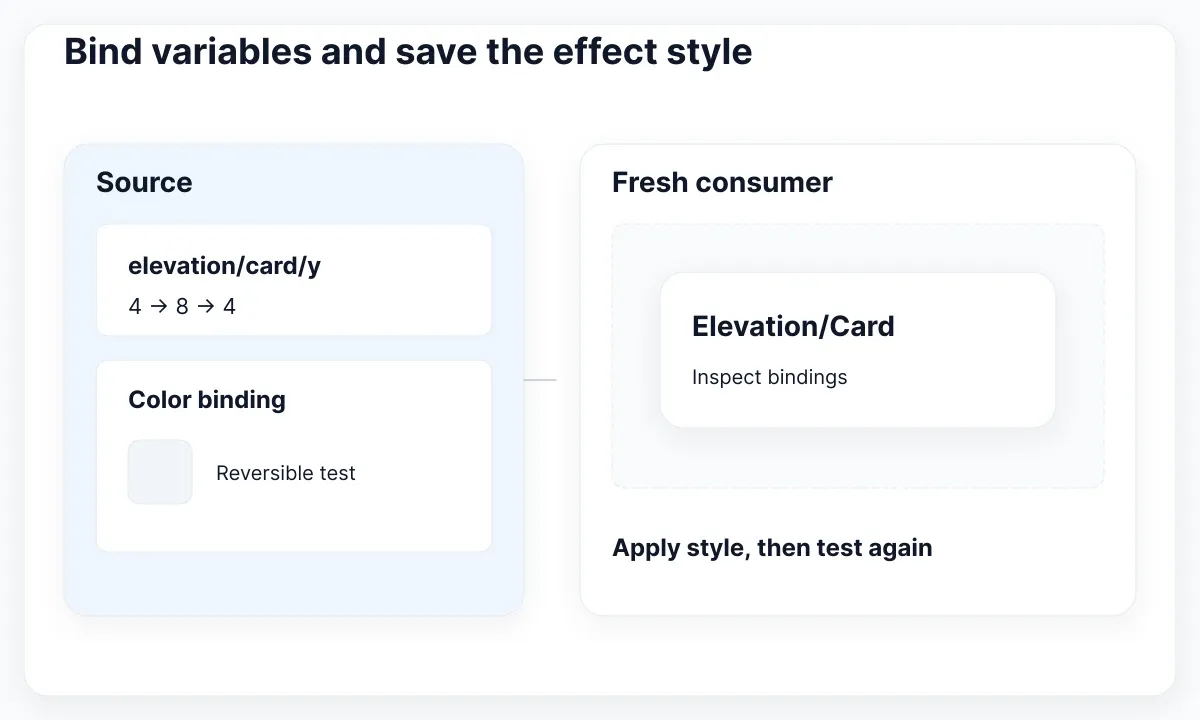
Select the specimen and add a drop shadow. Open its settings, bind each supported numeric field to its corresponding number variable, and bind the color through the color picker’s Libraries tab. Prefer the current documented variable picker over copying a resolved value by hand. An identical-looking literal value does not establish a continuing binding.
Change only the Y variable temporarily, from 4 to 8 in our example, and inspect the specimen. Then restore 4. Repeat a controlled change for color. This is a proposed binding check: the visible result should follow the intended source and return to the agreed recipe. If it does not, inspect the actual selected layer before rebuilding the collection.
Save the configured treatment as an effect style named Elevation/Card and apply it to a fresh duplicate. Inspect the duplicate’s effect and bindings, then repeat the temporary-value test. A second consumer is important: it catches a specimen that was configured correctly while the saved recipe or the consuming layer still contains an older treatment.
Test elevation on its actual surfaces
Place the same card on each surface it will encounter. For a product with light and dark themes, review those contexts together. Figma’s variable modes documentation describes how collections provide alternative values. Our recommendation is to change only the fields whose intended appearance actually differs, rather than adding an unexplained duplicate of every shadow value.
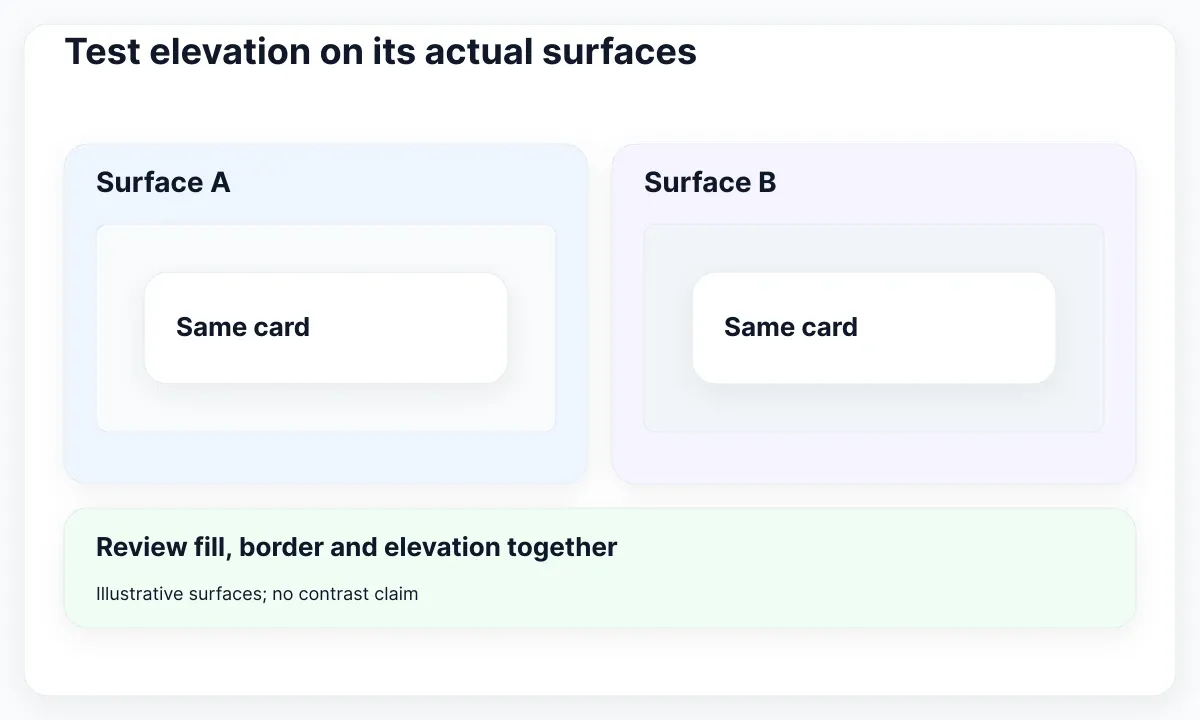
A dark surface may need a different combination of surface fill, border and shadow. Increasing shadow opacity alone is not a dependable design method. Keep the content and card geometry constant during review, then compare the visible boundary and layering. Document a separate border decision when it contributes to the boundary; it is not part of the shadow recipe by implication.
Do not describe a shadow as an accessible focus indicator merely because it is visible to you. The WAI explanation of non-text contrast discusses meaningful control and state information, including the relevant 3:1 requirement and exceptions. Determine which cue carries that information and evaluate that cue in context. Decorative elevation is not a substitute for a reviewed keyboard-focus treatment.
Use an acceptance sheet with one row per intended surface and state. Include ordinary content, keyboard focus where relevant, and a nearby raised component. Ask whether hierarchy remains clear without making every card compete for attention. These are design-review recommendations; a screenshot of the specimen cannot establish that the implemented control has correct semantics or keyboard behavior.
Apply the recipe to a real EmviUI card
The real card specimen below comes from the EmviUI content pool. Its repeated white cards and soft lower shadows make it useful for discussing consistent elevation across neighboring components. The EmviUI site presents editable Figma interface components. Use one card as a starting visual reference, then inspect the editable design before deciding which fields should share your recipe.
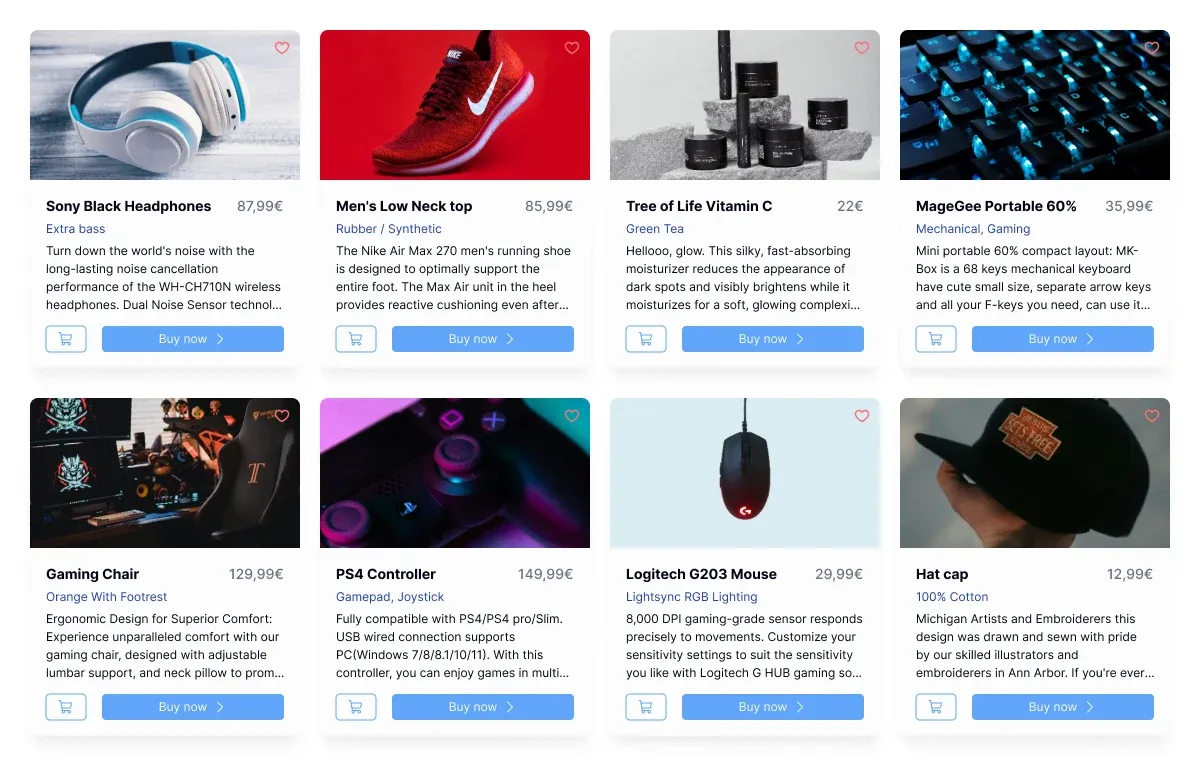
The image contains sample product names, descriptive copy and amounts. They are specimen content, not verified current offers or prices. Nor does the picture reveal variable bindings, effect-style names or exact shadow parameters. Our proposed 0/4/12/0 recipe is independent of the screenshot; do not attribute those values to EmviUI based on the rendered pixels.
Choose one card boundary to evaluate, temporarily remove its shadow in your working design and compare the grouping with the original treatment. Then apply your reviewed recipe to a second card with different content length. Check whether the shared elevation still reads consistently without hiding a layout problem caused by unequal content or an unexpected clipping container.
For a team adopting the specimen, record which visual treatment was retained, which values were changed and which component consumes Elevation/Card. If the component itself has unrelated source or update problems, use the component source and update troubleshooting guide. Keep that repair separate from deciding the shadow’s intended appearance.
Translate the recipe into CSS and review changes
The MDN box-shadow reference documents offsets, blur, spread, color and comma-separated shadows. Translate the reviewed recipe deliberately. In the example below the CSS units and alpha are explicit. This is a handoff specimen, not an export generated by the Figma file and not a claim that matching numbers guarantee identical rendering in every environment.
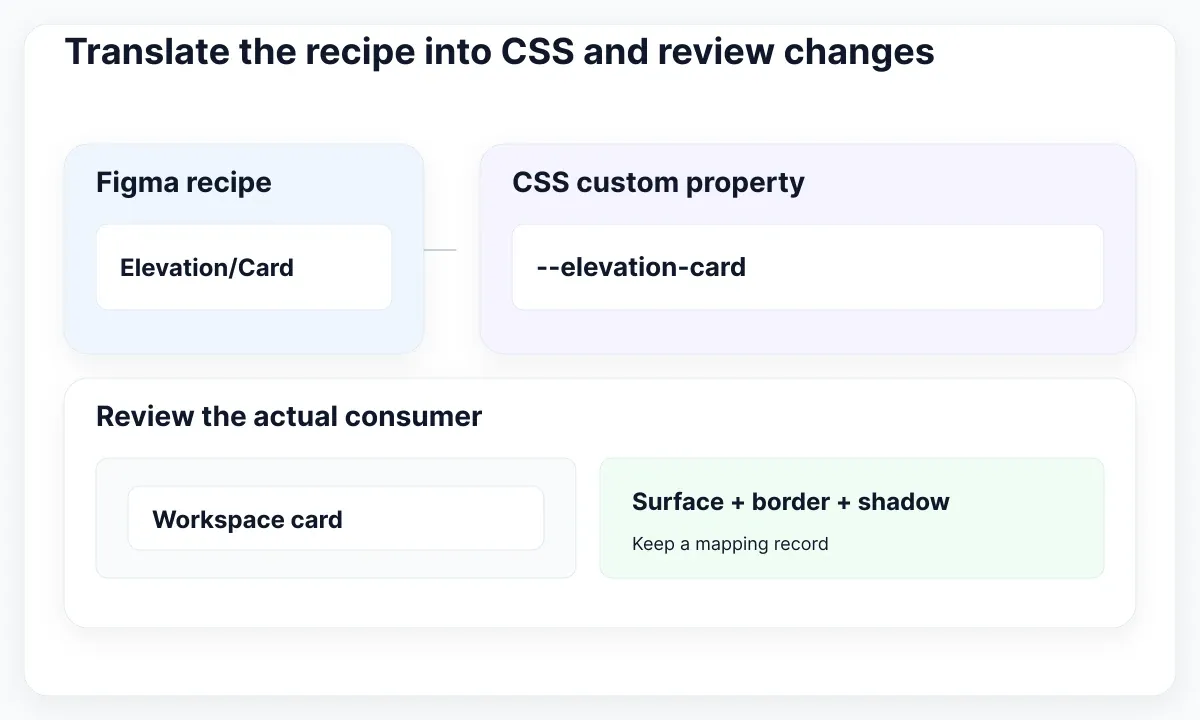
Keep one small mapping record: Figma effect style, individual bound variables, CSS custom property and consuming selector. If a recipe later contains two shadows, record the two ordered entries rather than flattening them into an unexplained blur value. Have the developer compare the implemented card on its actual surface, at the intended scale and with the expected border.
Review a change with a before-and-after specimen and a reason. “Reduce the impression of floating cards in a dense workspace” is more useful than “make shadows nicer.” Include one second consumer in that review. A global change that solves the first card may make a neighboring compact panel too prominent, even when the variable system behaves exactly as configured.
Keep the review record with the library release or handoff note. For a full export and versioning process, continue with the Figma-to-code token pipeline guide. For this task, completion means that a fresh consumer follows the recipe, the intended surfaces were reviewed and the CSS implementation has an explicit mapping.
:root {
  --elevation-card: 0px 4px 12px 0px rgb(0 0 0 / 12%);
}
.workspace-card {
  box-shadow: var(--elevation-card);
}
Run a small elevation acceptance exercise
Give a colleague a fresh card, the recipe name and the review sheet, without telling them which individual numbers to choose. Ask them to apply the recipe, identify the bound Y value and demonstrate a reversible change. A successful exercise produces the same intended treatment through the shared definition, rather than a visually similar local reconstruction.
Next introduce one deliberate defect in a disposable copy: replace the shadow color binding with a literal color. Ask the reviewer to change the source variable and identify which consumer stops responding. Restore the binding and repeat the check. Keep this exercise away from the published library; it is a controlled way to test whether your documentation supports diagnosis.
Finally, repeat the surface comparison after the CSS handoff. Record the selected recipe, the observed difference and the correction, if any. Stop when the agreed cases pass. More shadow levels, more collections and more aliases are useful only when a real consumer needs them; a clear single recipe is a better first deliverable than an unreviewed elevation catalogue.

Pablo Mayoral
Senior UX/UI & Web Designer with 10+ years of experience. Creator of EmviUI (10k+ components Figma design system), UImand, and Vitamin Bootstrap. Currently designing digital products at CQMRewards.