Figma Variables vs Styles: Bind Values, Keep Useful Treatments
Use variables for individual shared decisions and styles for reusable treatments. Test the bindings on typography and paint before changing the whole library.
Use variables for individual shared decisions and styles for reusable treatments. Test the bindings on typography and paint before changing the whole library.
For Figma variables vs styles, use variables for individual reusable decisions and styles for property combinations designers apply together. They can work together: a text style can use variables for selected typography properties, while a color style can use variables inside its fills. Keep a useful style when adding variables; replacing every style is rarely a sensible starting requirement.
This guide helps you choose the binding for a specific design property. The examples and acceptance exercises are proposed workflows, not measurements from a customer migration. The practical goal is a library in which a designer can apply a readable text role, change an approved value and predict the result without reconstructing the whole treatment.
Separate a value from a reusable treatment
Start with what a designer needs to change. A value such as an inset or a text color is a small decision. A treatment such as an article heading combines several decisions. Asking which tool is newer obscures this distinction; asking which decisions should move together produces a useful answer.
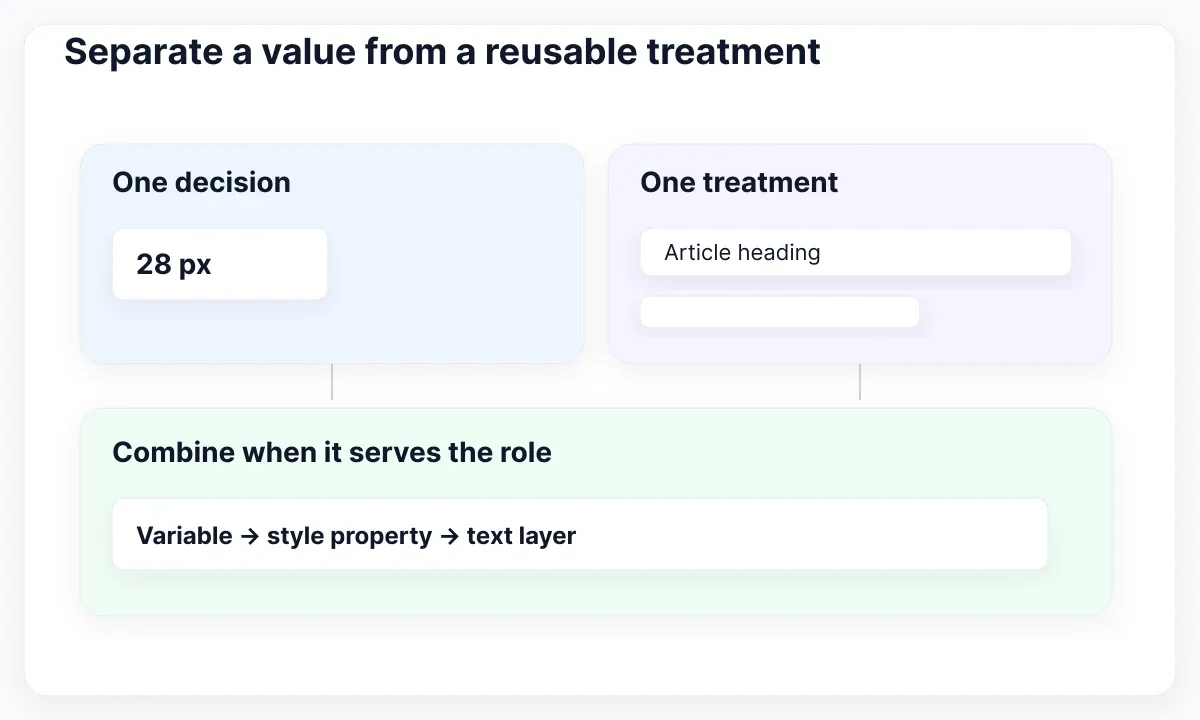
Figma's variables and styles comparison explains that variables support reusable values and aliases, whereas styles combine properties. Its central recommendation permits both. For this article, treat the variable as an adjustable ingredient and the style as the reusable treatment. This is an editorial way to decide ownership, not a special Figma object type.
| Reader task | Starting choice | Review before adopting |
|---|---|---|
| Reuse a spacing value | Number variable | Which layout property receives it? |
| Apply a heading treatment | Text style | Which properties vary independently? |
| Reuse a composed paint | Color style | Which colors need variable bindings? |
| Adjust one shared decision | Variable used by the treatment | Which consumers should change? |
Before creating anything, write a sentence: “Changing this decision should affect these uses.” If you cannot name those uses, keep the proposed abstraction small. A number repeated in two unrelated places is not sufficient reason to make those places depend on the same variable forever.
Build a text role designers can apply
Use an example called Article heading. Decide its intended reading role before deciding whether any individual property needs a variable. The first useful deliverable is a text treatment that designers recognize and can apply consistently to a heading in context.
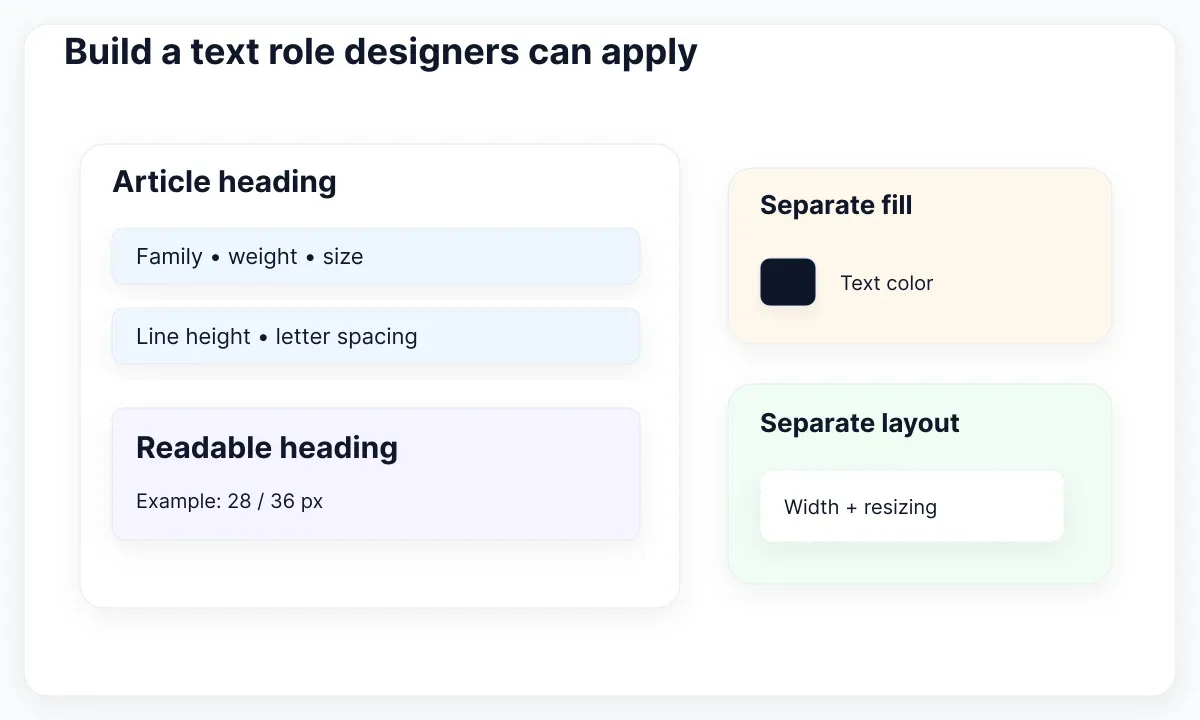
The text-style property table includes family, weight, size, line height and letter spacing, while excluding fill, alignment and resizing behavior. This boundary matters: selecting a text style does not settle the text color or the way its layer resizes. Review these separately in the component or screen.
In the proposed exercise, start with a heading at 28 px and a line height of 36 px. These are example values, not a universal typography standard. Put the treatment on a short heading, a two-line heading and a longer Spanish heading. Include punctuation and a linked phrase if the product expects them.
Choose a variable for a property only when there is a real shared change to support. For instance, a shared font-family decision may belong in a variable while the role remains a text style. Keep a fixed value when there is no useful variation to manage. Adding bindings everywhere creates more places to inspect without necessarily helping a designer.
Connect variables inside a text style
Review the binding as a relationship, not as a matching name. A style called Article heading and a variable called article-heading-size do not share updates merely because their names resemble one another. The connection must be established on the appropriate supported property.
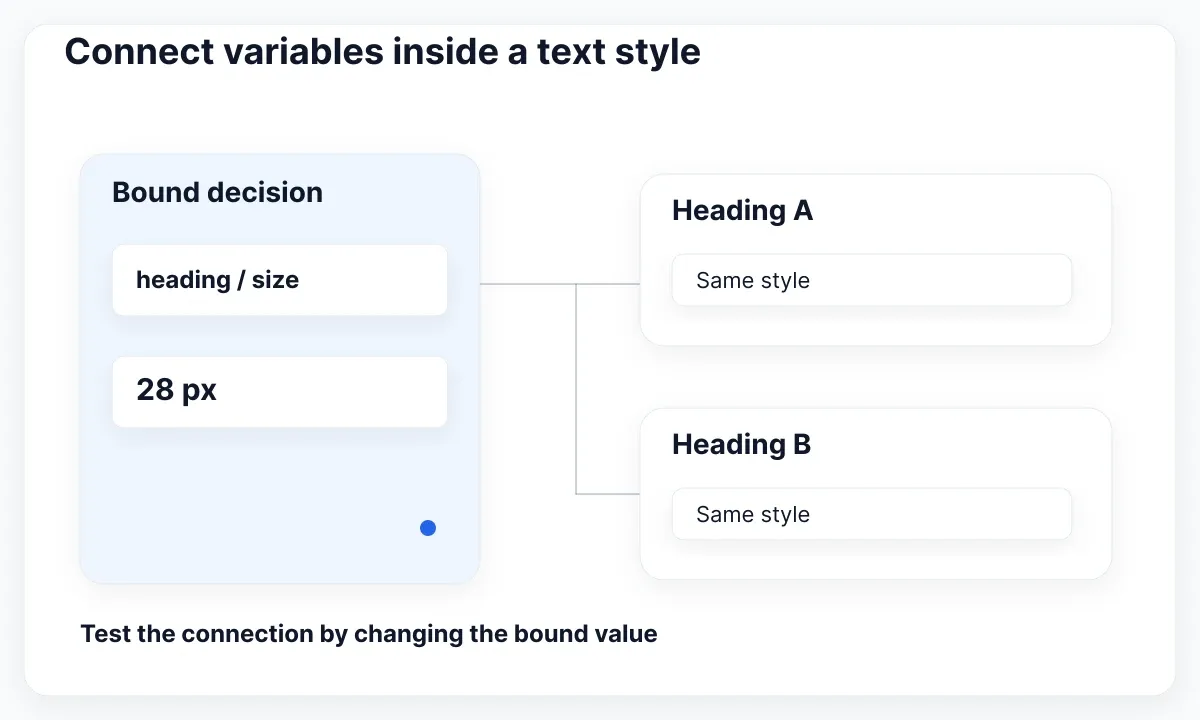
Figma's variable application guide documents applying variables to text-style properties, including string variables for font family or font weight and style. Use the property picker offered in the current editor, then inspect the selected variable. A typed literal that happens to equal its current value is a different maintenance choice.
Make a disposable review page with two heading layers using the same treatment. Change one bound decision in the test copy and observe both layers. Next, add a deliberately independent caption. The caption should only follow when you intentionally shared its decision. This checks the dependency you designed rather than just the appearance at one moment.
Write the result beside the specimen: property, variable, intended consumers and exception. If a consumer should differ, give it a meaningful role or an explicit local exception. Avoid silently correcting the rendered value every time the library changes. A correct screenshot with an unexplained override is a fragile agreement between design and maintenance.
Keep the paint composition together
A color treatment may involve more than a solid swatch. Consider a decorative panel with an image and a translucent overlay, or a gradient used behind a nonessential illustration. Decide whether the reusable object is one color decision or the composition itself.
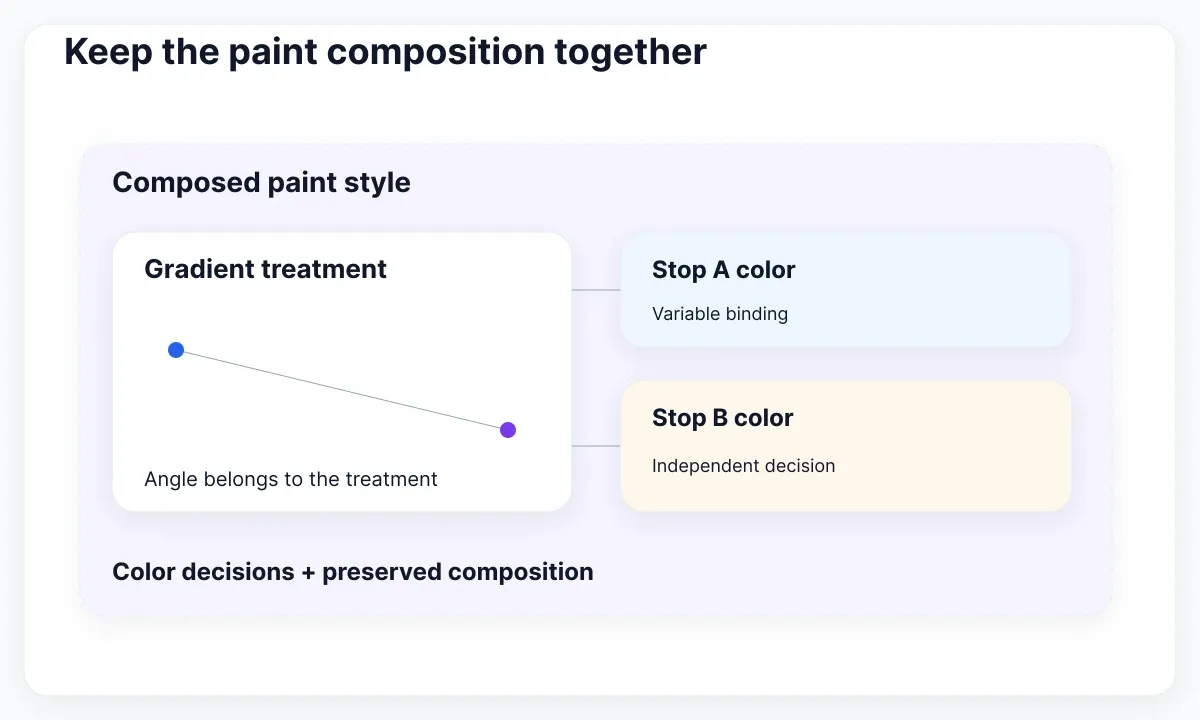
The styles guide describes color styles that preserve paint combinations and gradient direction. The gradient documentation explains variable bindings on gradient stops. Together these support a useful division: preserve the composed paint as a style and bind the individual stop colors when those colors need independent reuse.
For the exercise, make two gradient stops with named color decisions and preserve the angle as part of the treatment. Change one stop in a test copy, then alter the angle independently. Record which edit should update other uses. Do not describe a single color variable as if it stored the entire gradient recipe.
Also check where the paint will be used. A decorative panel and a text background have different review needs. Inspect actual content against the result instead of approving the swatch alone. If the composed paint adds no useful meaning or hierarchy, a simpler solid treatment may be easier for the team to maintain.
Check the selected context explicitly
When a bound treatment looks wrong, inspect the context in which it resolves before rewriting the style. Use a small comparison frame with the same content so that a changed value can be traced to its cause. Keep unrelated layout adjustments out of this first check.
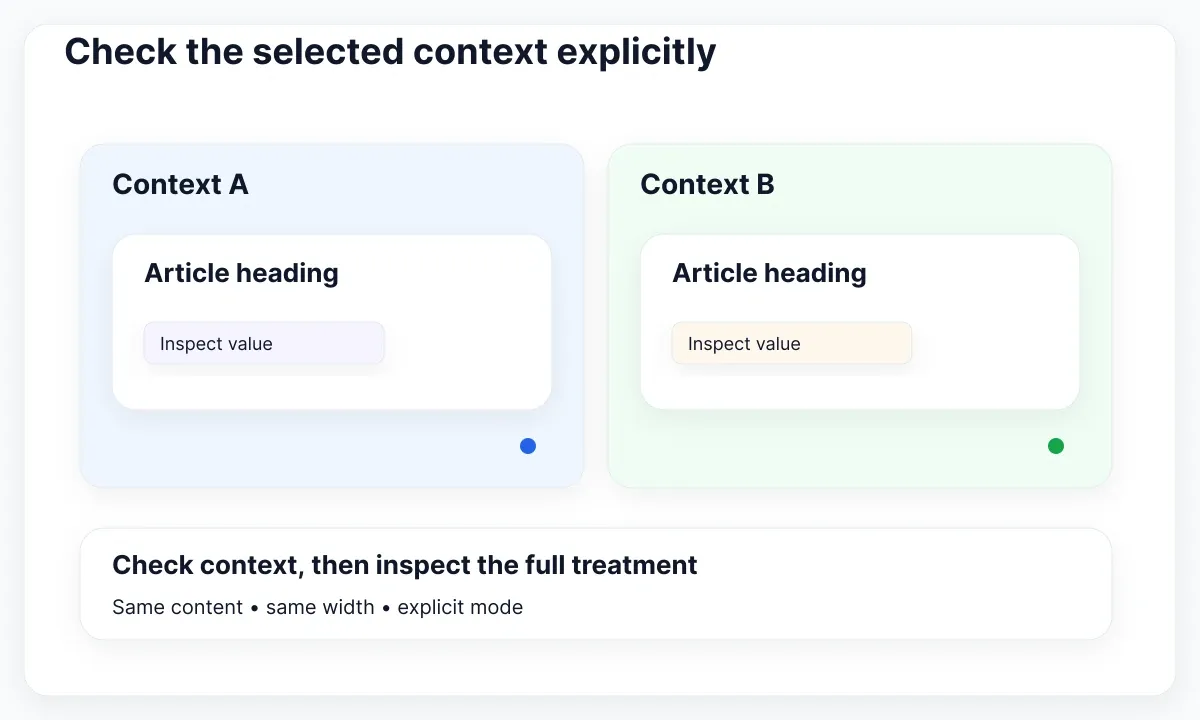
Figma's modes documentation explains applying modes at different levels and inheriting them. For this exercise, explicitly select the intended mode on each comparison frame. Inspect child layers for a different explicit choice. The exercise verifies the file's configuration; it does not claim that naming a mode Mobile creates browser breakpoint behavior.
Use two checks: first compare the resolved value, then compare the whole treatment. A heading can receive the expected size and still wrap badly because of its available width or content. Conversely, a heading can look acceptable while using the wrong dependency. Keep those findings separate so the repair addresses the actual cause.
If a teammate reports an unexpected result, request the specific layer, property and context in the issue record. “Typography broken” is difficult to act on. “Article heading uses the alternate family in this frame” gives the maintainer a reproducible place to start. Preserve the example until the change is reviewed.
Review the real EmviUI typography specimen
The EmviUI specimen below shows an Inter scale with regular, medium, semibold and bold columns. Use it to compare visual roles and weight differences. The image does not reveal the underlying style IDs, variable bindings or mode assignments, so it cannot prove that a particular dependency already exists.
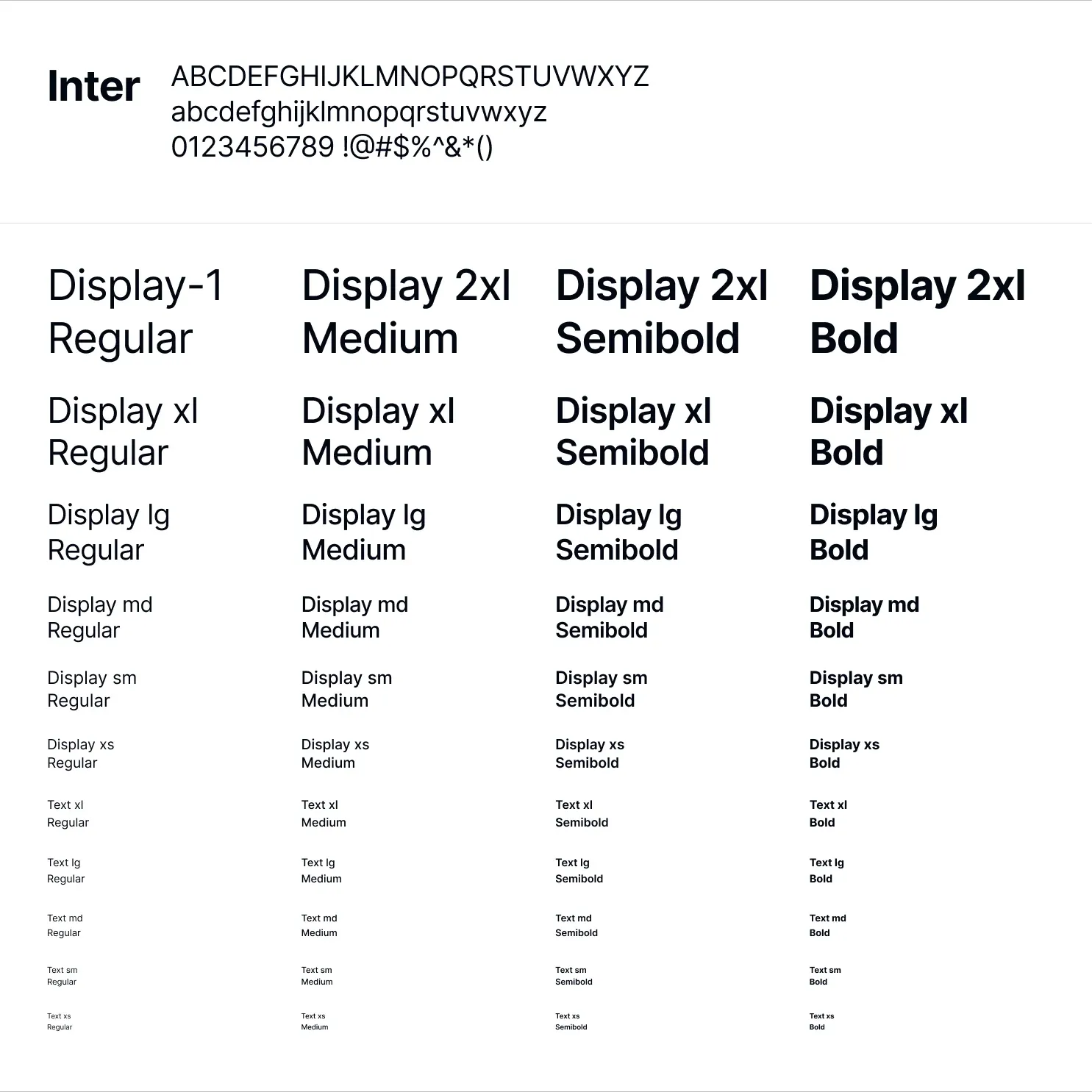
The live EmviUI component catalogue provides Figma design references for interface components. Pair a chosen component with a text role from your working library and replace the sample content with the actual product language. EmviUI supplies a visual starting point; your team must inspect and establish the binding contract in its file.
A useful review sample is a settings section with a title, a description and a primary action. Compare the title against the specimen, then inspect the text style and fill separately. Lengthen the description and action label. The goal is a readable composition whose decisions can be explained, rather than a visual match achieved through hidden exceptions.
If you are still choosing the scope of your reusable assets, read UI kit versus design system. For a hands-on component collection, continue with creating your own UI kit. Both are useful next steps after deciding what your treatments should own.
Migrate one treatment before the whole library
Choose one frequently used role whose consumers you can inspect. Make the experiment reversible in a test copy and write down its current appearance, expected dependencies and known exceptions. A small representative migration teaches more than creating hundreds of unused variables before checking a real screen.
Use this sequence as a proposed acceptance checklist. It is intentionally about the design file and its consumers, rather than a code export pipeline. Avoid combining the first binding experiment with renaming the entire library, changing the type scale and replacing the brand palette; those changes make unexpected results harder to diagnose.
- Identify one treatment and its intended consumers.
- List the properties that should change together.
- Bind only the decisions needing shared adjustment.
- Check short, long and localized content.
- Inspect the selected context and local exceptions.
- Document the result before widening the migration.
Keep before and after samples at the same dimensions. Have another designer apply the resulting treatment without your verbal help. If they cannot identify the intended role, improve its name or description before expanding it. If they must routinely override it, revisit the role instead of treating every override as user error.
Record exceptions without hiding the rule
Keep a compact exception register for the treatment you just tested. For each exception, record the consumer, the reason and the person who can review it. For example, a promotional title may deliberately use a different family while a settings heading follows the shared interface role. The difference is useful when it is intentional and discoverable.
Ask whether the exception changes meaning or only appearance. A heading with a new semantic purpose may deserve its own role; an unusually long title may simply need a layout adjustment. Do not create a new typography role every time a text layer wraps. Reproduce the content case first and decide which responsibility actually needs to change.
At the next review, inspect whether exceptions are becoming the normal usage. If most consumers depart from the treatment, its definition may no longer fit the product. Keep a representative example in the review page and revise the shared contract deliberately. This turns maintenance into a visible design decision rather than a growing collection of unexplained local patches.
Publish a change consumers can understand
Finish with a release note explaining the decision that changed and the places requiring review. Describe the user-facing effect, such as a heading family adjustment, as well as the binding change. A maintenance note should help a consumer decide what to inspect in their own file.
Figma's library publishing guide describes publishing library updates. For this workflow, review the proposed update in a consuming test file before asking other teams to adopt it. Confirm both the changed sample and an unchanged control. A shared resource appearing in a picker is only the beginning of verifying the result.
If the next task is coordinating approved values with implementation, use the separate token pipeline guide. Keep this decision record with the design treatment: which variable owns an individual decision, which style assembles the treatment and which exceptions remain intentional. That record makes later implementation discussions concrete.

Pablo Mayoral
Senior UX/UI & Web Designer with 10+ years of experience. Creator of EmviUI (10k+ components Figma design system), UImand, and Vitamin Bootstrap. Currently designing digital products at CQMRewards.