Figma Advanced Course Launch Party: Master Pro Workflows & Design Systems
Unlock advanced Figma skills, build a standout portfolio, and earn certification with our Figma Advanced Course. Perfect for UX/UI designers.
What Makes the Figma Advanced Course Different?
The Figma Advanced Course is designed for UX/UI designers who want to move beyond the basics and master professional workflows. Unlike introductory courses, this program dives deep into advanced features, real-world projects, and the latest Figma updates. It's structured to help designers build robust portfolios and develop skills that are highly sought after in the industry.
Who is the Figma Advanced Course for?
This course is ideal for designers who already understand Figma's core tools and want to level up. Whether you're a mid-level designer aiming for senior roles, a freelancer seeking to attract bigger clients, or a developer collaborating closely with design teams, you'll benefit from the advanced techniques and workflows taught here.
How does this course build on Figma Essentials?
The Advanced Course assumes you're comfortable with Figma's interface, basic prototyping, and simple component creation. It builds on these foundations by introducing complex features like component variants, design tokens, and system management. You'll also learn how to create scalable UI kits and integrate Figma with front-end workflows.
What's new in the updated curriculum?
The latest version of the course includes updated lessons on Figma's newest features, such as improved auto layout, advanced prototyping, and enhanced integration with design systems. There's also a stronger focus on hands-on projects and portfolio development, ensuring you can demonstrate your skills to employers or clients.
Key Features and Structure of the Figma Advanced Course
The course is carefully structured to maximize learning and retention. Each module builds on the last, combining theory with practice and encouraging active participation.
How are the lessons organized for maximum learning?
Lessons are grouped into thematic modules, each focusing on a specific aspect of advanced Figma use. Modules typically start with a short video or reading, followed by guided exercises and a mini-project. This approach helps reinforce concepts and ensures you can apply what you learn immediately.
What interactive elements are included?
To keep learners engaged, the course includes:
- Interactive quizzes after each module
- Hands-on exercises using real Figma files
- Peer reviews and feedback sessions
- Live Q&A sessions with instructors
These elements make learning active and collaborative, not just passive watching.
How does the project generator work for portfolio building?
The course features a unique project generator that assigns random, real-world UI challenges. For example, you might be tasked with designing a mobile dashboard, a SaaS onboarding flow, or an e-commerce product card. This ensures your portfolio showcases a variety of work, making you stand out to employers and clients.
Deep Dive into Advanced Figma Tools and Workflows
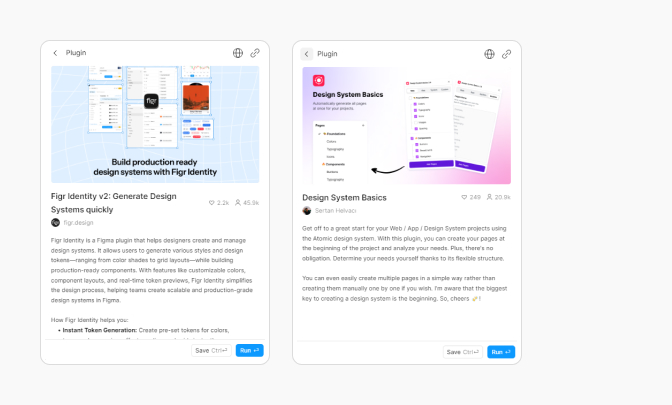
Mastering advanced Figma features is key to building scalable, professional UI kits and design systems. The course covers the most powerful tools and workflows used by top design teams.
Which advanced Figma features will you learn?
- Component variants for scalable UI kits
- Auto layout for responsive design
- Complex prototyping for user flows
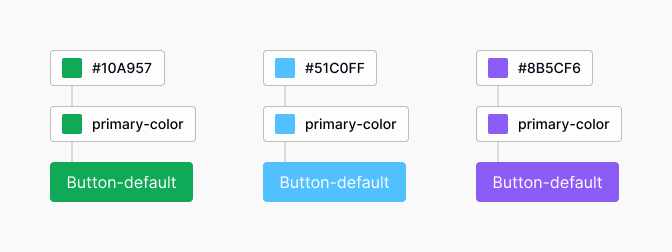
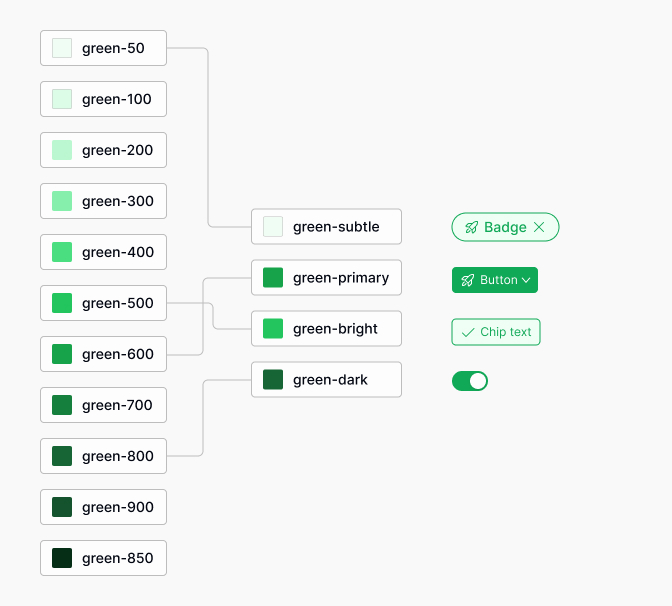
- Design tokens and system management
How to use component variants for scalable UI kits
Component variants let you group related UI elements (like buttons in different states) into a single, flexible component. This makes your UI kits easier to maintain and scale. For example, you can create a button component with variants for primary, secondary, disabled, and loading states, all managed from one place.
Leveraging auto layout for responsive design
Auto layout allows you to build frames and components that automatically adjust to content changes. This is essential for responsive design. You'll learn how to nest auto layouts, set spacing rules, and create flexible cards, lists, and navigation bars that adapt to different screen sizes.
Prototyping complex user flows in Figma
Advanced prototyping in Figma goes beyond simple page links. You'll learn to use interactive components, overlays, and conditional logic to simulate real user flows. This is crucial for testing and presenting dynamic experiences, like multi-step forms or interactive dashboards.
How do you integrate design tokens into your workflow?
Design tokens are named values for colors, typography, spacing, and more. They help bridge the gap between design and development. In this course, you'll learn to define tokens in Figma and export them for use in code, ensuring consistency across platforms. For more on design tokens, see the Figma's guide to variables.
What are the best practices for managing design systems in Figma?
Managing a design system in Figma requires organization and discipline. Best practices include:
- Using clear naming conventions for components and styles
- Documenting usage guidelines within your Figma files
- Regularly auditing and updating your component library
- Collaborating with developers to align on tokens and assets
Following these practices ensures your design system remains scalable and easy to use for your team.
Hands-On Projects: Building Real-World UI Components
Practical experience is at the heart of the Figma Advanced Course. You'll work on real-world projects that reinforce your skills and help you build a standout portfolio.

How do class projects reinforce practical skills?
Each project is designed to apply the concepts from the lessons. For example, after learning about component variants, you might design a set of interactive cards for a dashboard. These projects mimic real client briefs, helping you practice problem-solving and communication.
What types of unique portfolio projects can you create?
The project generator ensures you tackle a wide range of challenges, such as:
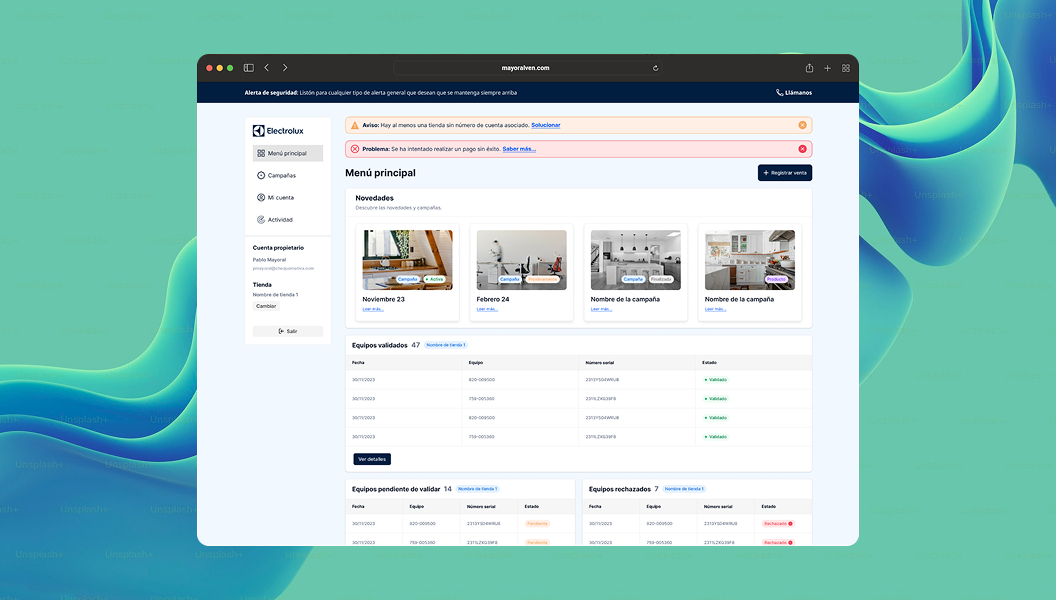
- Mobile app onboarding flows
- Responsive navigation menus
- Complex data tables with filtering and sorting
- Interactive product cards for e-commerce
This variety demonstrates your versatility as a designer.
Step-by-step: Completing a random project assignment
- Receive a project brief from the generator (e.g., "Design a SaaS dashboard widget").
- Research similar UI patterns for inspiration.
- Sketch wireframes and define user flows.
- Build components using variants and auto layout.
- Apply design tokens for consistency.
- Prototype interactions and test the flow.
- Document your design decisions in Figma.
Showcasing your work with interactive prototypes
After completing each project, you'll create interactive prototypes to showcase your work. These can be shared with peers, instructors, or potential employers. Interactive prototypes make your portfolio more engaging and demonstrate your ability to design real, usable products.
Certification Levels: How to Earn and What They Mean
Certification is a key part of the Figma Advanced Course. It validates your skills and helps you stand out in the job market.
What are the requirements for Pass, Merit, and Distinction?
| Level | Requirements |
|---|---|
| Pass | Complete all lessons and submit required projects |
| Merit | Score above 80% on quizzes and submit high-quality projects |
| Distinction | Demonstrate exceptional skill, creativity, and documentation in final projects |
How do quizzes and final projects validate your skills?
Quizzes test your understanding of advanced Figma concepts, while final projects require you to apply them in real scenarios. Instructors review your submissions and provide feedback, ensuring you're ready to use these skills in your career.
Why do employers value these Figma certificates?
Employers recognize the rigor of the Figma Advanced Course. Certificates show you've mastered industry-standard tools and workflows. They also signal your commitment to professional growth and your ability to deliver high-quality, scalable designs.
Best Practices and Common Mistakes in Advanced Figma Learning
To get the most from the Figma Advanced Course, it's important to engage actively and avoid common pitfalls.
Why is active participation crucial for mastering Figma?
Figma is a hands-on tool. Watching videos isn't enough-you need to practice, experiment, and seek feedback. Active participation helps you internalize workflows, discover shortcuts, and build confidence in your skills.
What are the most common mistakes designers make in advanced courses?
- Skipping foundational steps, like proper naming and documentation
- Overcomplicating components instead of keeping them modular
- Ignoring feedback from peers and instructors
- Not testing prototypes with real users
Avoiding these mistakes will help you progress faster and produce better work.
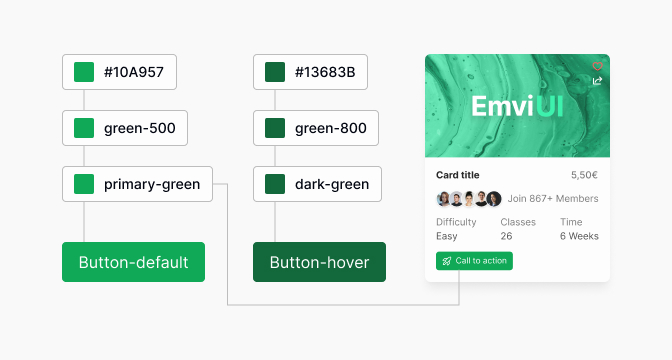
How can you make your portfolio stand out with unique Figma projects?
Focus on quality over quantity. Choose a few projects that showcase your mastery of advanced Figma features, such as interactive components, responsive layouts, and design system integration. Document your process and explain your design decisions. This demonstrates both your technical skill and your ability to think critically about design problems.
Real-World Applications: Using Advanced Figma Skills in Your Workflow
Advanced Figma skills have a direct impact on your daily workflow, especially when working with design systems and front-end frameworks like Tailwind CSS.
How can advanced Figma skills improve your design system?
With advanced features, you can create more consistent, scalable, and maintainable design systems. Component variants and auto layout make it easy to update styles across your product. Design tokens ensure that your design language is reflected accurately in code.
What are practical examples of using Figma with Tailwind CSS?
Figma and Tailwind CSS both rely on design tokens and modular components. By aligning your Figma styles with Tailwind's utility classes, you can speed up handoff and reduce inconsistencies between design and development.
Integrating Figma components with Tailwind workflows
For example, you can:
- Match Figma color styles to Tailwind's color palette
- Use auto layout to mirror Tailwind's spacing and flex utilities
- Annotate components with Tailwind class names for easier developer handoff
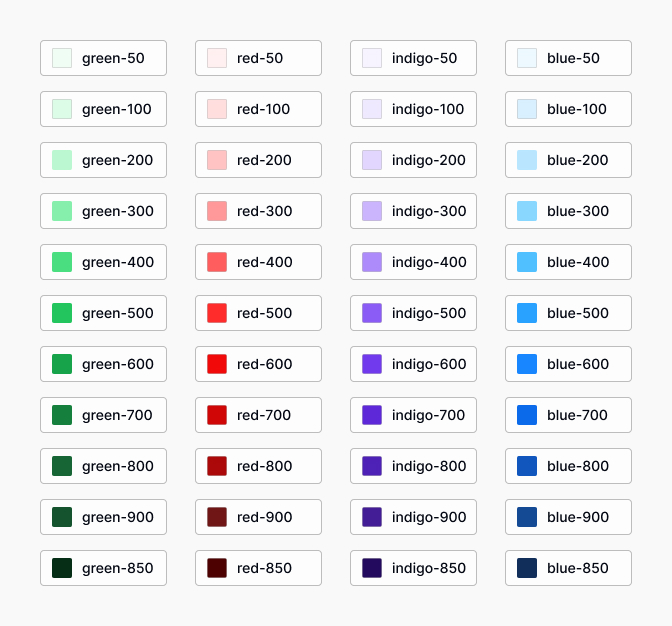
Exporting design tokens for front-end development
Figma plugins and APIs allow you to export design tokens (colors, typography, spacing) directly to JSON or CSS variables. Developers can then import these tokens into Tailwind's config file, ensuring perfect alignment between design and code. For more details, check the Tailwind CSS documentation.
Conclusion: Taking Your Figma Skills to the Next Level
The Figma Advanced Course is more than just a set of tutorials-it's a comprehensive program that prepares you for real-world design challenges. By mastering advanced tools and workflows, you'll be able to build scalable UI kits, manage design systems, and collaborate effectively with developers.
What's the main takeaway from the Figma Advanced Course?
The main takeaway is confidence: confidence in using Figma's most powerful features, and confidence in presenting your work to employers or clients. You'll leave the course with a portfolio of real projects and a deep understanding of modern UX/UI design practices.
How can you continue growing as a UX/UI designer after this course?
Keep practicing, stay curious, and seek feedback from the design community. Participate in design challenges, contribute to open-source projects, and keep up with the latest Figma updates. Continuous learning is key to staying ahead in this fast-moving field.
Where to find more resources for mastering Figma and design systems
Explore the Figma Help Center, join design communities on Slack or Discord, and follow leading UX/UI blogs. The more you engage with the community, the faster you'll grow as a designer.
Related reading

Pablo Mayoral
Senior UX/UI & Web Designer with 10+ years of experience. Creator of EmviUI (10k+ components Figma design system), UImand, and Vitamin Bootstrap. Currently designing digital products at CQMRewards.