Tailwind CSS Grid: Responsive Cards, Spans and Reading Order
Build a card collection that survives narrow widths, featured items and long content while preserving a logical reading sequence.
To build a responsive Tailwind CSS grid, put grid and grid-cols-1 on the container, add a gap, and introduce extra columns only when the cards remain usable. Keep the content in a sensible source order, scope large spans to the breakpoint that supports them, and test long text before polishing the layout. The result should work as a single column before it becomes a dashboard or card gallery.
To build a responsive Tailwind CSS grid, put grid and grid-cols-1 on the container, add a gap, and introduce extra columns only when the cards remain usable. Keep the content in a sensible source order, scope large spans to the breakpoint that supports them, and test long text before polishing the layout. The result should work as a single column before it becomes a dashboard or card gallery.
This guide builds an editorial card collection with one featured item, ordinary cards and a secondary action. The same reasoning helps with resource libraries and product summaries. It is an implementation walkthrough, not a kit ranking or a Figma export recipe. The examples use current Tailwind CSS documentation; check your installed version and theme before copying utilities into an older project.
Start with the content and its reading order
Write down what each card contains: title, short description, category, image and destination. Then decide which elements are essential for choosing the next page. In our example, the title and destination matter more than equal card heights. A long heading must remain understandable even if the card becomes taller than its neighbor.
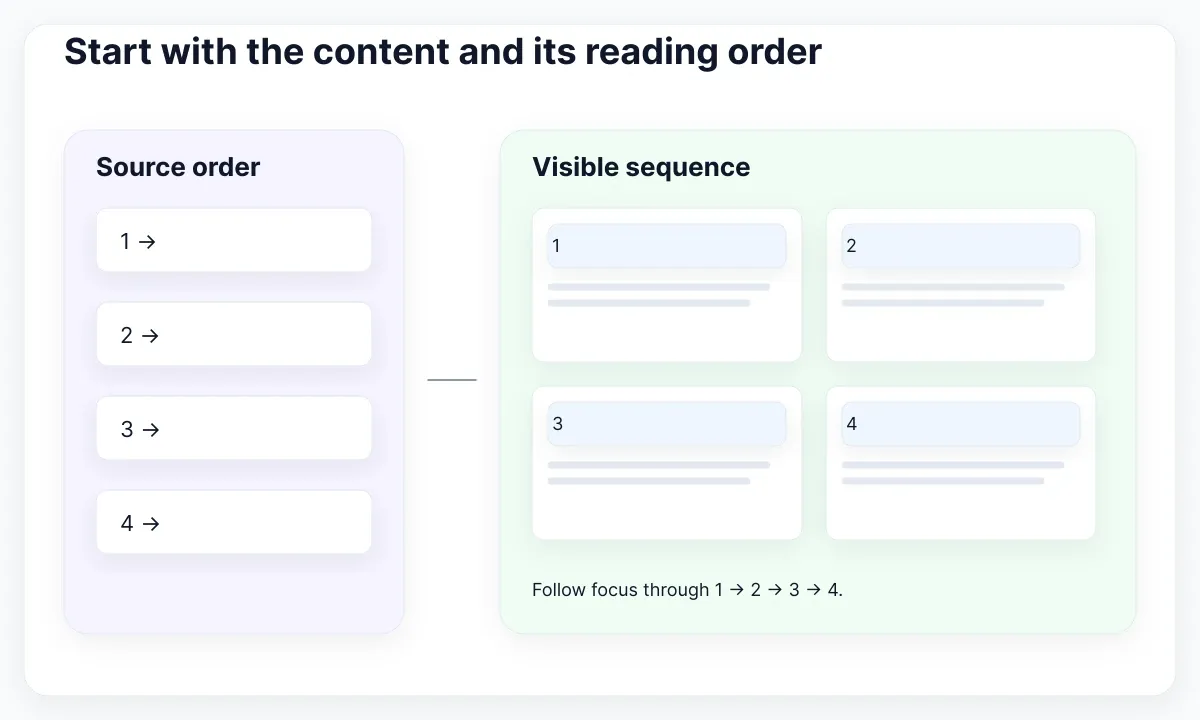
Arrange the underlying list in the order you want people to encounter it. Put the featured article first because it is the first editorial recommendation, not merely because you want a large rectangle in the corner. MDN’s grid accessibility guide explains that visual placement does not change the source-based reading and default keyboard order.
Keep the list structure intact. A ul can be the grid container and its li children the grid items. Inside each item, use a heading and a descriptive link appropriate to the surrounding page. Do not flatten meaningful groups just to make every small element participate in the outer grid. A card’s internal layout is a separate decision.
For a handoff, annotate the intended sequence with numbers and include the narrow version. This is a recommended review aid: it exposes disagreements about content priority before they become complicated placement rules. If the page still needs a design brief, the responsive web-design walkthrough provides the broader page-planning step.
Build a one-column baseline
Start with a container whose direct children are complete cards. The baseline class list is grid grid-cols-1 gap-6. Tailwind’s column reference documents grid-cols-1 and the equal-track utilities. The grid class establishes the layout context; a column declaration by itself does not turn an ordinary block into a grid.
In this example, use a section heading above the list, then a ul with that class list, and one li per article. Each li contains an article with its own heading and link. Keep the example small: three representative cards are enough to observe ordinary text, an unusually long title and an item without an image.
Treat gap as spacing between tracks, not padding inside the card. The gap documentation covers a shared gap and separate horizontal and vertical utilities. Set card padding independently. If spacing feels inconsistent, identify whether the problem is between cards, within cards or around the whole collection before changing several values.
Do not fix card heights yet. Put real text into the narrow baseline and let it wrap. Ensure the destination link still makes sense without an image. Our acceptance condition is simple: a person can identify and open every article without horizontal page scrolling or clipped titles. This condition is more useful than matching the initial desktop mockup.
Choose breakpoints from usable card width
For a deliberate one-to-two-to-three-column layout, extend the container to grid grid-cols-1 gap-6 md:grid-cols-2 xl:grid-cols-3. Tailwind’s responsive-design guide describes unprefixed styles as the baseline and breakpoint variants as minimum-width conditions. Default md is 48rem and xl is 80rem; your theme may customize them.
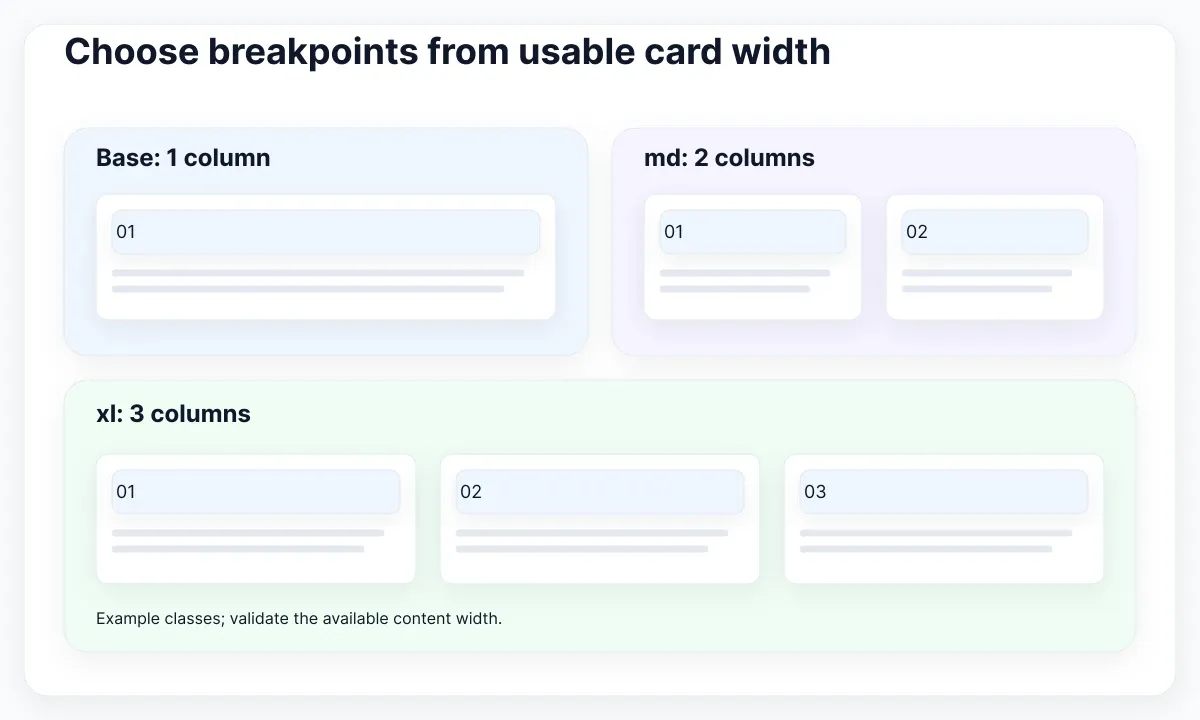
Choose those switches after testing the actual content area. A wide browser does not guarantee wide cards: navigation, page padding and a sidebar consume space. In an illustrative 960px content area with two 24px gaps, three equal columns receive 304px each: (960 − 48) ÷ 3. This is layout arithmetic, not a Tailwind breakpoint or a universal minimum card size.
Use that calculation to prepare a specimen at roughly the expected width. Try a two-line title, a four-line title and a translated label. If the design needs substantially more width, keep two columns longer or change the surrounding layout. Do not reduce body text simply to preserve the preferred column count.
For a reusable collection inside different panels, consider container queries rather than viewport conditions. Tailwind documents these separately; their prefixes use @ and refer to container sizes. Do not assume md: and @md: have identical thresholds. Whichever strategy you choose, record whether the component responds to the viewport or its available container so another team can predict its behavior.
Give featured cards a safe span
A featured card can occupy more than one track, but the span must exist only where enough tracks exist. Give the featured li md:col-span-2. The baseline remains a normal single-column item. Tailwind’s grid-column reference documents span and line-placement utilities. Keep the card’s internal image-and-text arrangement independent of this outer span.
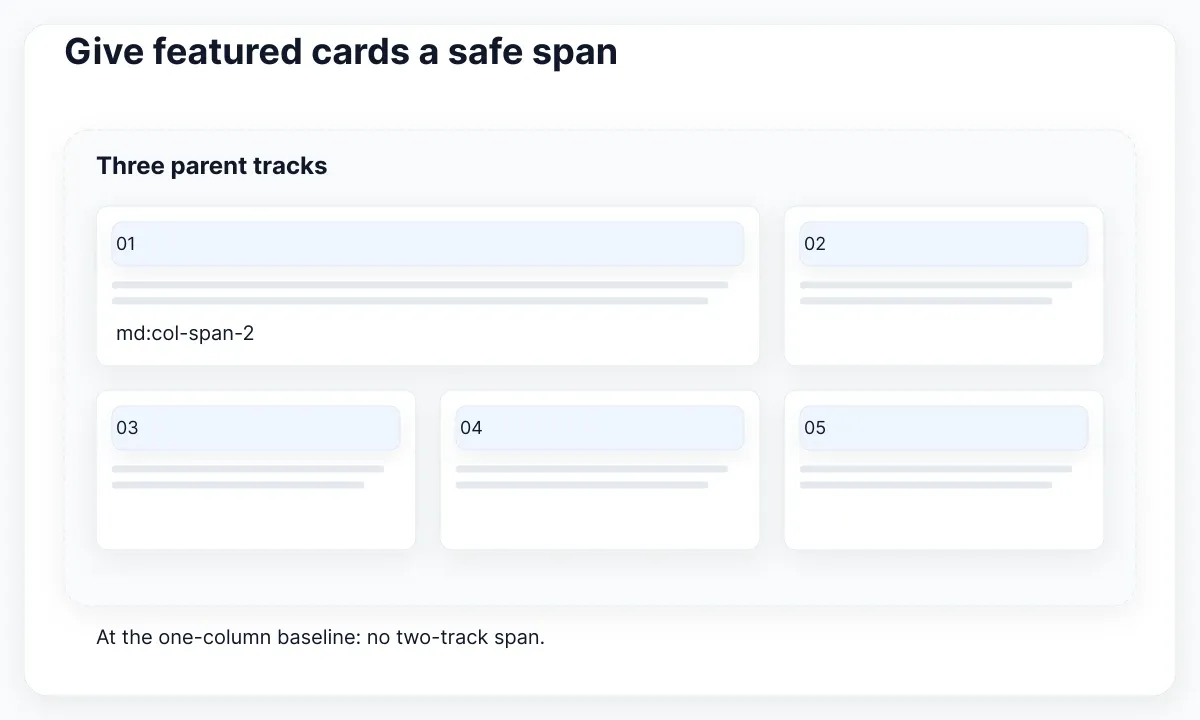
At the two-column size, the featured item fills the first row. At three columns, it occupies two columns and leaves one position for the next card. This is the intended example, not a promise that all subsequent content forms a perfectly balanced rectangle. Decide whether an uneven final row is acceptable before adding complex packing rules.
An unprefixed col-span-2 on a one-column baseline can create an unintended implicit column. If a phone view overflows, inspect the child’s computed span alongside the parent’s track definition. Adding overflow-hidden to the page conceals the symptom while leaving the layout rule unresolved. Remove or scope the incompatible placement first.
Give the featured treatment a content reason. In our editorial example, it supports a longer introduction and a larger image. If every card is equally important, equal spans are easier to scan and maintain. Document the exception as an explicit featured option; avoid choosing the span from the length of the title or the array position alone.
<ul class="grid grid-cols-1 gap-6 md:grid-cols-2 xl:grid-cols-3">
  <li class="min-w-0 md:col-span-2">
    <article><h3><a href="https://emviui.com/components/">Component catalogue</a></h3></article>
  </li>
  <li class="min-w-0">
    <article><h3><a href="https://emviui.com/">EmviUI</a></h3></article>
  </li>
</ul>
Fix overflow without hiding content
When one card is wider than its track, separate the track, item and inner content. MDN documents minmax() as a range between minimum and maximum track sizes. Tailwind’s numeric grid columns use a zero minimum with a flexible maximum. That does not automatically make every nested image, URL or fixed-width child fit.
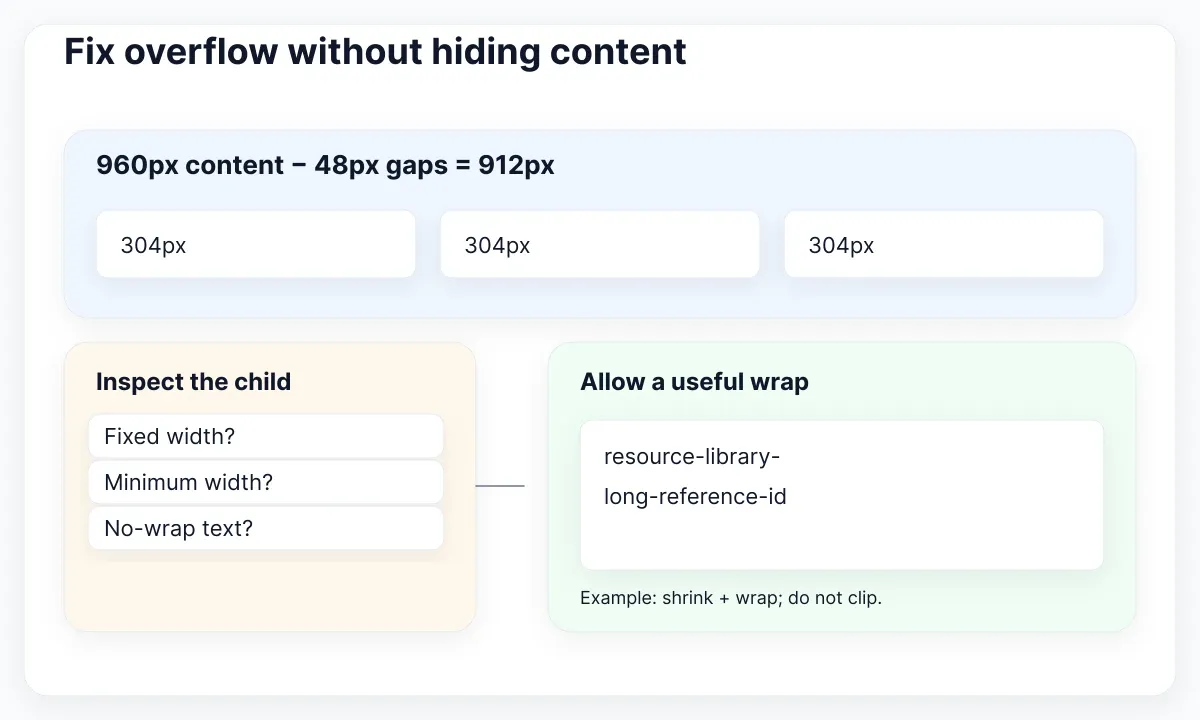
Inspect computed widths in browser developer tools. Look for a fixed-width chart, an image with an unsuitable minimum, a nowrap label or an unbroken identifier. Tailwind’s minimum-width utilities include min-w-0 for allowing an item to shrink. Apply it to the element whose minimum size is blocking the intended behavior, then inspect the text separately.
For a long resource address, choose a wrapping policy rather than clipping the destination. Tailwind’s overflow-wrap guide documents wrap-anywhere in the current version. Use it selectively for identifiers or URLs; ordinary prose should retain natural wrapping. Test the exact utility available in your project rather than silently mixing version-specific names.
Keep images within their card and define the intended crop as a visual decision. Compare a landscape thumbnail with a portrait upload and an absent image. A uniform thumbnail region can stabilize the collection, but it must not remove information the reader needs. If an image carries essential text, provide that information in accessible page content instead of relying on a cropped thumbnail.
Keep placement and keyboard order aligned
The simplest placement strategy is often source-order auto-placement. MDN’s auto-placement guide explains how items occupy the grid and how dense packing can fill earlier holes with later items. For this collection, keep ordinary placement so the reading sequence remains easy to explain across widths.
Test the page with the keyboard, starting before the collection and continuing beyond it. Follow the visible focus through every card. If it appears to jump backward across rows, inspect visual positioning and source order together. Do not add positive tabindex values to repair a visual arrangement; revisit the structure that caused the mismatch.
Responsive layout also needs a reflow check. W3C’s Reflow explanation describes the 320 CSS-pixel width condition for vertically scrolling content and the corresponding zoom context. The card collection should not require two-dimensional scrolling merely to read ordinary text. Exceptions for inherently two-dimensional content do not justify a horizontally scrolling page of article cards.
These checks do not certify the whole interface as accessible. Names, focus visibility, contrast and interaction behavior need their own review. Record the narrow-width and keyboard results as evidence about this layout. Keep a list of unresolved card-level problems so a successful grid test does not make them disappear from the release decision.
Use EmviUI as a visual acceptance reference
Use the real EmviUI editorial-board example below to inspect hierarchy: a featured area precedes smaller cards, and repeated image regions make the collection scannable. The screenshot is an EmviUI design specimen. It does not establish the original CSS implementation, responsive breakpoints or keyboard behavior.
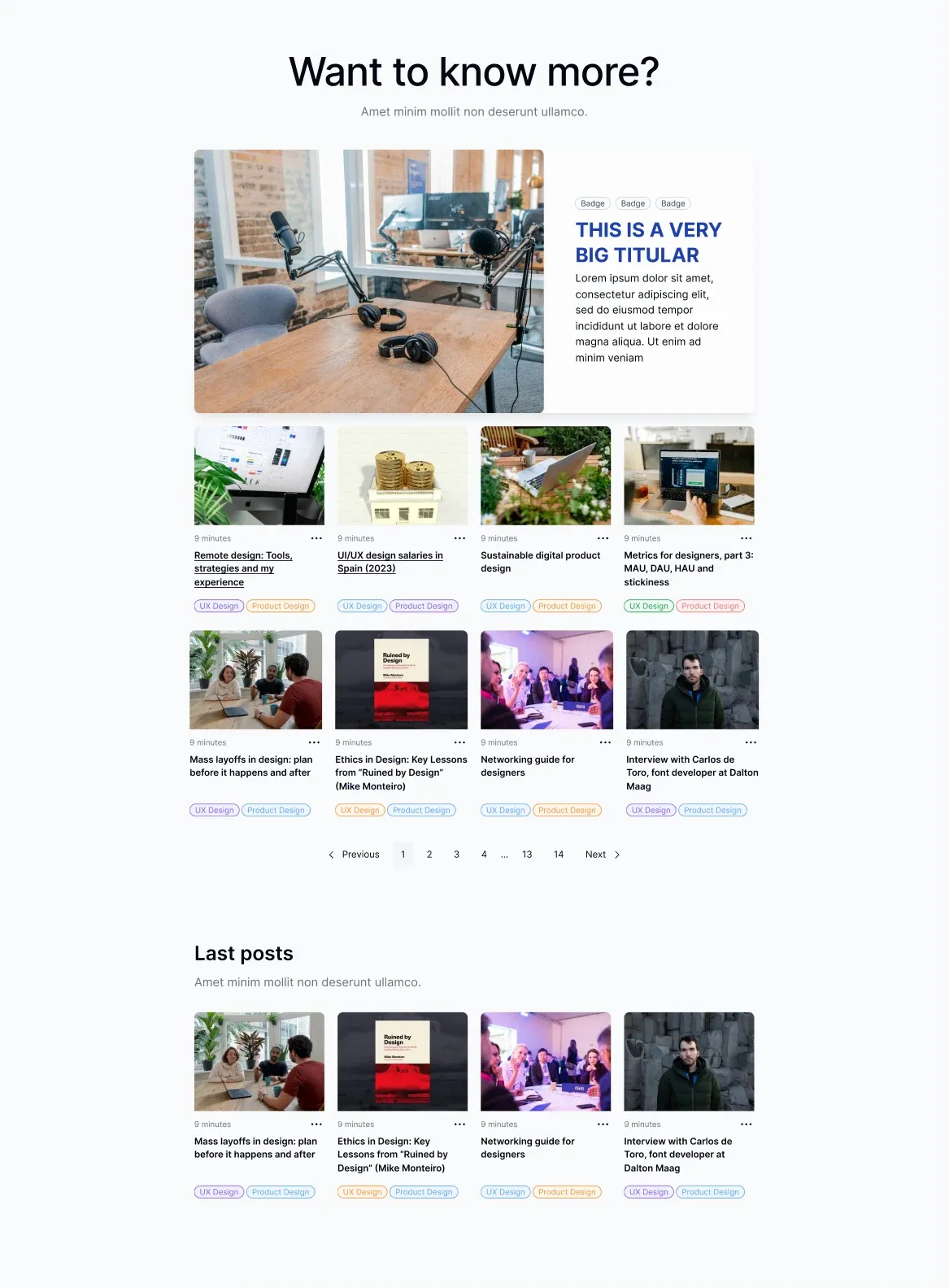
The live EmviUI component catalogue offers a concrete starting point for inspecting interface examples. For this task, select a card treatment, replace the sample copy and describe its narrow-width behavior. EmviUI helps make the visual target specific; you still need to implement and test the grid rules in your own application.
Write three acceptance notes beside the specimen: which card is featured, which content may wrap and which image region may crop. Then compare the browser result against those notes at each layout change. This is more actionable than asking for a vague pixel match at one width. Keep desktop polish subordinate to preserving titles and destinations.
If your team is also deciding how to organize utilities and custom rules, continue with structuring interface styles with Tailwind and CSS. For repeated spacing decisions across components, the design-token guide addresses the shared foundation. Neither replaces the content-width trial described here.
Test the grid before shipping
Run a small acceptance matrix rather than taking one desktop screenshot. Check one-column, two-column and three-column states; widths immediately around each configured switch; and a narrow panel if the collection is reusable. Include zero, one, three and seven items. These cases expose empty states, a lone featured card and an incomplete final row.
Repeat with long translated titles, a missing image and an unusually long identifier. Use actual text, not just gray placeholders. Capture what failed and change one rule at a time: the column count, span scope, intrinsic minimum or wrapping policy. Retest the failing case before broadening the change to the entire component.
If a utility works locally but disappears in the production build, inspect how its class name enters the source. Tailwind’s class-detection documentation requires complete detectable class strings; constructing a partial grid-cols- prefix with a runtime number is not a reliable way to generate the styles. Map supported options to complete static classes.
Finish with a short implementation note: source order, parent sizing strategy, breakpoint ownership, featured span, image policy and the content cases tested. A teammate should be able to change the card copy or remove two items without guessing the layout’s hidden assumptions. Ship when those changes preserve readable content and predictable navigation, then revisit visual refinement with real usage feedback.

Pablo Mayoral
Senior UX/UI & Web Designer with 10+ years of experience. Creator of EmviUI (10k+ components Figma design system), UImand, and Vitamin Bootstrap. Currently designing digital products at CQMRewards.