




Can I customize Color system in Figma?
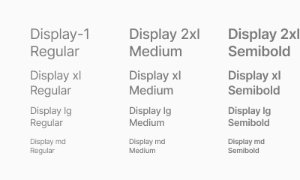
Yes. The EmviUI file is editable: adapt colors, typography, spacing, and variants to your product’s visual system.
Components
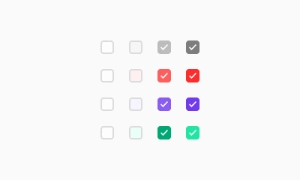
Explore editable color system patterns for brand palettes, semantic feedback and light or dark themes. Use the Figma preview to compare layouts for color picker UI and review the available states before adapting the design.
 Included in free version
 Free
Free
8 Variants
 Free
Free
16 Variants
 Free
Free
96 Variants
 Free
Free
1128 Variants
 Free
Free
36 Variants
 Free
Free
340 Variants
 Premium
336 Variants
 Free
Free
960 Variants
 Premium
86 Variants
 Premium
70 Variants
 Free
Free
128 Variants
 Free
Free
100 Variants
 Free
Free
2404 Variants
 Free
Free
16 Variants
 Free
Free
256 Variants
 Free
Free
12 Variants
 Free
Free
20 Variants
 Free
Free
50 Variants
 Free
Free
896 Variants
 Premium
196 Variants
 Free
Free
784 Variants
 Free
Free
840 Variants
 Premium
149 Variants
 Premium
22 Variants
 Free
Free
50 Variants
 Free
Free
1792 Variants
 Free
Free
64 Variants
 Premium
6 Variants
 Premium
256 Variants
 Free
Free
64 Variants
 Premium
580 Variants
 Free
Free
144 Variants
 Premium
36 Variants
 Premium
7 Variants
 Premium
441 Variants
 Premium
8 Variants
 Free
Free
14 Variants
 Free
Free
12 Variants
 Premium
16 Variants
 Premium
32 Variants
The Emvi UI color palette forms the visual foundation of the design system. Each color has been carefully
selected and scaled to ensure consistency, accessibility, and adaptability across any brand context. This
chromatic structure enables product teams to build cohesive, scalable, and visually harmonious interfaces.
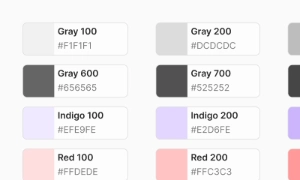
The system includes a clear hierarchy of colors: primary, secondary, accent, neutral, and feedback states
(success, error, warning, info). All colors are distributed across progressive scales (from 50 to 900),
allowing seamless implementation in both design and development environments—especially those using Tailwind
CSS.
This configuration promotes direct integration between design and code, eliminating ambiguity and reducing
implementation time. The palette is fully compatible with Figma Styles and Tailwind Tokens, ensuring a
smooth experience for cross-functional teams.
Color is a fundamental component in building brand identity. Within Emvi UI, the chromatic selection has
been developed to convey visual personality in a coherent and strategic way, from major interactive elements
to the most subtle interface details.
The primary color serves as the system's visual anchor, applied to prominent actions such as buttons, links,
or navigation elements. Secondary and accent colors complement this role, offering flexibility to design
rich and distinctive visual experiences while maintaining consistency.
Each shade serves a defined purpose within the system, allowing for consistent application across products
and platforms. Organized into scales, these palettes support modular visual implementation, easily adapting
to light/dark modes and specific brand requirements.
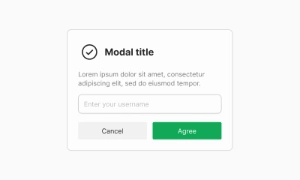
In Figma, compare the component variants in a real product screen. Check spacing, contrast and labels across relevant states, then adapt the pattern to the team's design system. Document the selected variant and relevant states so the pattern stays consistent across screens.
Strategic color usage is key to establishing visual hierarchy and guiding user attention. Emvi UI applies a
semantic approach to color assignment, enabling clear differentiation between levels of importance and
content types.
Primary colors are used in key action elements, while softer or neutral tones are assigned to secondary or
contextual components. This logic is consistently applied across buttons, labels, forms, and navigation
systems.
Each tone within a scale represents a specific visual level, enabling the construction of clean, organized
interfaces that enhance usability and reduce user cognitive load.
Emvi UI is fully aligned with the Tailwind CSS architecture. Each color is tokenized using a consistent
color-name/scale convention, making it easy to map directly into custom configurations within development
environments.
This structure allows components designed in Figma to be implemented immediately using Tailwind classes like
bg-primary-500 or text-neutral-700, minimizing miscommunication between design and code.
The system is designed to scale across projects of any size, with built-in support for light/dark modes,
theme customization, and brand-specific adaptations—without compromising visual consistency.
Neutral colors provide the structural foundation of design in Emvi UI. From backgrounds and borders to text
and surfaces, each neutral tone is carefully balanced to support clear, hierarchical, and versatile visual
construction.
The system also includes a full range of feedback colors: success, error, warning, and info. These shades
are optimized for high visual recognition and meet required contrast levels without overwhelming the
interface.
Each state includes variants for both text and backgrounds, allowing flexible use in interactive components,
forms, and notifications.
To streamline implementation, all colors in Emvi UI are organized by semantic roles: blue, green, soft, gray, dark, etc. These styles are available as global Figma styles and as configurable tokens in development environments using Tailwind CSS. The naming convention follows a predictable logic, enabling designers to apply styles without worrying about hex values, and developers to use standard utility classes without redefining variables or making manual adjustments. This alignment between design and code ensures a consistent workflow, reduces errors, and accelerates product build and iteration processes.
Primary colors drive main actions, secondary colors support, and neutral grays balance the layout without drawing attention.
Yes. The EmviUI file is editable: adapt colors, typography, spacing, and variants to your product’s visual system.
The collection brings together multiple Color system patterns that you can adapt to digital product flows. Open the Figma preview to explore the included designs.