



Can I customize Notifications in Figma?
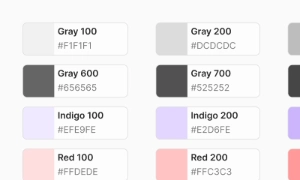
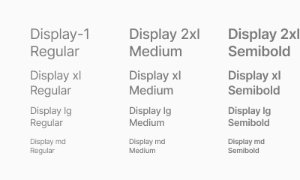
Yes. The EmviUI file is editable: adapt colors, typography, spacing, and variants to your product’s visual system.
Components
Explore editable notification patterns for activity feeds, unread updates and timely product messages. Use the Figma preview to compare layouts for notification icon UI and review the available states before adapting the design.
 Included in free version
 Free
Free
8 Variants
 Free
Free
16 Variants
 Free
Free
96 Variants
 Free
Free
1128 Variants
 Free
Free
36 Variants
 Free
Free
340 Variants
 Premium
336 Variants
 Free
Free
960 Variants
 Premium
86 Variants
 Premium
70 Variants
 Free
Free
128 Variants
 Free
Free
100 Variants
 Free
Free
2404 Variants
 Free
Free
16 Variants
 Free
Free
256 Variants
 Free
Free
12 Variants
 Free
Free
20 Variants
 Free
Free
50 Variants
 Free
Free
896 Variants
 Premium
196 Variants
 Free
Free
784 Variants
 Free
Free
840 Variants
 Premium
149 Variants
 Premium
22 Variants
 Free
Free
50 Variants
 Free
Free
1792 Variants
 Free
Free
64 Variants
 Premium
6 Variants
 Premium
256 Variants
 Free
Free
64 Variants
 Premium
580 Variants
 Free
Free
144 Variants
 Premium
36 Variants
 Premium
7 Variants
 Premium
441 Variants
 Premium
8 Variants
 Free
Free
14 Variants
 Free
Free
12 Variants
 Premium
16 Variants
 Premium
32 Variants
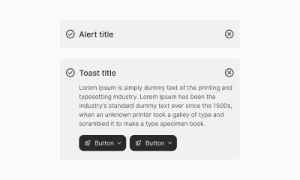
The Notifications UI component in Emvi UI manages contextual and persistent user communication by grouping
multiple events into a single, structured view. Unlike alerts or toasts, notifications are often displayed
in side panels, modals, or dropdowns, offering more room for text, actions, and organization.
Notifications are particularly useful in SaaS apps, e-commerce, or collaborative platforms, where users need
to quickly access updates related to their account, activity, or reminders.
Each notification includes:
- Header (e.g., "New message", "System update")
- Body text describing the event
- Contextual icon indicating type (success, error, warning, info)
- Quick actions such as buttons ("view more", "dismiss", "reply")
- Optional timestamp for chronological context
- Contextual: displayed in dropdowns or side panels
- Persistent: remain visible until dismissed by the user
- Interactive: include quick-action buttons or links
- Grouped: multiple notifications shown within a tray or panel
When implementing these Figma patterns:
- Choose role="status" or role="alert" according to message urgency
- Check contrast with the final theme colors
- Test keyboard navigation and dismissal
- Adapt the notification panel to narrow screens
In Figma, notifications ship as modular components with style variants (light/dark, type, with/without
icons, with/without actions).
In Tailwind CSS, they are implemented using utilities like flex, items-start, gap-x-*, bg-*, shadow-md,
rounded-lg, and animate-in/out.
Alerts are inline, persistent messages within specific flows, while toasts are transient and auto-dismiss. Notifications, however, are often grouped in trays or panels, can persist until managed, and support more complex actions.
Yes. The EmviUI file is editable: adapt colors, typography, spacing, and variants to your product’s visual system.
The EmviUI collection includes 128 Notifications variants. Open the Figma preview to explore the included designs.