



Can I customize Toggle in Figma?
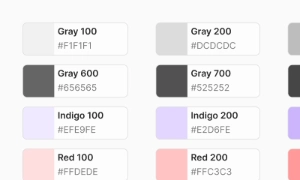
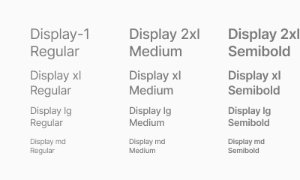
Yes. The EmviUI file is editable: adapt colors, typography, spacing, and variants to your product’s visual system.
Components
Explore editable toggle switch patterns for on/off settings such as preferences and dark mode. Use the Figma preview to compare layouts for dark mode toggle UI and review the available states before adapting the design.
 Included in free version
 Free
Free
8 Variants
 Free
Free
16 Variants
 Free
Free
96 Variants
 Free
Free
1128 Variants
 Free
Free
36 Variants
 Free
Free
340 Variants
 Premium
336 Variants
 Free
Free
960 Variants
 Premium
86 Variants
 Premium
70 Variants
 Free
Free
128 Variants
 Free
Free
100 Variants
 Free
Free
2404 Variants
 Free
Free
16 Variants
 Free
Free
256 Variants
 Free
Free
12 Variants
 Free
Free
20 Variants
 Free
Free
50 Variants
 Free
Free
896 Variants
 Premium
196 Variants
 Free
Free
784 Variants
 Free
Free
840 Variants
 Premium
149 Variants
 Premium
22 Variants
 Free
Free
50 Variants
 Free
Free
1792 Variants
 Free
Free
64 Variants
 Premium
6 Variants
 Premium
256 Variants
 Free
Free
64 Variants
 Premium
580 Variants
 Free
Free
144 Variants
 Premium
36 Variants
 Premium
7 Variants
 Premium
441 Variants
 Premium
8 Variants
 Free
Free
14 Variants
 Free
Free
12 Variants
 Premium
16 Variants
 Premium
32 Variants
The Toggle in Emvi UI is a binary control that quickly switches between two opposing states (on/off). It is
optimized for instantaneous configuration changes (e.g., enable notifications, dark mode,
activate/deactivate a rule) where the action takes effect immediately without extra confirmations.
The component supports size variants (SM/MD/LG), densities (compact/comfortable), states (on/off, hover,
focus, disabled, loading), and theme styles (light/dark). Color, type, and spacing tokens ensure visual
consistency across the system. The design emphasizes state legibility, WCAG accessibility, and semantic
clarity, distinguishing Toggle from other patterns (checkbox, radio, button) due to its instant nature.
A typical Toggle includes:
- Track: the on-rail area; communicates state using color/contrast.
- Thumb/Handle: circular/oval knob sliding between off/on.
- Label and optional description: provide context; the label area should be clickable.
States:
- Off / On (default)
- Hover / Visible Focus (ring/halo)
- Pressed/Active (momentary feedback)
- Disabled (no interaction, retains legibility)
- Loading (subtle spinner within thumb or track)
- Immediate action: Toggles apply changes instantly; no "save" required.
- Clear binary context: represent persistent/long-lived states (e.g., enable 2FA).
- Not for single-shot actions: prefer Button for momentary triggers.
- Not for multi-select lists: prefer Checkbox for sets of options.
- Focus & keys: Tab to focus, Space/Enter to toggle. Provide clear labeling when on/off meaning isn't
obvious.
A toggle is a user interface element that enables users to switch between two or more states or options. The most common example of a toggle is a switch, which can be turned on or off. This simple interaction allows users to control settings and preferences easily.
Toggles enhance user control by providing a straightforward way to change states. Whether it's enabling or disabling features, switching modes, or selecting options, toggles make these actions intuitive. Their binary nature—on or off, selected or unselected—ensures that users can make changes quickly and confidently.
Toggles are versatile and can be used in various applications, from setting preferences in mobile apps to controlling device settings on websites. They are particularly useful in forms and settings menus where users need to make quick adjustments. Our UI kit includes customizable toggle components that can be easily integrated into any design, ensuring a user-friendly and efficient interface.
Use a Toggle for immediate persistent settings (on/off). Use a Checkbox for selections that usually require confirmation (Save) or belong to multi-select groups.
Yes. The EmviUI file is editable: adapt colors, typography, spacing, and variants to your product’s visual system.
The EmviUI collection includes 2,404 Toggle variants. Open the Figma preview to explore the included designs.